Onboard: authorise Entra users and groups
Introduction
In this step, you assign Biza ID roles to users and groups in Entra ID. Complete Onboard: approve the Entra application first.
Prerequisites
Biza must have cut over your federation so that your organisation's email domains are redirected to Entra ID. If you are unsure whether this has happened, ask your Biza representative to confirm before you start.
Procedure
We recommend assigning Biza ID roles to Entra ID groups rather than to individual users.
1. In Entra ID, go to Enterprise applications, then select Biza ID > Users and groups. Click + Add user/group.
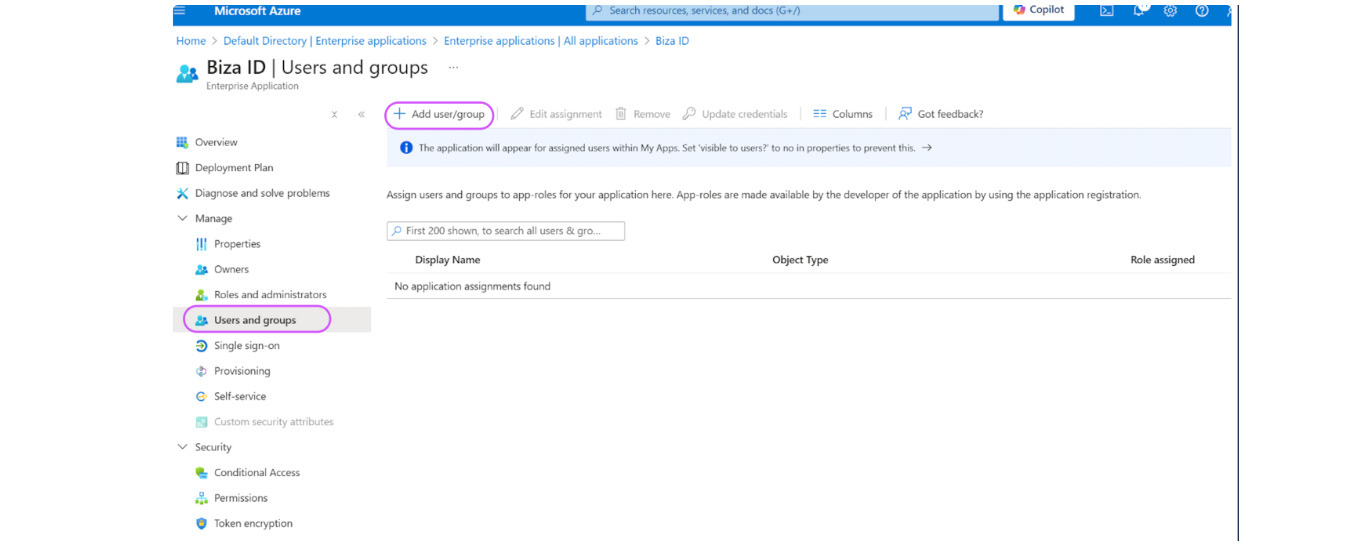
Biza ID users and groups
2. Select the users or groups that need access to Biza applications, then select the relevant role from the list.
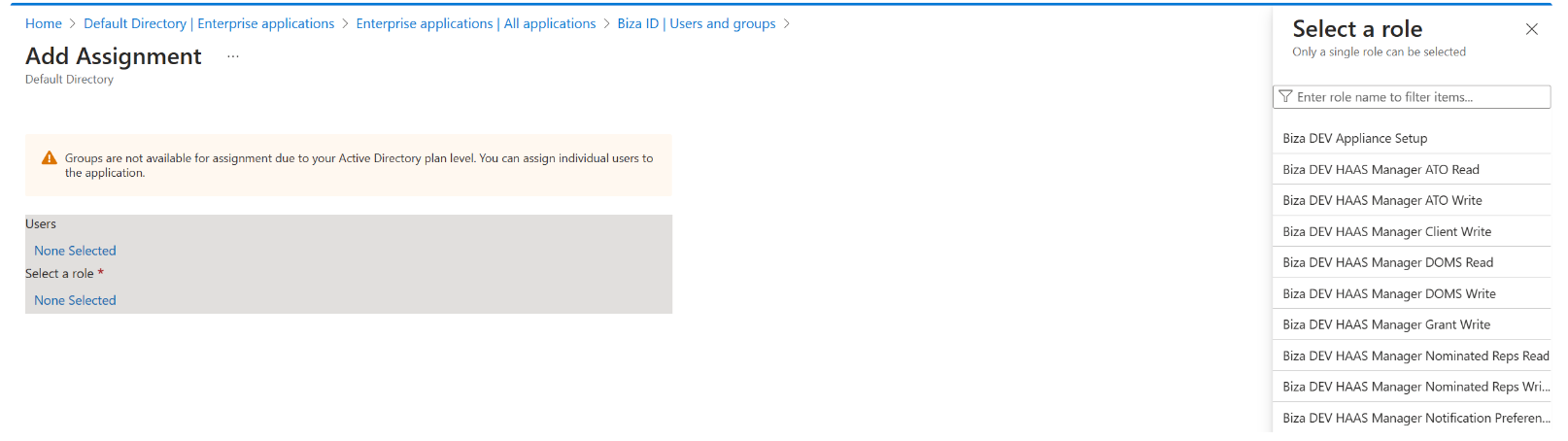
Add assignment to users or groups
3. In the example below, BizaIDTest User1 has the Biza Product Manager Read role and BizaIDTest User 2 has the Biza Product Manager Write role.
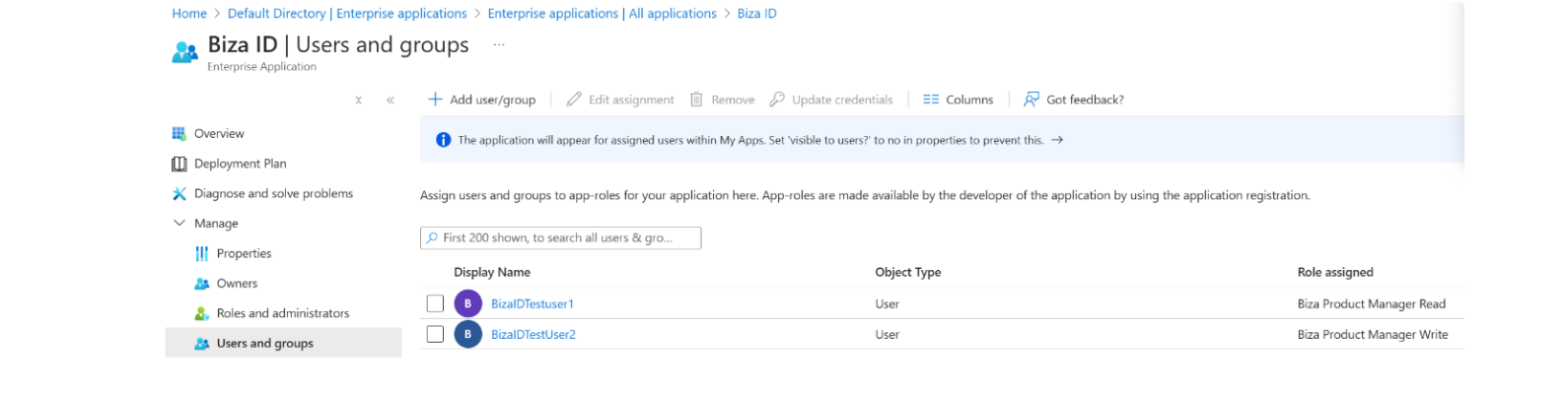
Role assigned to user
You can only add one role at a time. Repeat these steps for each role you add.