Cognito OAuth Integration for Consumer Apps
A simple example of enabling Consumer login to the Open Gateway Consumer Dashboard, using AWS Cognito as the identity provider.
Open Gateway: v1.0.12+
Overview
Amazon Cognito is an identity provider (IdP) hosted by AWS. It manages user pools, the login process, and integrations with other AWS services.
Consumers log in to the Open Gateway Consumer Dashboard with OAuth 2.0, so the dashboard needs OAuth 2.0 client credentials from your IdP.
This guide suits customers who already have an AWS Cognito user pool and want the same users to log in to Open Gateway.
Prerequisites
- An AWS Cognito user pool to connect to Open Gateway.
- Users in the pool have these attributes:
- name
Setup guide
Log in to the AWS Console.
Create a Lambda for the pre token generation trigger
-
Go to
AWS Lambdaand select Create function > Author from scratch. On the Basic information screen, enter:- Function name:
biza-pre-token-generation - Runtime: Node.js 20.x (or later)
- Architecture: x86_64
Click Create.
- Function name:
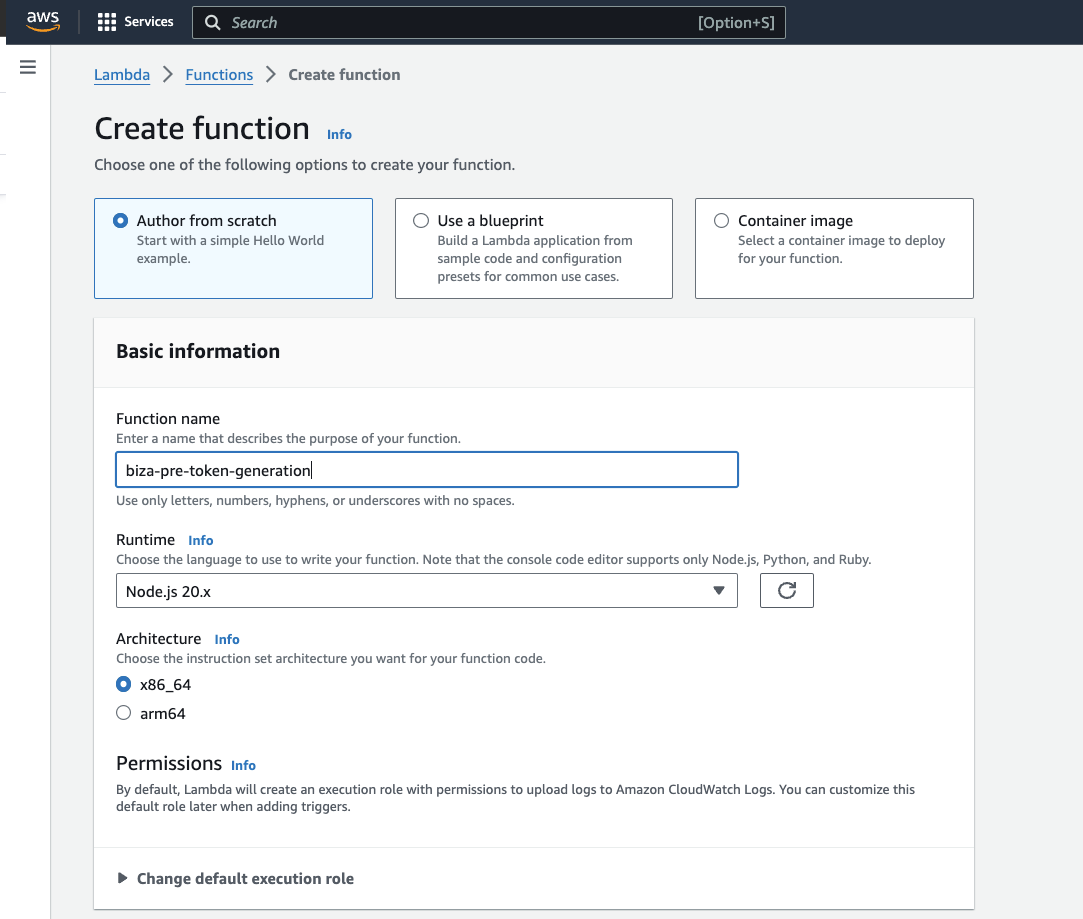
Create Function
- Add the following code and click
Deploy. The function is not used until it is deployed.
export const handler = function(event, context) {
  // Retrieve user attribute from event request
  const userAttributes = event.request.userAttributes;
  // Add scope to event response
  event.response = {
    "claimsAndScopeOverrideDetails": {
      "idTokenGeneration": {
        "claimsToAddOrOverride": {
          "biza-au:auth:user_id": userAttributes.sub,
          "biza-au:auth:principal_id": userAttributes.sub
        }
      },
      "accessTokenGeneration": {}
    }
  };
  // Return to Amazon Cognito
  context.done(null, event);
};
Enable the pre token generation trigger in Cognito
- Select your user pool, go to
Advanced Securityand click Enable.
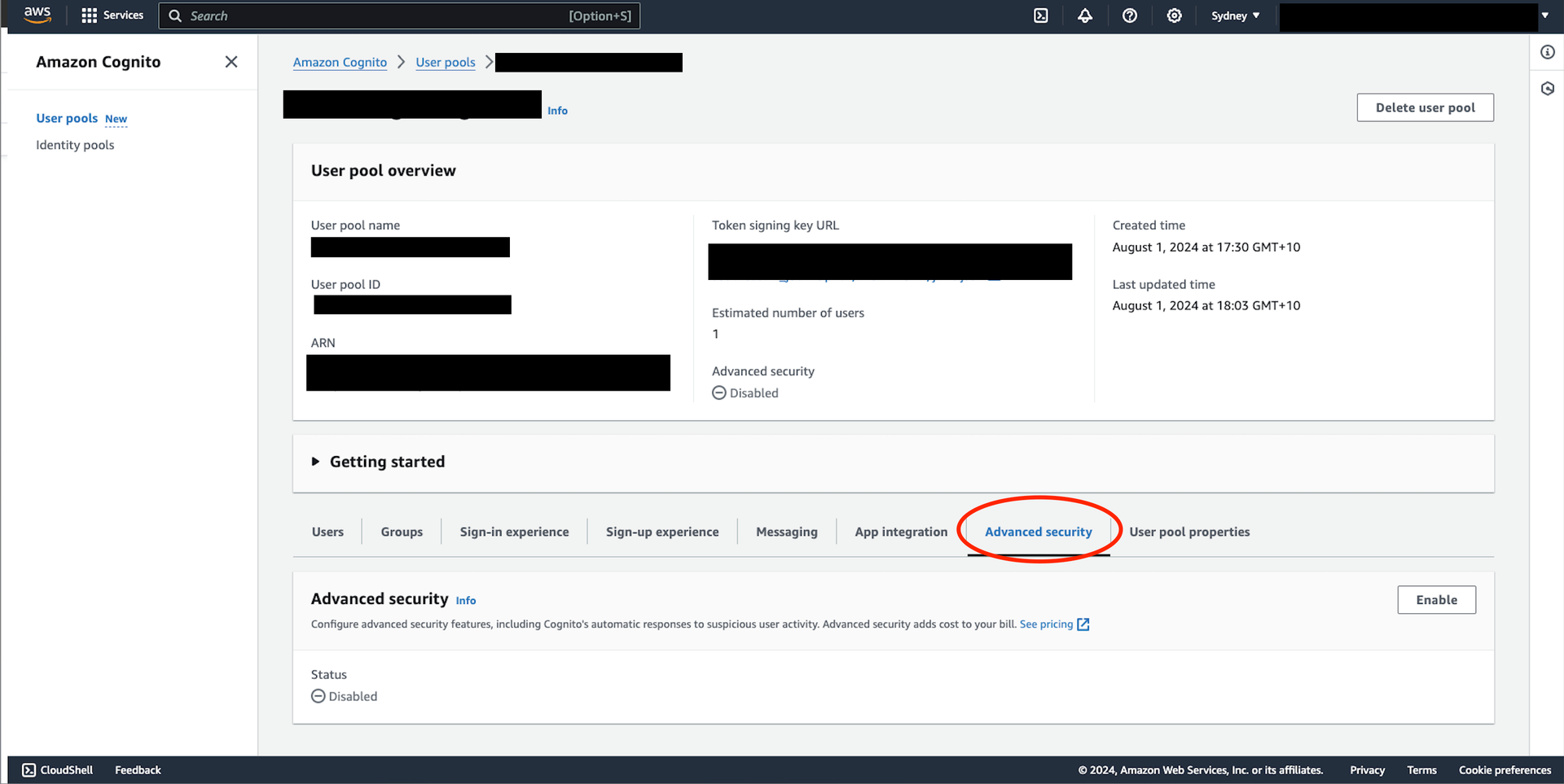
Advanced Security
-
On the Edit advanced security screen, set:
- Advanced security: ✅ Full-function
- Compromised credentials: ✅ Cognito defaults
- Adaptive authentication: ✅ Cognito defaults
Click Enable.
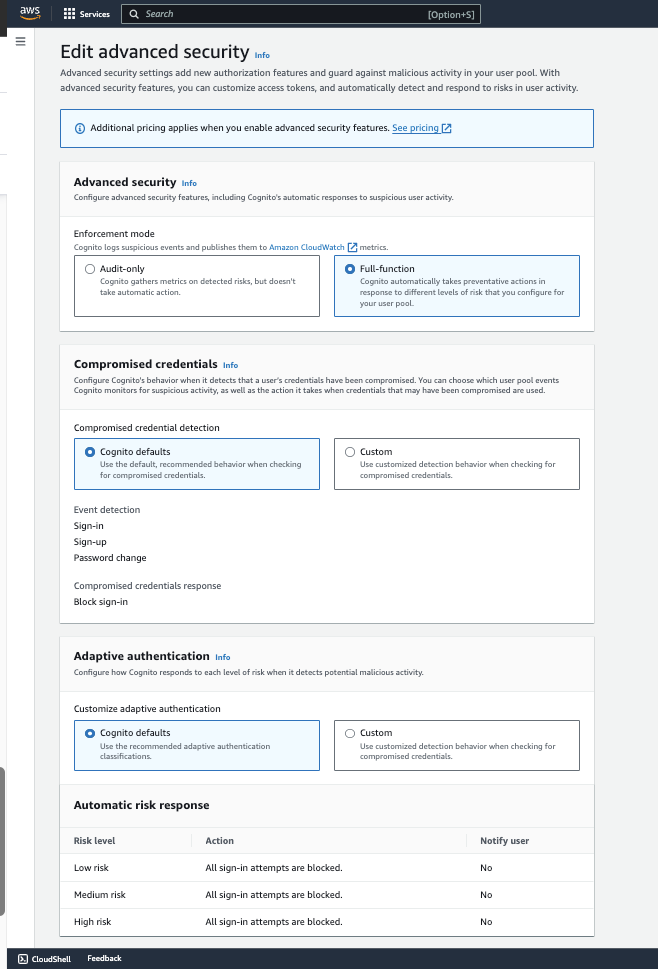
Edit Advanced Security
- Go to
User pool properties.
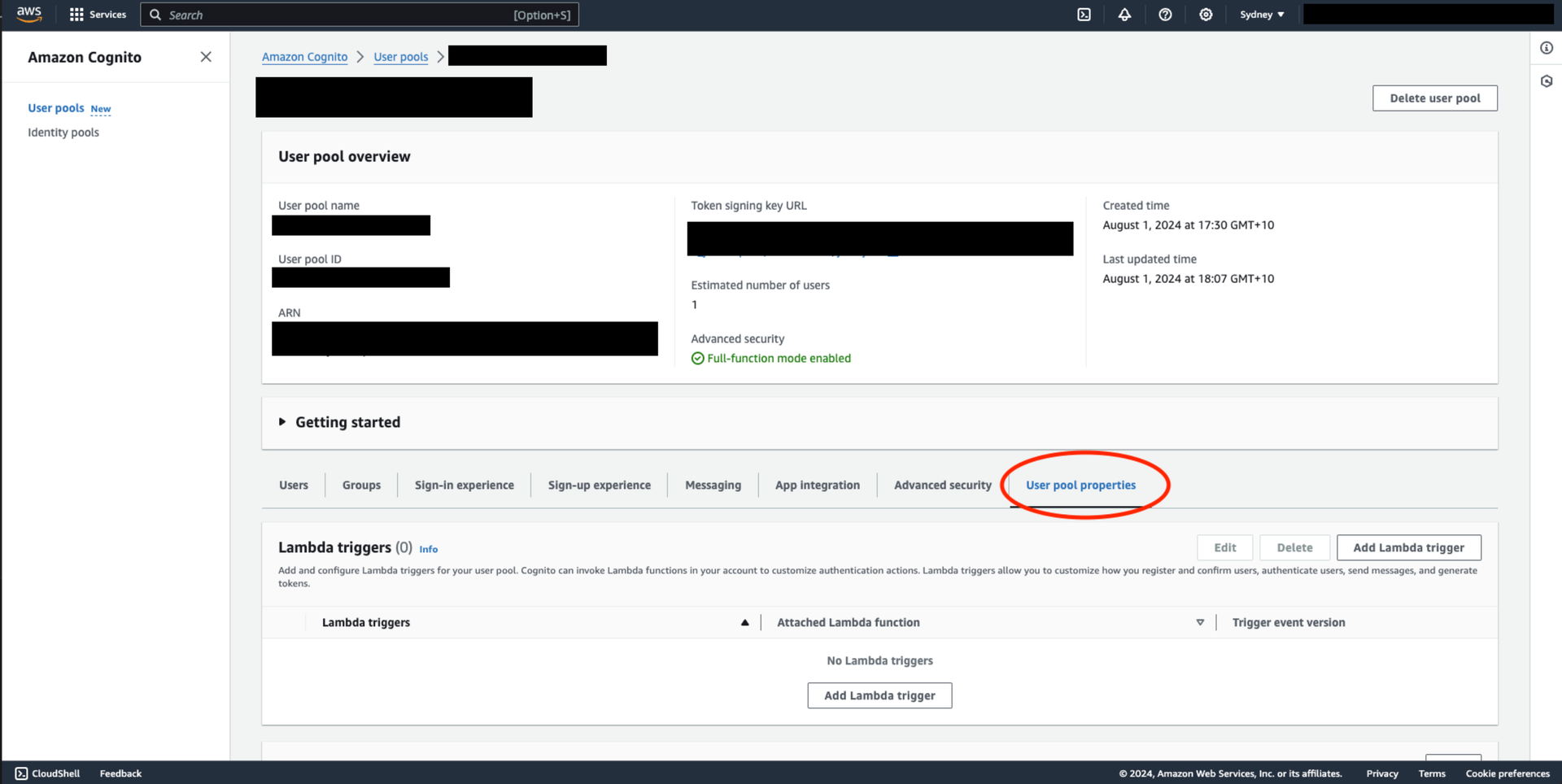
User Pool Properties
- On the Add Lambda trigger screen, select:
- Trigger type:
authentication - Authentication:
Pre token generation trigger - Trigger event version:
Basic features + access token customization - Recommended - Lambda function: the Lambda you created above
- Trigger type:
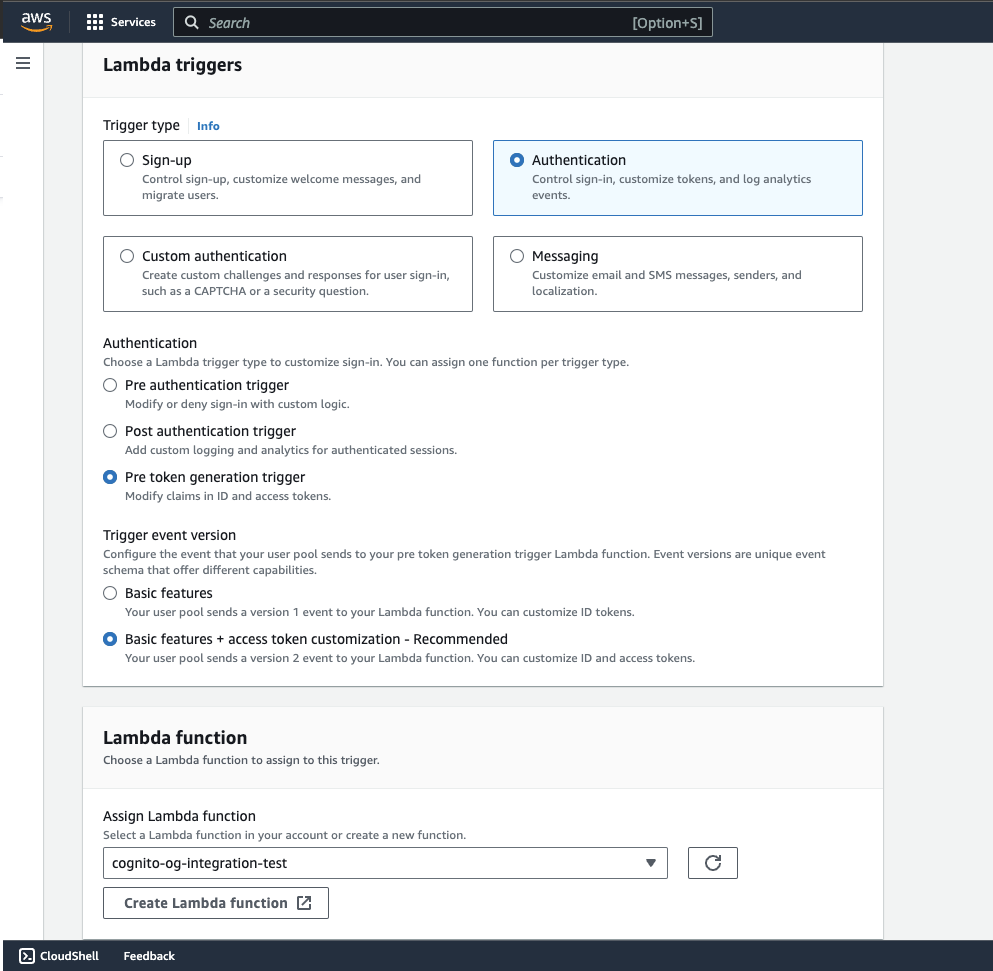
Lambda Triggers
Create an app integration for the Open Gateway Consumer Dashboard
- Go to your
User Poolin Cognito.
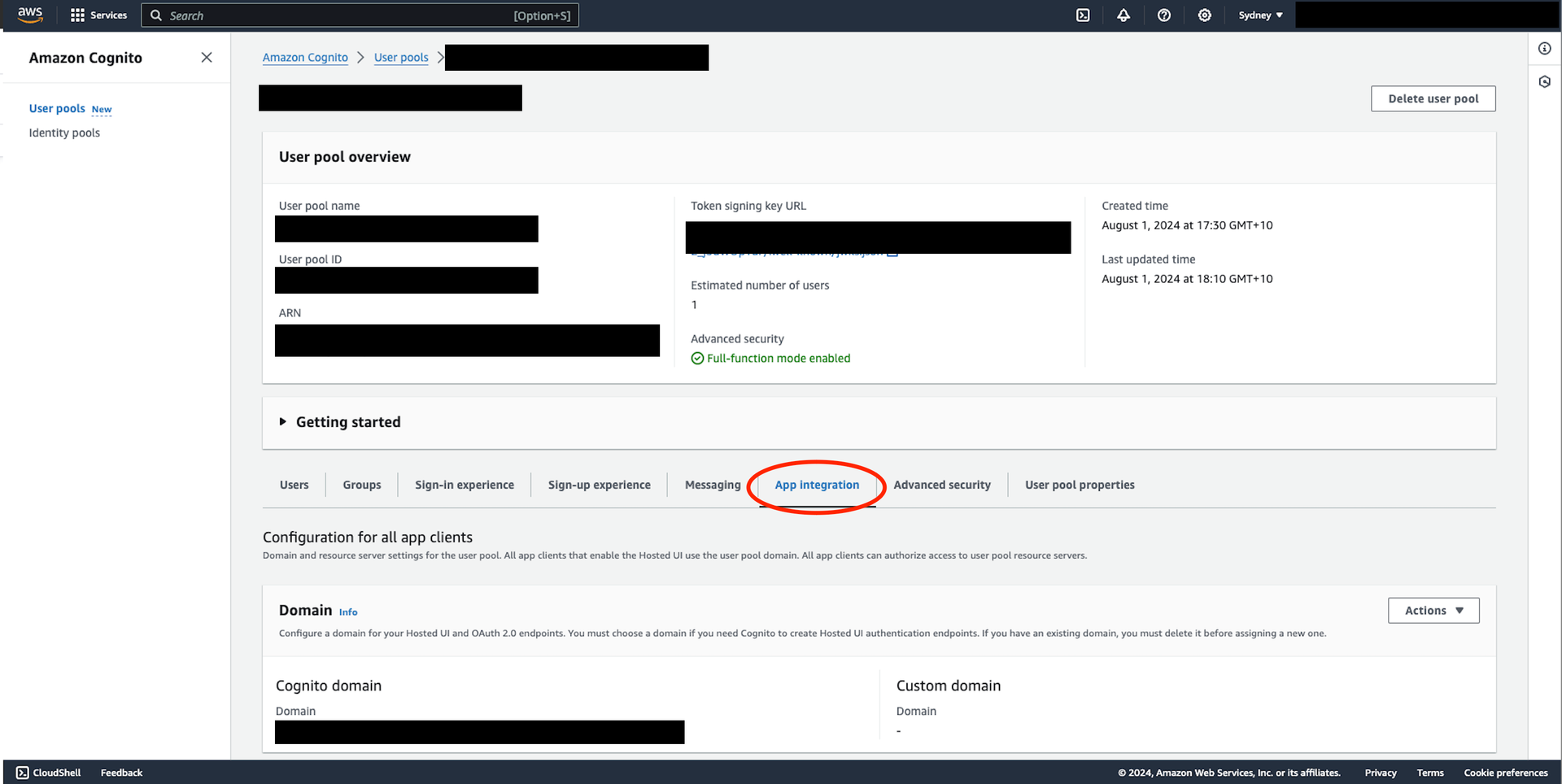
User Pool
- In the App Integration tab, enter:
- App type: Other
- App client name:
biza-og-dashboard-integration - Client secret: ✅ Generate a client secret
- Allowed callback URLs:
https://{{DASHBOARD HOST}}/api/auth/callback/rbac_oauth - Advanced security configurations - optional:
- ✅ Enable token revocation
- ✅ Prevent user existence errors
- ❌ Accept additional user context data
- Identity providers: select your preferred identity providers. These must match the identity providers used by the client app that creates agreements in OG.
- OAuth 2.0 grant types:
Authorization code grant - OpenID Connect scopes (see OAuth2 Profiles for the required scopes):
- openid
- profile
- Attribute read and write permissions: keep the defaults.