Using the Support Service Desk Portal
A screen-by-screen guide to the Biza Service Desk Portal, for every Biza product.
The Biza Service Desk Portal is where you lodge every request to Biza. Who can use it, and what never to include in a request, are in Contact Biza. Each product's own contact is on its product support page.
Accessing the portal
Open the Biza Service Desk Portal at support.biza.io, which takes you to bizaau.atlassian.net/servicedesk/customer/portals. You can also enter support.biza.io in your browser's address bar.
Navigating the Service Desk Portal
When you open the Service Desk Portal, you see a number of options and icons. This section explains what each one does.
Service Desk landing page

Service Desk Landing Page
Biza logo
Select the Biza logo (1) in the top-left corner to return to the Service Desk landing page at any time.
Search
Use Search (2) to find a request type for your ticket (for example, General Service Enquiry).
Profile icon
Select your profile icon at the top right of the screen (3) to see three options: Requests, Profile and Log out.

Profile Icon
Expand to learn more about Profile and Log out
Profile
Personal details
View and edit your personal information, including your name and email address.
Language and time zone
View and edit your display language and the time zone for your account. We recommend setting your time zone so that times in the Service Desk Portal display in your local time. This does not apply to times mentioned in ticket comments.
Log out
Logs you out of the Service Desk Portal.
Expand to learn more about Requests
The Requests section lets you find and manage your organisation's service requests. You can filter requests with the following options.
"Status" option
Filter the requests list by ticket status (for example, open, closed or under investigation).
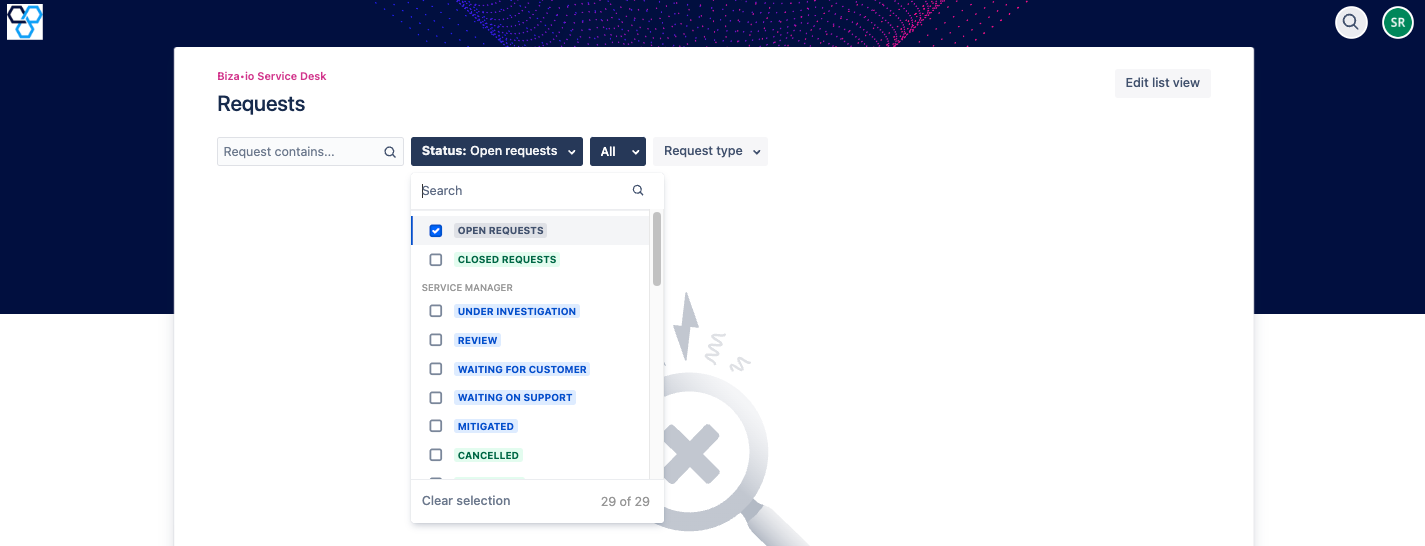
Status Option
"All" option
Filter your organisation's tickets to those you created, those where you are a participant, or all open tickets.
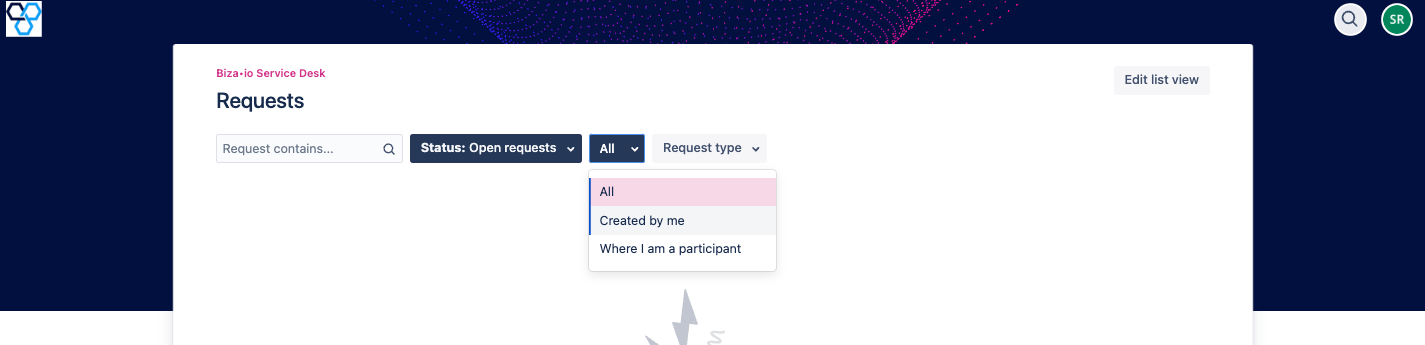
All Option
"Request Type" option
Filter the list by request type using the dropdown menu.
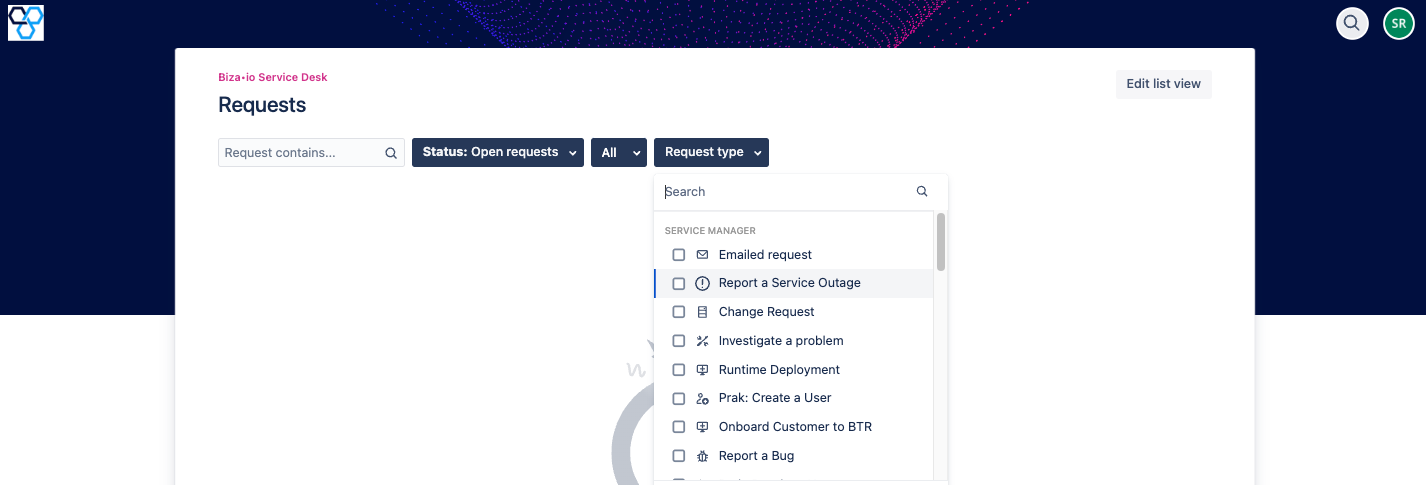
Request Type Option
Service Manager primary page
After you select the Service Manager tile on the Service Desk landing page, you see the primary page, where you can lodge new tickets.
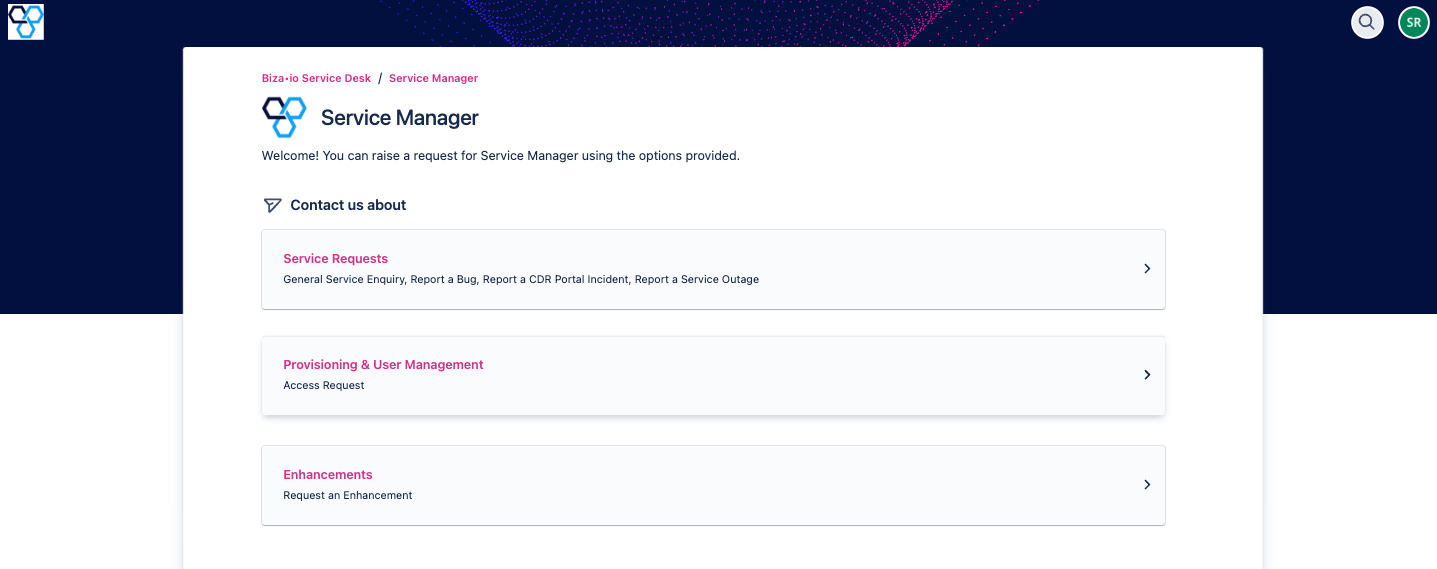
Service Manager Primary Page
Contact us about
Select the appropriate request type for your ticket. The three options are Service Requests, Provisioning and User Management (shown in the portal as Provisioning & User Management) and Enhancements.
Service Requests
Use Service Requests to report issues with a Biza product or service. Within this request type you can submit a General Service Enquiry, Report a Bug, Report a CDR Portal Incident or Report a Service Outage.
Expand to learn more about Service Request types
General Service Enquiry
This category is for general tickets, or tickets that do not fit another category. If you are unsure which category to use, submit a General Service Enquiry; we can change the category when we triage the ticket.
Report a Bug
This category is for reporting anything that isn't working as expected. Provide as much information as possible, including screenshots and the steps to reproduce the issue.
Report a CDR Portal Incident
This category is for any communication from the ACCC about a potential issue with your CDR offering. Include the ACCC incident URL if it is available.
Report a Service Outage
This category is for reporting an outage you are experiencing with Biza services. Tell us which work context (Yellow or Red) is affected, and provide as much supporting information as possible.
Provisioning and User Management
Within this request type you can submit an Access Request to request access to Biza products or services for yourself or your colleagues.
Expand to learn more about Access Requests
Access Request
This category is for requests to grant or revoke access for one or more users. Provide each user's email address, say whether you are granting or revoking access, and list the services the request applies to.
Enhancements
Within this request type you can submit an Enhancement Request.
Expand to learn more about an Enhancement Request
Enhancement Request
This category is for suggestions to improve your experience and our products. We value your feedback and suggestions, and will aim to meet or exceed your expectations where we can.
Biza Delivery
Biza raises Biza Delivery requests while it sets up your service, and they appear in this portal too. See Using the Delivery Service Desk Portal.
Documents on Biza Trust
Biza's certifications, assurance reports, policies and legal documents are on Biza Trust. See Biza Trust for what it holds and how to request a document.