Amend an arrangement
How to change the data shared under an arrangement, or its sharing duration.
You can amend an arrangement to add or remove data clusters, or to change the sharing duration. The provider can't be changed. For how amendment behaves, see VTT arrangements.
This example uses an Azib Bank arrangement. The same steps apply to Energy. The screenshots are from VTT 4.0.0.
Start the amendment in VTT
1. Sign in to VTT.
2. Follow the steps to view an arrangement.
3. On Get Arrangement Details, under Operations, click Amend Arrangement. VTT opens the Open Gateway consent screen.
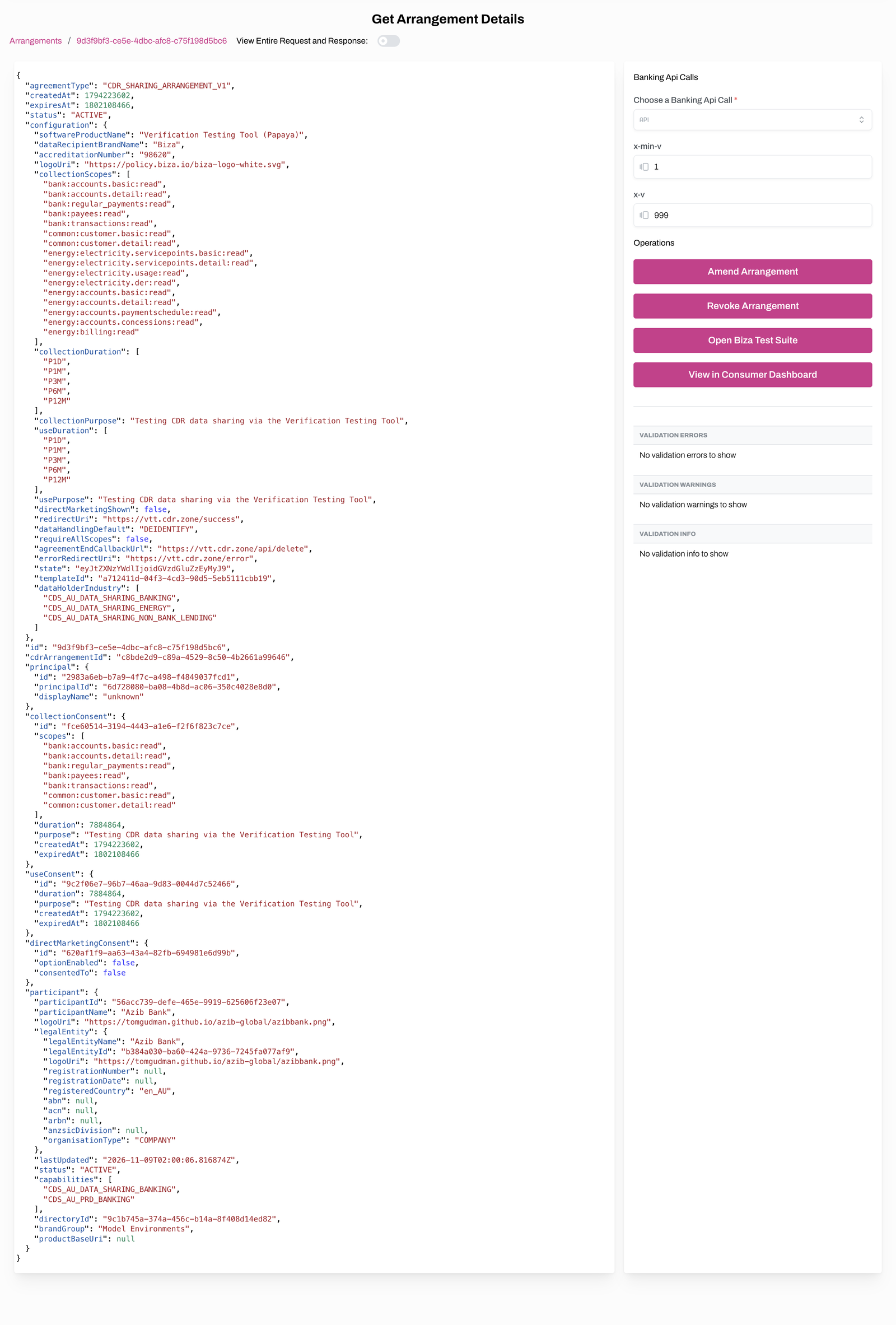
Amend Arrangement is under Operations
Always start an amendment from VTT. Opening the consent screen's address directly fails with "PRINCIPALID PARAMETER MISSING".
Change the consent
The consent screen shows the whole amendment on one screen, with the arrangement's current choices already selected.
4. Check that Current Provider shows the right Data Holder. You can't change it when amending.
5. Under Data to share, tick or untick data clusters as needed.
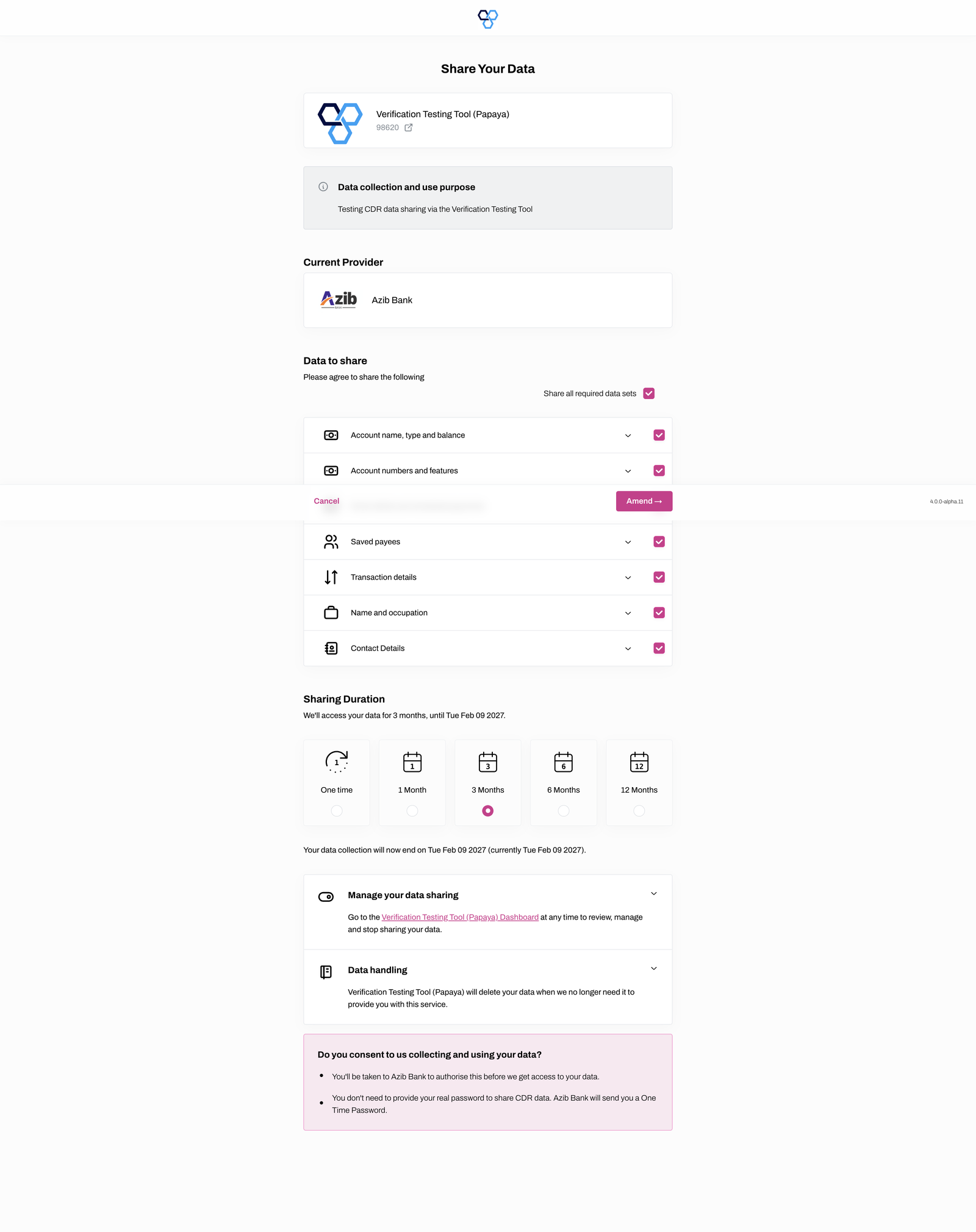
The amend screen, with the current choices selected
6. Under Sharing Duration, choose a new duration if needed. The line under the durations shows the new and current end dates, for example "Your data collection will now end on Tue Nov 10 2026 (currently Tue Feb 09 2027)". A New Duration/Expiry panel shows the old and new durations and end dates side by side.
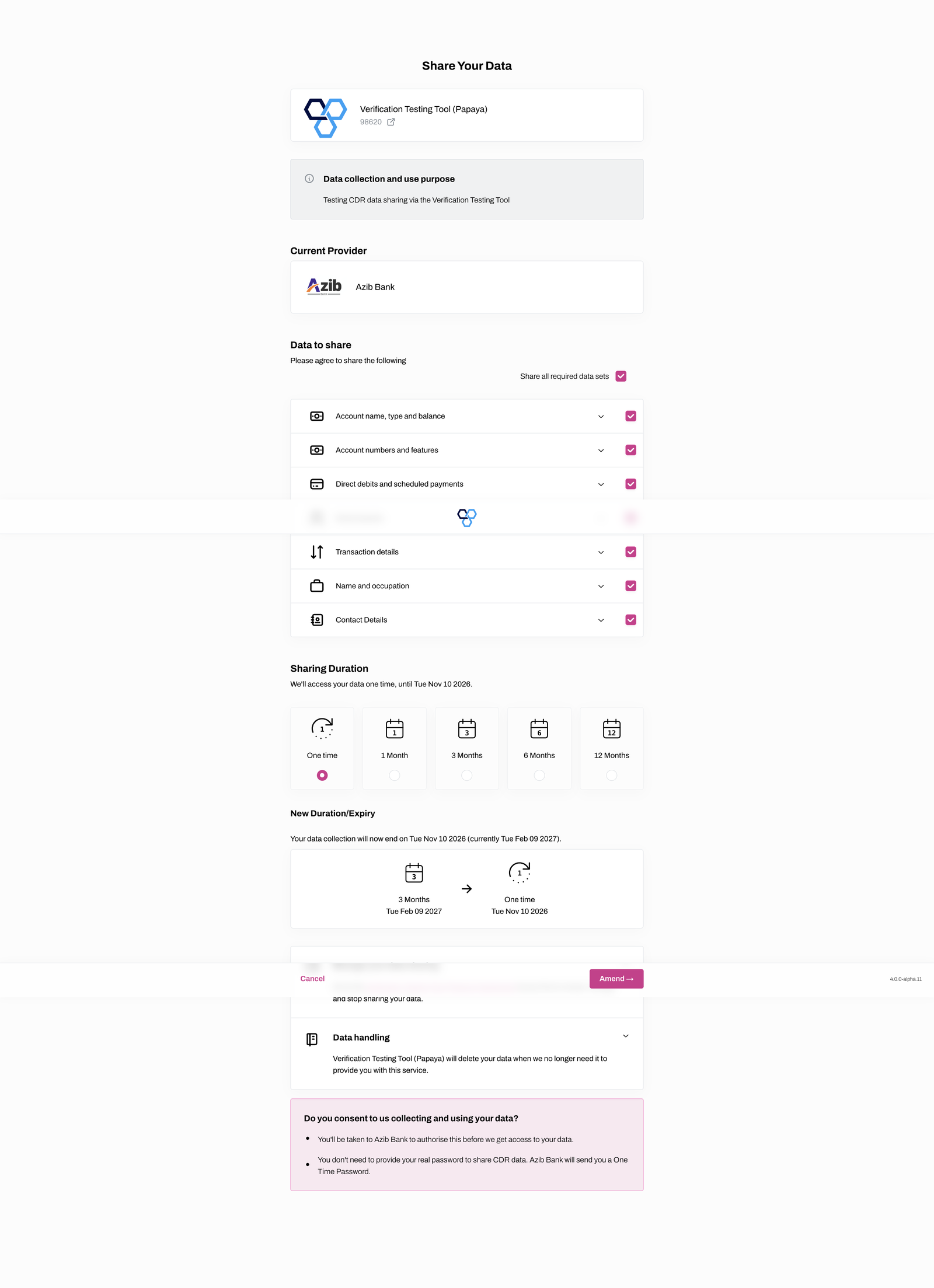
Changing the duration
7. Read the consent statement, then click Amend. The browser goes to the Data Holder's authorisation pages.
Authorise the amendment at the Data Holder
The Data Holder takes you through the same screens as for a new arrangement. See New arrangement: Banking for each screen.
8. Enter the Member ID and click Next.
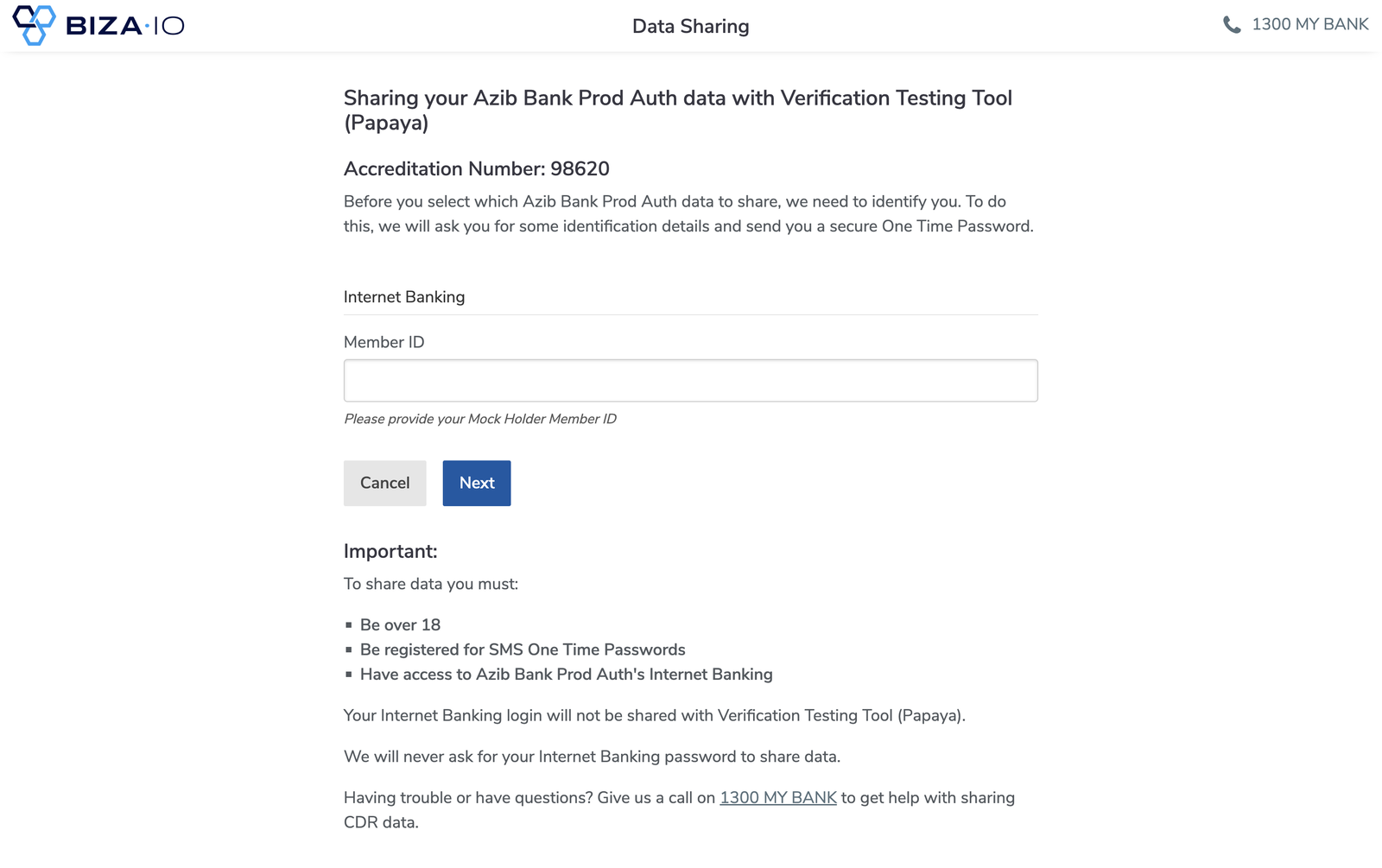
The Data Holder identifies you again
9. Enter the One Time Password (OTP) and click Next.
10. On Select Customer, choose the customer, and click Next.
11. On Select accounts to share, choose the accounts, and click Next.
12. On Confirm, check the details, then click I Confirm to complete the amendment. Anything the amendment changes, such as the collection window under When your data will be accessed, is labelled Changed.
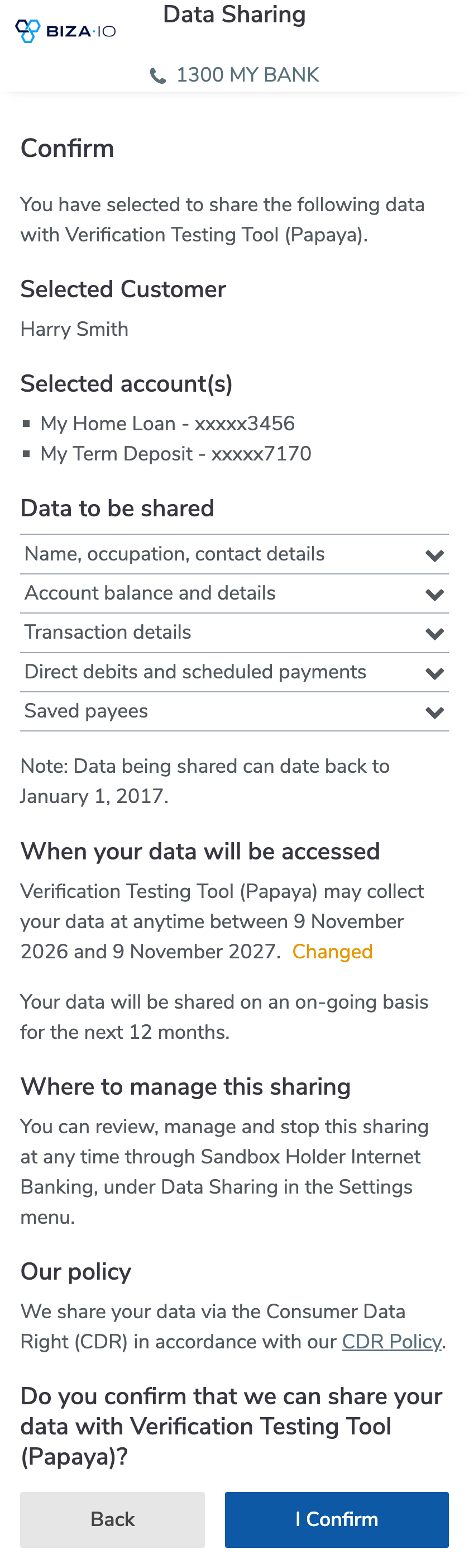
Confirm the amendment
13. VTT shows Arrangement Created. Click Use New Arrangement to open the amended arrangement.
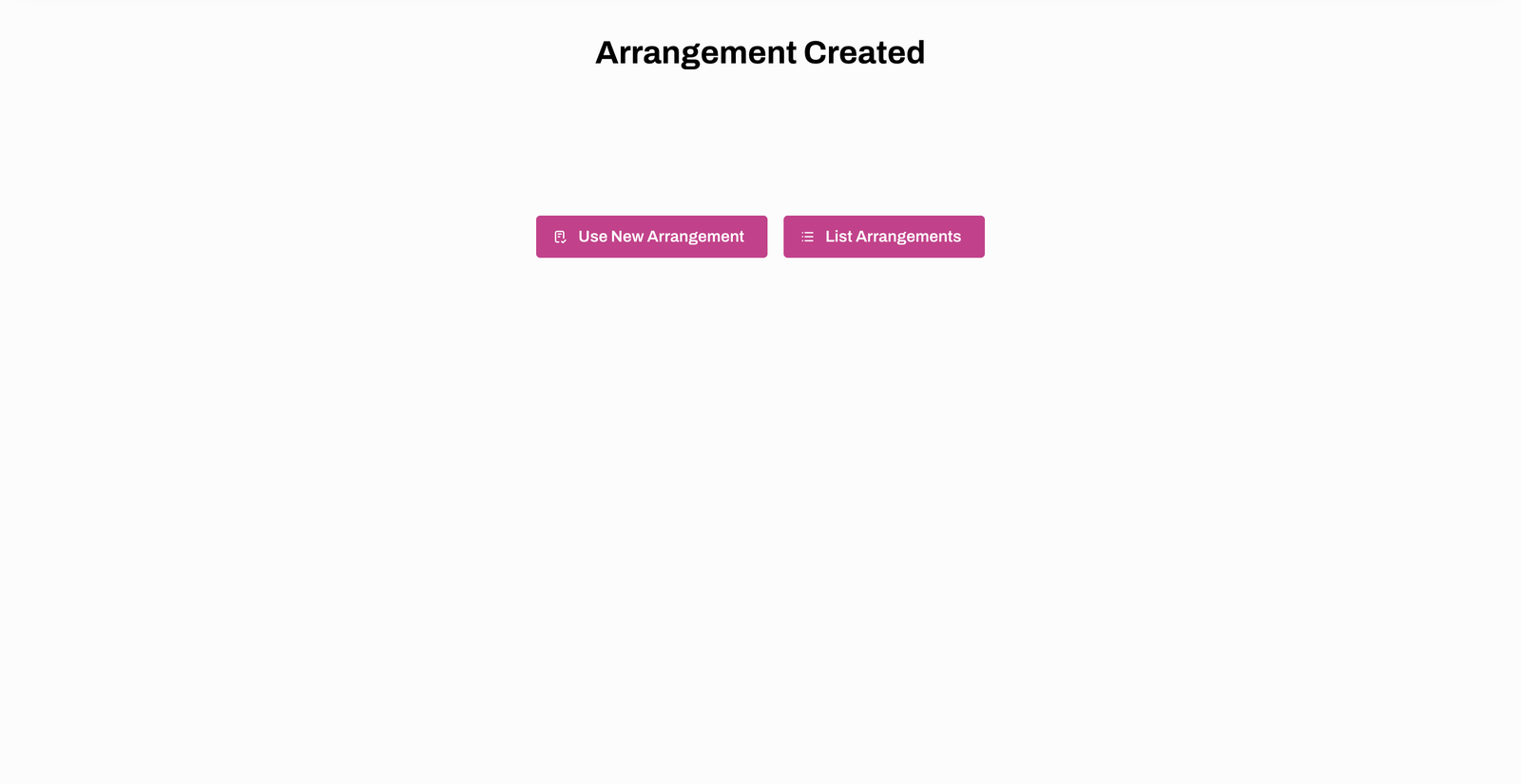
The amendment is complete
If you leave the Data Holder's pages without clicking I Confirm, for example by closing the tab at the Member ID screen, the amendment stays pending until the arrangement expires:
- Get Arrangement Details shows
"status": "INIT". The Arrangements list still shows the arrangement as ACTIVE. - Amend Arrangement, Revoke Arrangement and Open Biza Test Suite are disabled. View in Consumer Dashboard still works.
- Data calls, such as Get Accounts, keep working on the existing consent.
- The pending amendment expires at the arrangement's
expiresAt.
Until then, you can't amend or revoke the arrangement from VTT. To keep testing, create a new arrangement.
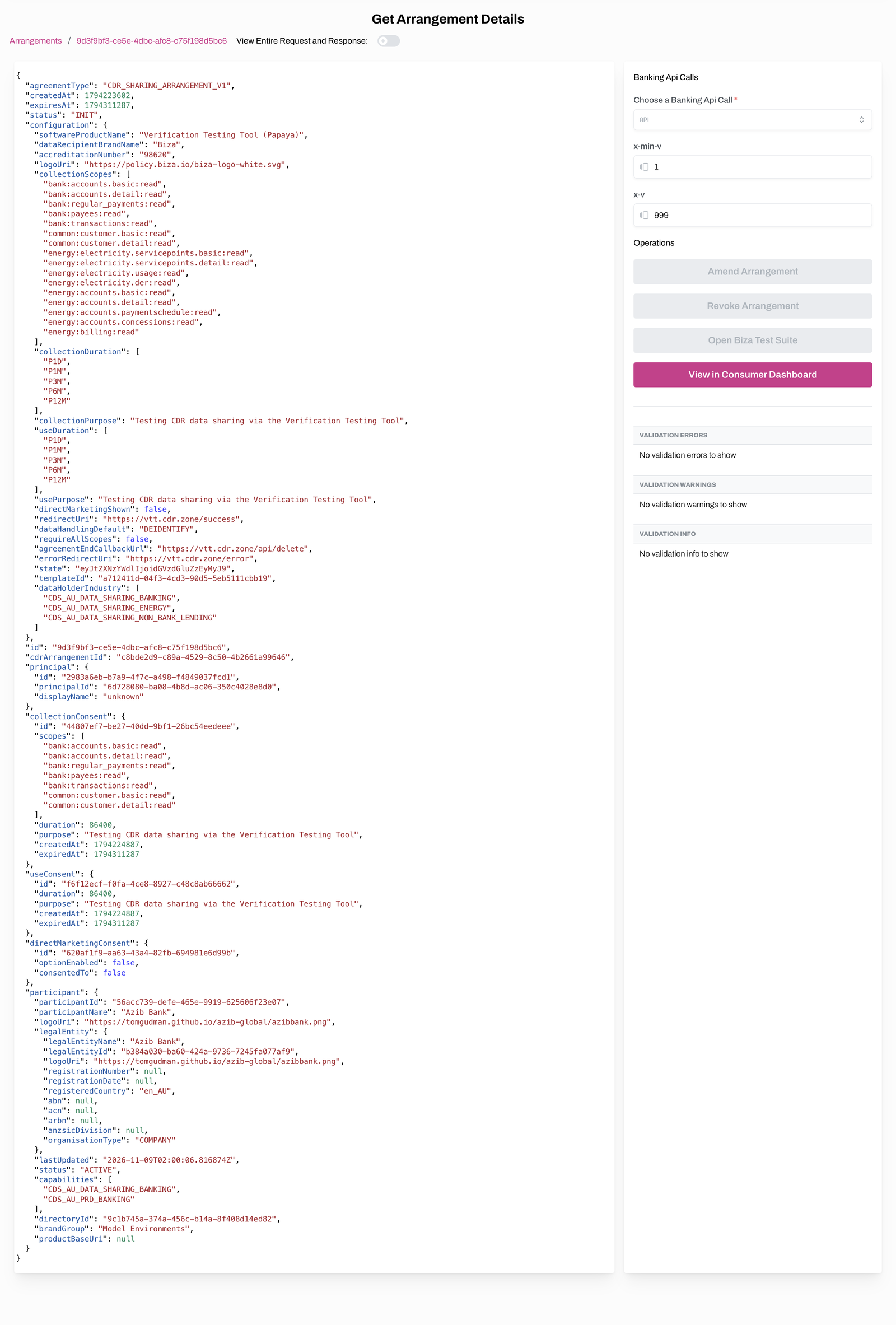
After an abandoned amendment: status INIT, with Amend and Revoke disabled
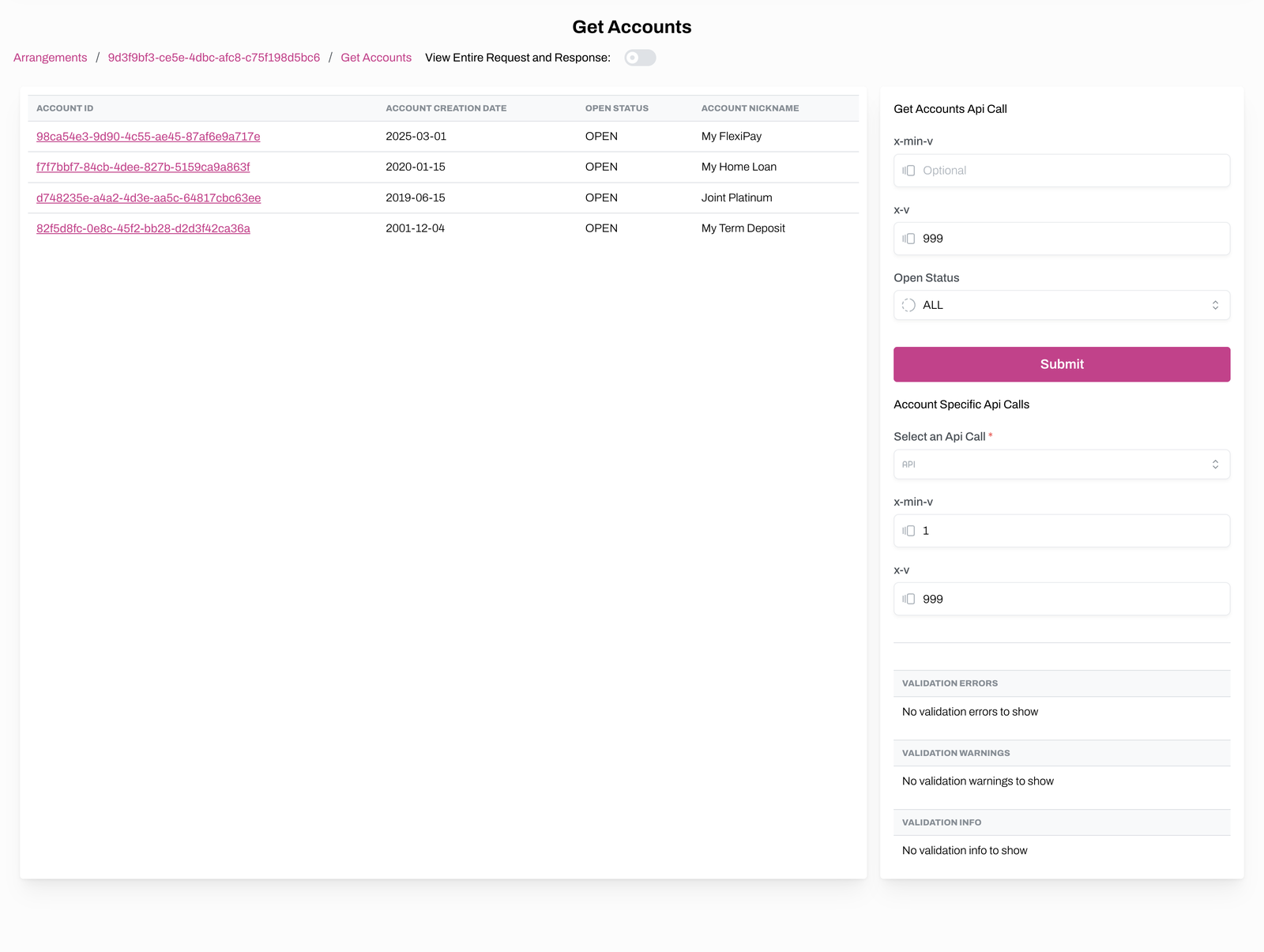
Data calls still work while the arrangement is in INIT