Adapter Reconnection: AWS Private Link API Gateway
Table of Accounts
| Account ID | VPC Endpoint ID | Description |
|---|---|---|
209479262317 | vpce-0167f5e0cd7e60c5f | NON-PROD spaces |
209479270147 | vpce-020d3ffe8fb6f6fc8 | PRODUCTION spaces |
Actions
To update your API Gateway resource policy to allow Biza to send traffic, please follow the steps below.
- Navigate to API Gateway.
- Select your data adapter API.
- Select resource policy on the sidebar and click Edit.
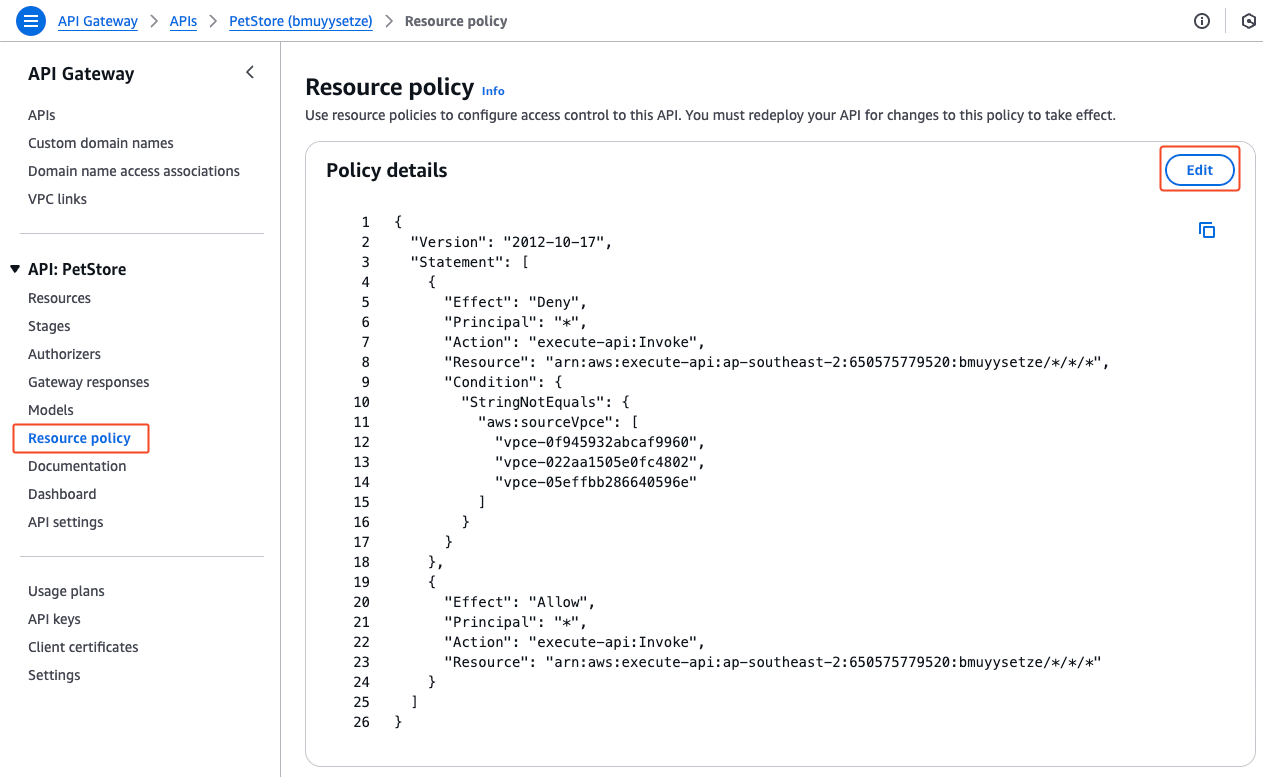
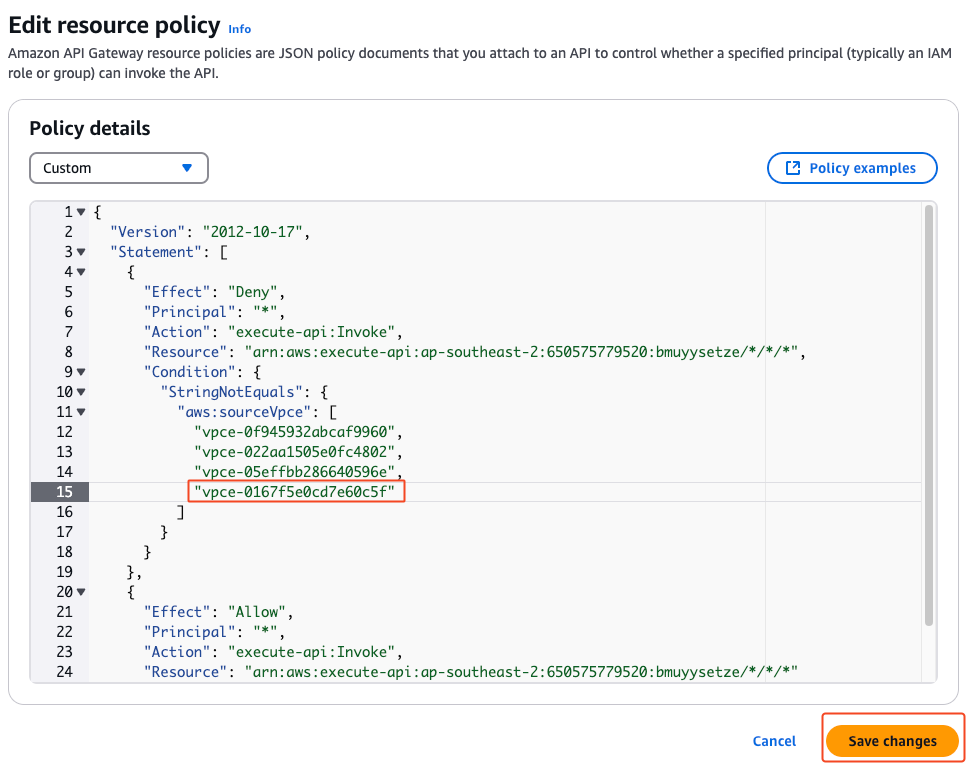
- Update the policy to have an additional line in the list of
aws:sourceVpceas per the table above and click Save Changes. Alternatively, if you have a different policy approach, please authorise the relevant VPC endpoint in your policy.
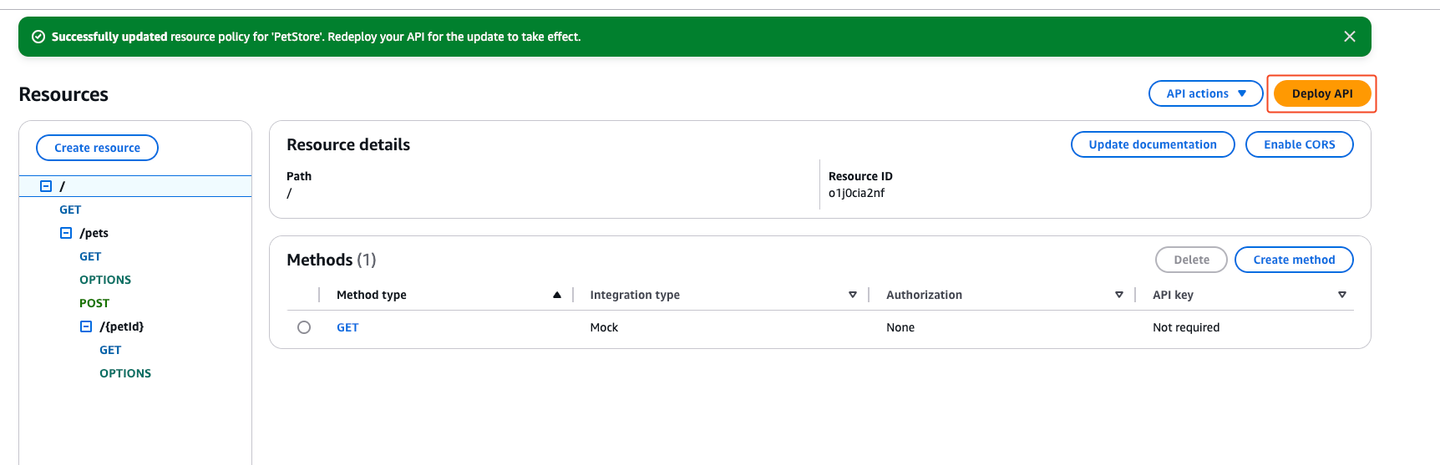
- Select Resources from the sidebar and deploy the appropriate API stage.