Adapter Reconnection: AWS Private Link ELB
Table of Accounts
| Account ID | Allow Principal ID | Description |
|---|---|---|
209479262317 | arn:aws:iam::209479262317:root | NON-PROD spaces |
209479270147 | arn:aws:iam::209479270147:root | PRODUCTION spaces |
Actions
To update your endpoint service to accept new connections from Biza, please follow the steps below.
- Navigate to VCP > Endpoint Services.
- Select the VPC endpoint that serves your data adapter.
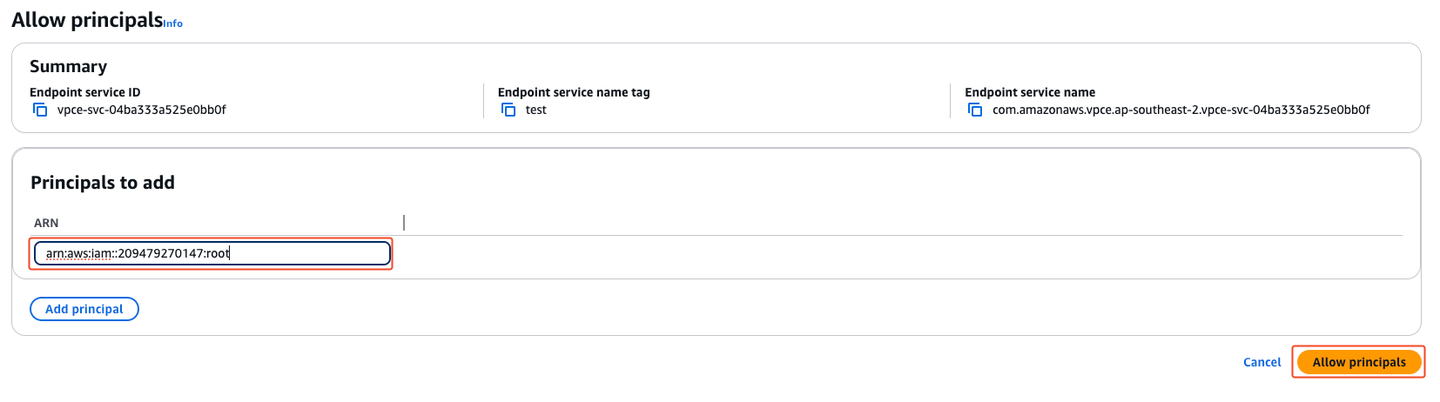
- Select the Allow principals tab and click the Allow principals button.
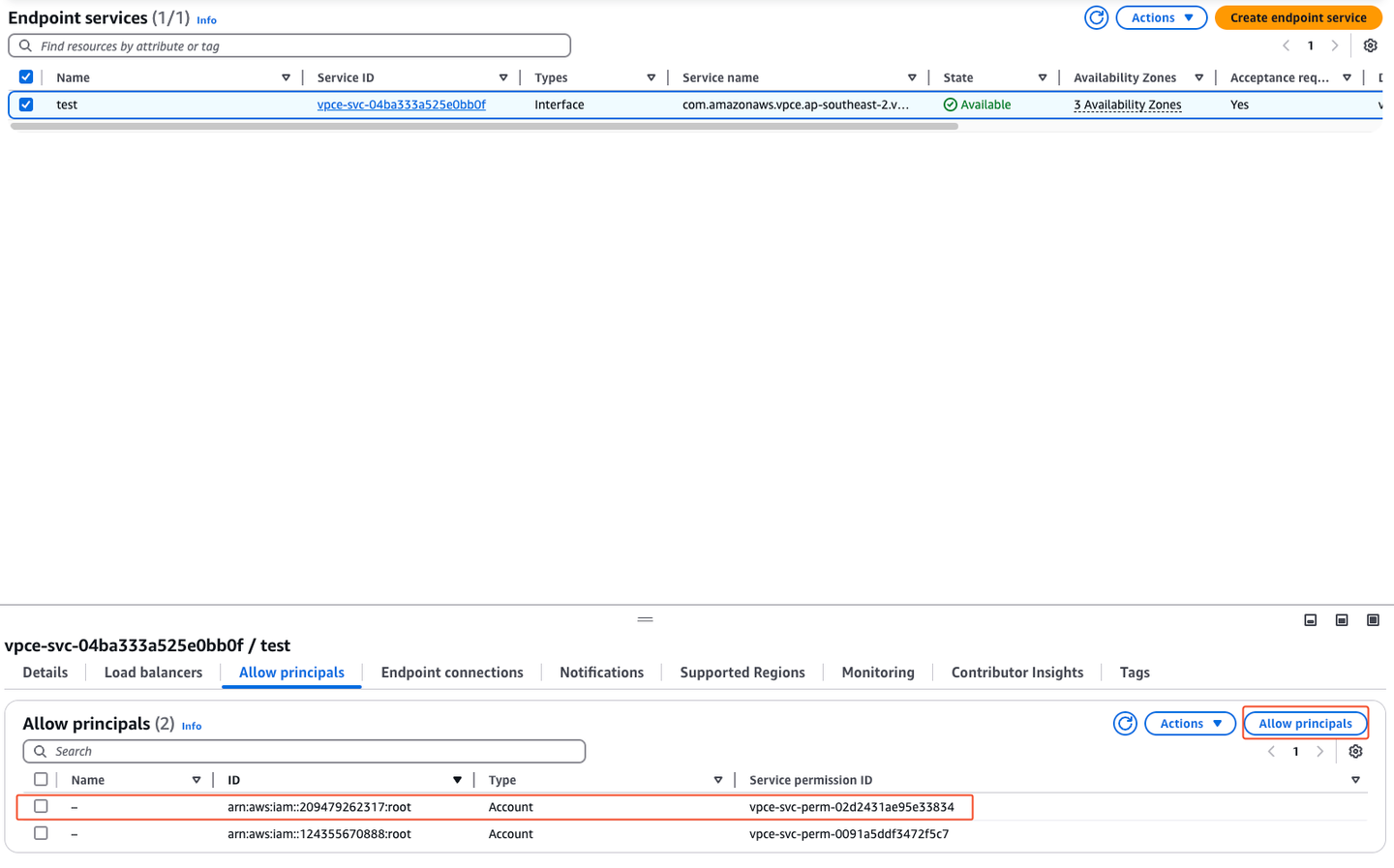
- Add the new Biza account principal based on the table above for non-production (
arn:aws:iam::209479262317:root) and production (arn:aws:iam::209479270147:root) spaces.
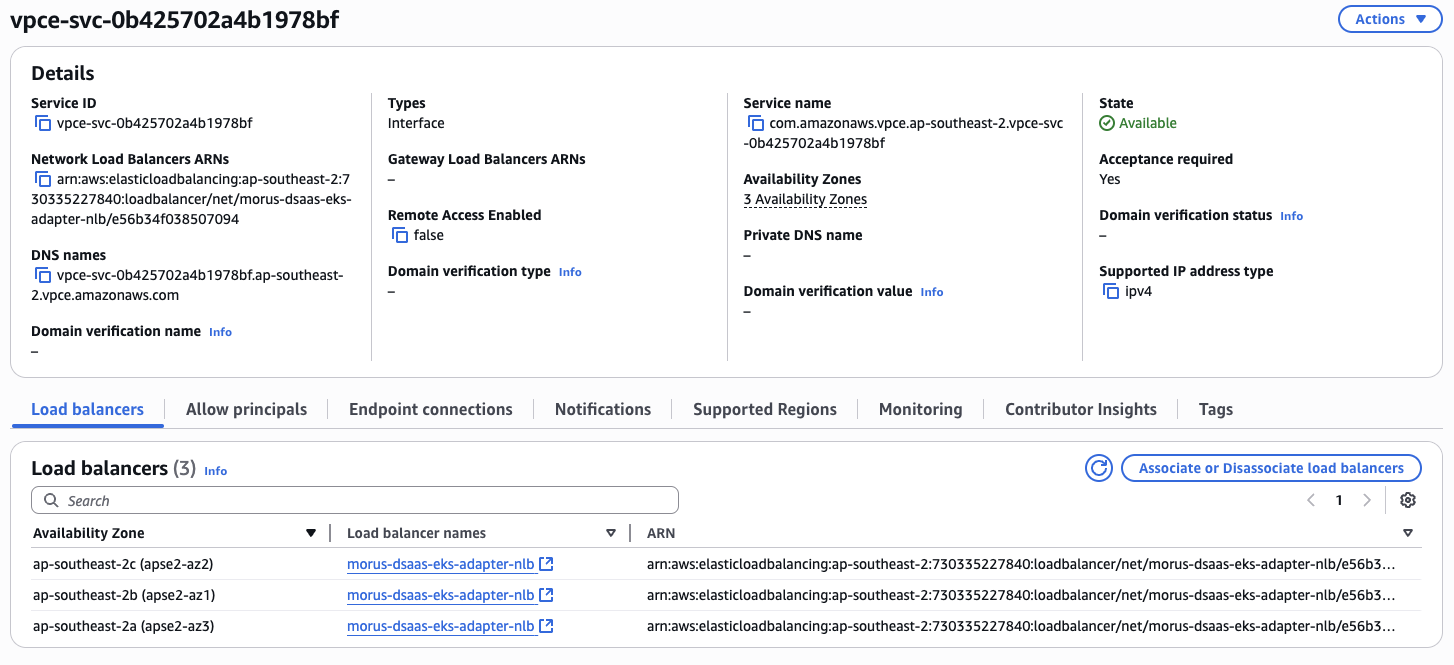
- Note down the Availability Zones that your load balancer is in
-
Make sure you supply your VPC Service Name (not the ID) and Availability Zones to Biza in a support ticket so we can initiate the connection.
-
Accept the new connection from Biza when it comes through. The request will be from the relevant accounts identified above.
Outputs
| Output | Description |
|---|---|
awsPrivateLinkServiceName | The name of the VPC endpoint service that Biza will use to connect to your data adapter. |
awsPrivateLinkAvailabilityZones | The availability zones that your load balancer is in. We recommend all three availability zones of ap-southeast-2, but must be a minimum of two |