Theming
The HaaS supplied Consent Flow and Consumer Dashboard are uniformly themed in alignment with a centralised Design System as explained below.
A full extract of the baseline theme can be found below:
High Level System Configuration
See: Theme Configuration
The examples provided in the Banking Dashboard and Consent Flow links above correlate with the design system diagram below. Please note that whilst the button colours are customisable, the red, green and yellow buttons as shown in the Banking Dashboard and Consent Flow pages above are fixed.
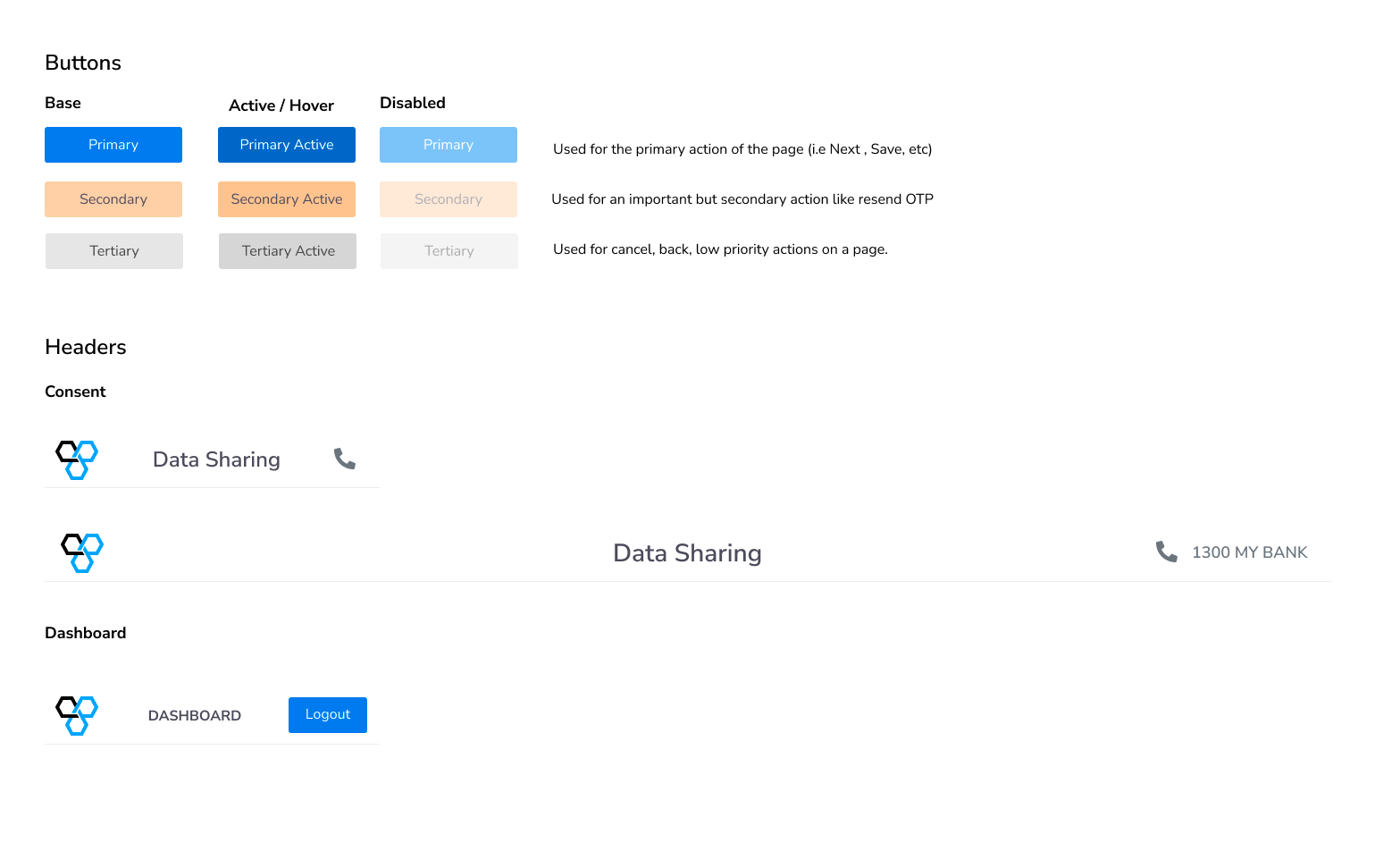
Biza HaaS Design System
Fonts
The Consent Flow and Consumer Dashboard can utilise custom fonts with the following stipulations:
- Fonts must be in ttf, woff, woff2 or otf format
- Multiple fonts for different font weights are supported but all fonts for a particular group (heading or body) MUST be the same font family
- Supplying Regular, Bold and Semi-bold font weights is recommended.
Copy Customisation
There are a number of specialised configuration attributes which change specific parts of the copy within the Consumer Consent and Dashboard.
Contact Method
This pertains to the contact_number and contact_email variables.
The contact method (email or phone) alters the behaviour of the Consent and Consumer Dashboard.
If contact_number is specified the interfaces utilise the supplied number as follows:
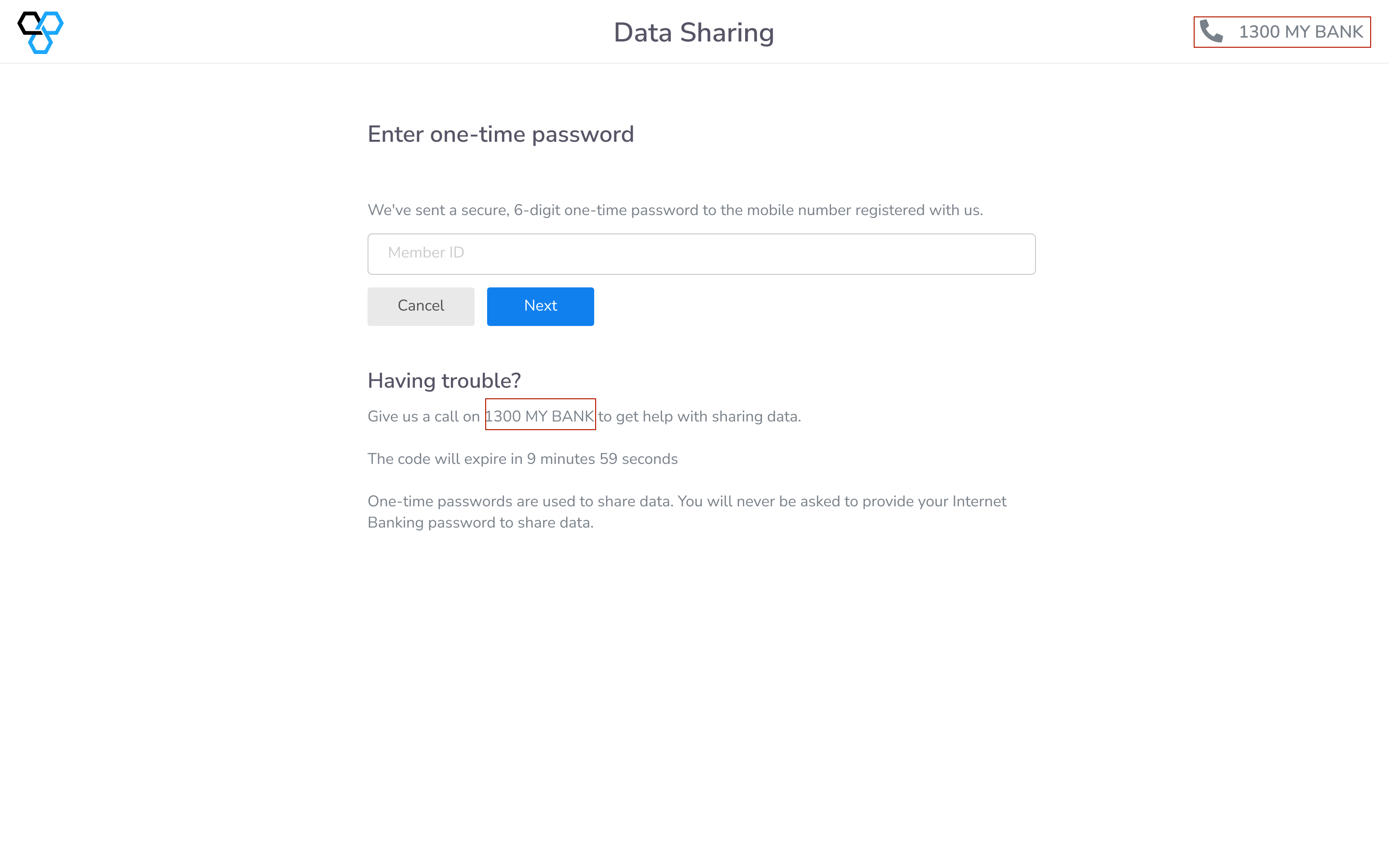
Contact Number Copy
If contact_email is specified the interfaces utilise the email address as follows:

Contact Email Header

Contact Email Support