Sharing CDR incidents with Biza
This page provides guidance on sharing CDR Service Management Portal requests with Biza.
Context
The CDR Service Management Portal is provided by the ACCC to enable CDR participants to communicate requests or technical incidents between each other, or with the ACCC CDR Technical Operations Team. Please see the “CDR Service Management Portal - Guide for Participants” for further information on the types of incidents and requests that require logging, how to prioritise them, and the details you need to submit.
Requests and incidents raised in the CDR Service Management Portal will be assigned to your organisation, not to Biza. You have a responsibility to monitor the portal for any requests raised and determine if support from Biza is required. If our assistance is needed, it is crucial you raise a service desk ticket with us. There is an additional option to share the request with Biza - please see the instructions below on how to do this.
Procedure for Sharing Incidents
There are two options available to share requests with Biza. You can share them by raising a service desk ticket with Biza, or you can share them directly with us via the CDR Service Management Portal using the instructions below.
Via the CDR Service Management Portal
- Login to the CDR Service Management Portal and follow the prompts to raise your incident.
- Once you have submitted the incident, click + Share.
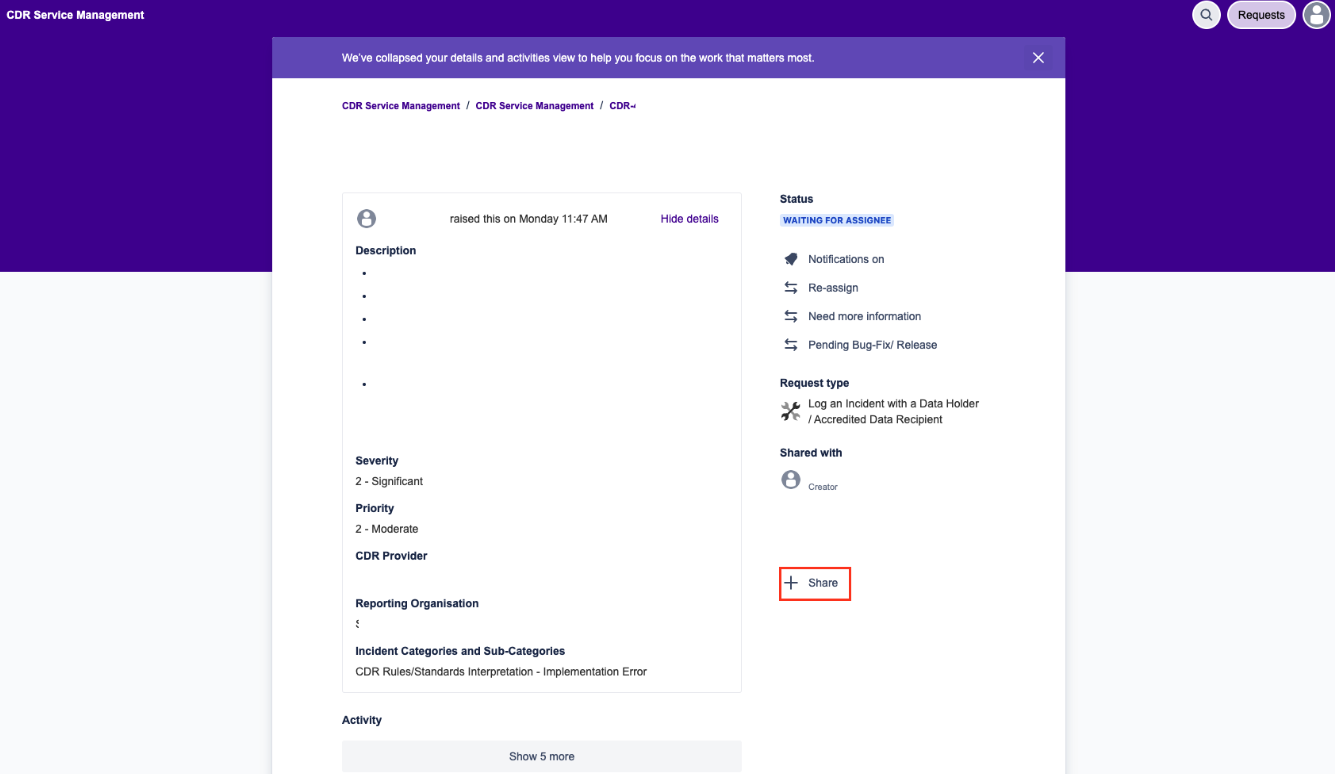
Raise an Incident
- Enter "Biza" into the popup box and click Add
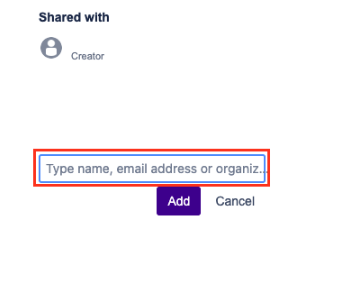
Type Biza
- Biza will now appear in the ticket under "Shared with"
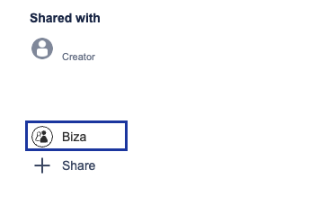
Shared with Biza
Biza may respond to CDR Service Management Portal requests directly. If you do not want this to happen, you can either
- alert Biza to the requests via a service desk ticket instead of sharing the CDR Service Management Portal request; or,
- add a note in the Biza service desk ticket to advise you do not want us to comment in the Service Management Portal request.