Contacting Biza
If you need to get in touch with us here at Biza, the best way to do so is via lodging a service desk ticket. These instructions will walk you through the steps.
You must be invited to access Biza’s Service Desk Portal before you can lodge a request (ticket). If you require access, please contact your Biza representative. Alternatively, you can ask someone within your organisation who already has access to request this for you (see Provisioning and User Management below.
Accessing the Portal
The Biza Service Desk Portal can be accessed here. Or you can enter support.biza.io into your browser address bar.
Navigating the Service Desk Portal
Once you have navigated to the Service Desk Portal you will be presented with a number of options and icons. Here is an overview of what you will see and what purpose it serves you.
Service Desk Landing Page

Service Desk Landing Page
Biza Logo
The Biza logo (1) in the top-left can be used to return to the Service Manager landing page at any time.
Search
The Search function (2) will allow you to easily find a Request Type to submit a ticket (i.e., General Service Request).
Profile Icon
Clicking on your profile icon at the top right of the screen (3) offers you three options: Requests, Profile and Log out.

Profile Icon
Expand to learn more about Profile and Log out
Profile
Personal Details
This section allows you to view and edit your personal information including name and email address.
Language and Time Zone
This section allows you to view and edit your display language and the time zone for your account. We recommend updating your timezone to ensure that any times displayed in the Service Desk Portal are displayed in your local time zone. This excludes any times mentioned in comments on tickets.
Log Out
Logs you out of the Service Desk Portal.
Expand to learn more about Requests
The requests sections allows you to find and manage your organisation’s service requests. See below for the available filter options.
"Status" Option
Allows you to filter the requests list by the status of the ticket (i.e., open, closed, under investigation, etc).
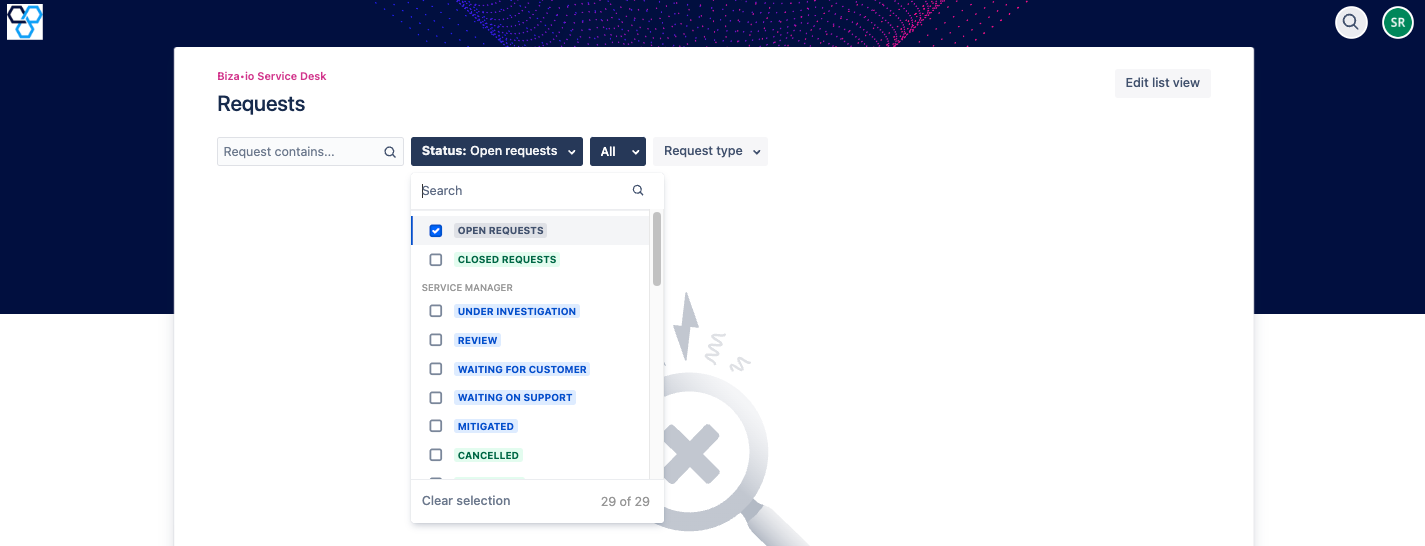
Status Option
"All" option
Allows you to filter the tickets for your organisation by those that have been created by you, those where you are a participant and you can also see all open tickets.
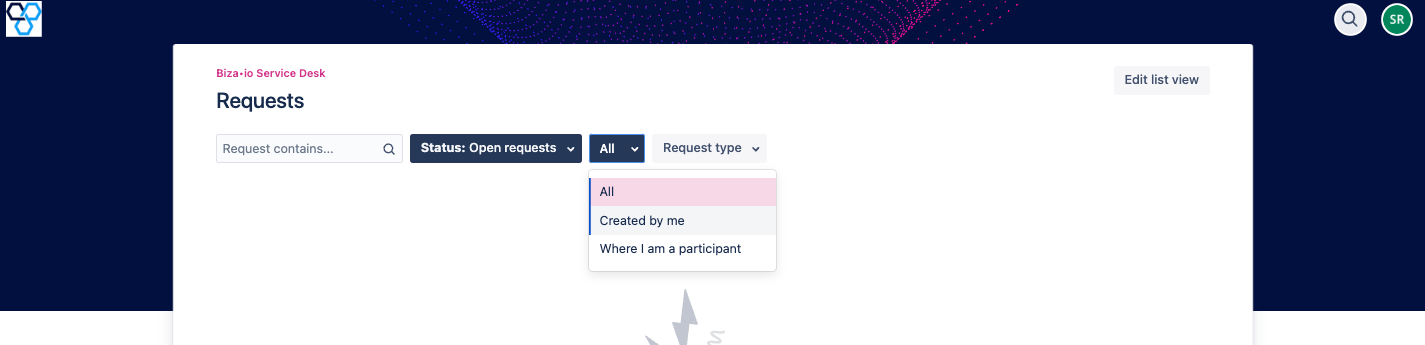
All Option
"Request Type" Option
You can filter the list by selecting the type of the request from the dropdown menu.
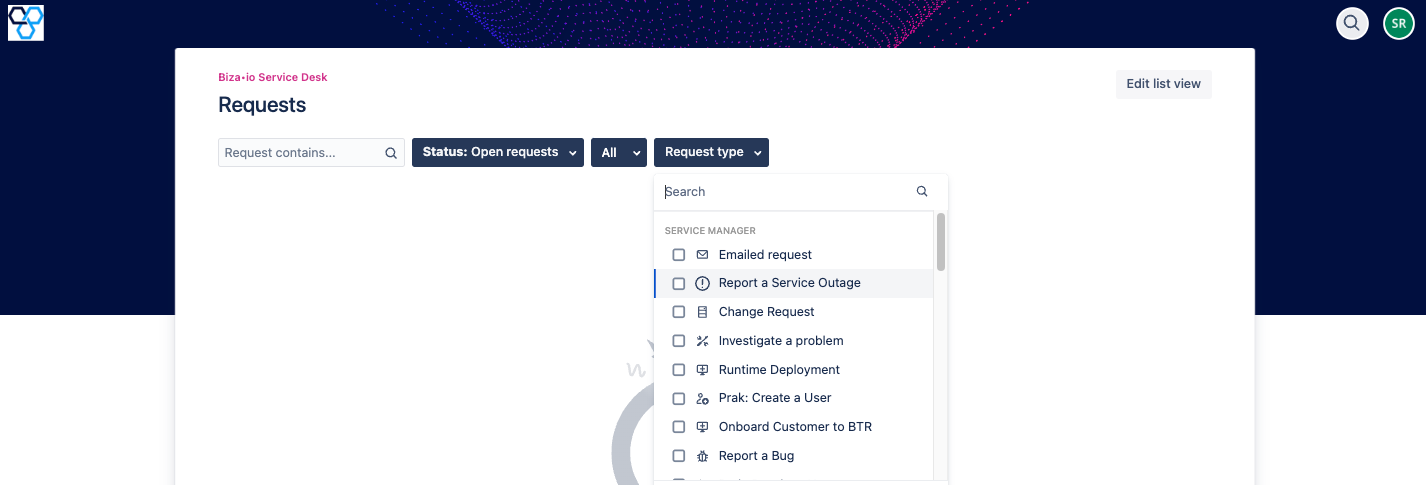
Request Type Option
Service Manager Primary Page
After clicking on the Service Manager Tile on the Service Desk homepage, you will be taken to the primary page that allows you to lodge new tickets.
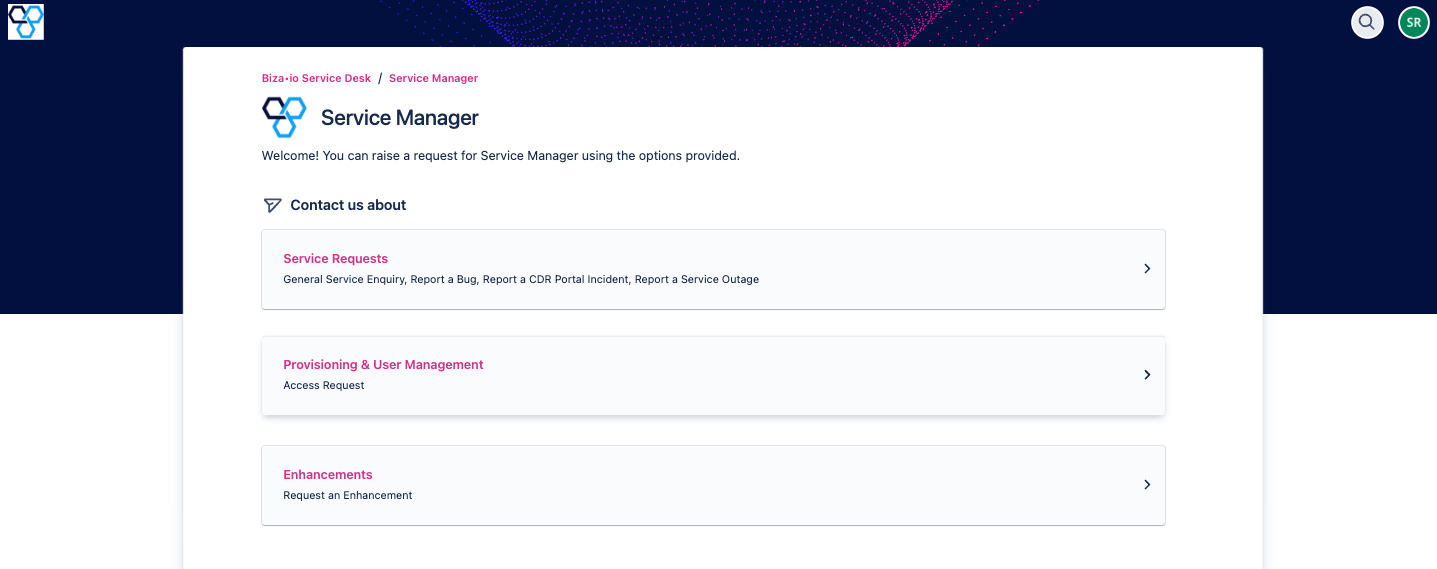
Service Manager Primary Page
Contact Us About
This section allows you to select the appropriate Request Type for your ticket. The three options are Service Requests, Provisioning & User Management and Enhancements.
Service Requests
Service Requests are for reporting issues specifically about a product or service with Biza. Within this Request Type you can submit a General Service Enquiry, Report a Bug, Report a CDR Portal Incident, or Report a Service Outage.
Expand to learn more about Service Request types
General Service Enquiry
This category is for tickets that are general in nature, or that do not fall under other categories. We recommend submitting a General Service Request if you are unsure what category to use as we can change this once the ticket is triaged.
Report a Bug
This category is for reporting anything that isn’t working how expected. Please ensure you provide us with as much information as possible, including screenshots and the steps required to reproduce the issue.
Report a CDR Portal Incident
This category is for any communication received from the ACCC about a potential issue with your CDR offering. Please include the ACCC Incident URL if this is available.
Report a Service Outage
This category is for reporting any outage you are experiencing with Biza services. Please provide what environment is experiencing the outage, and provide as much supporting information as possible.
Provisioning and User Management
Within this Request Type you can submit an Access Request. This is for requesting access for you or your colleagues to particular Biza products or service.
Expand to learn more about Access Requests
Access Request
This category is for submitting requests to provide or revoke access for a user/users. Please ensure you provide the user's email address, specify if the request is to provide or revoke access, and what services apply to this request.
Enhancements
Within this Request Type you can submit an Enhancement Request.
Expand to learn more about an Enhancement Request
Enhancement Request
This category is for any suggestions you may have to improve both your experience, and our products as a whole. We greatly value feedback and suggestions, and will endeavour to meet or exceed your expectations where we can.