Adapter Reconnection: AWS Private Link API Gateway
Introduction
As part of Biza’s network infrastructure upgrades, we will be requesting new data adapter connections for our AWS customers to support our internal migration efforts. To facilitate this, customers must update the resource policies on their API Gateways to allow Biza to access them.
Prerequisites
Table of Accounts
| Account ID | VPC Endpoint ID | Description |
|---|---|---|
209479262317 | vpce-05effbb286640596e | NON-PROD spaces |
209479270147 | vpce-020d3ffe8fb6f6fc8 | PRODUCTION spaces |
Actions
To update your API Gateway resource policy to allow Biza to send traffic, please follow the steps below.
- Navigate to API Gateway.
- Select your data adapter API.
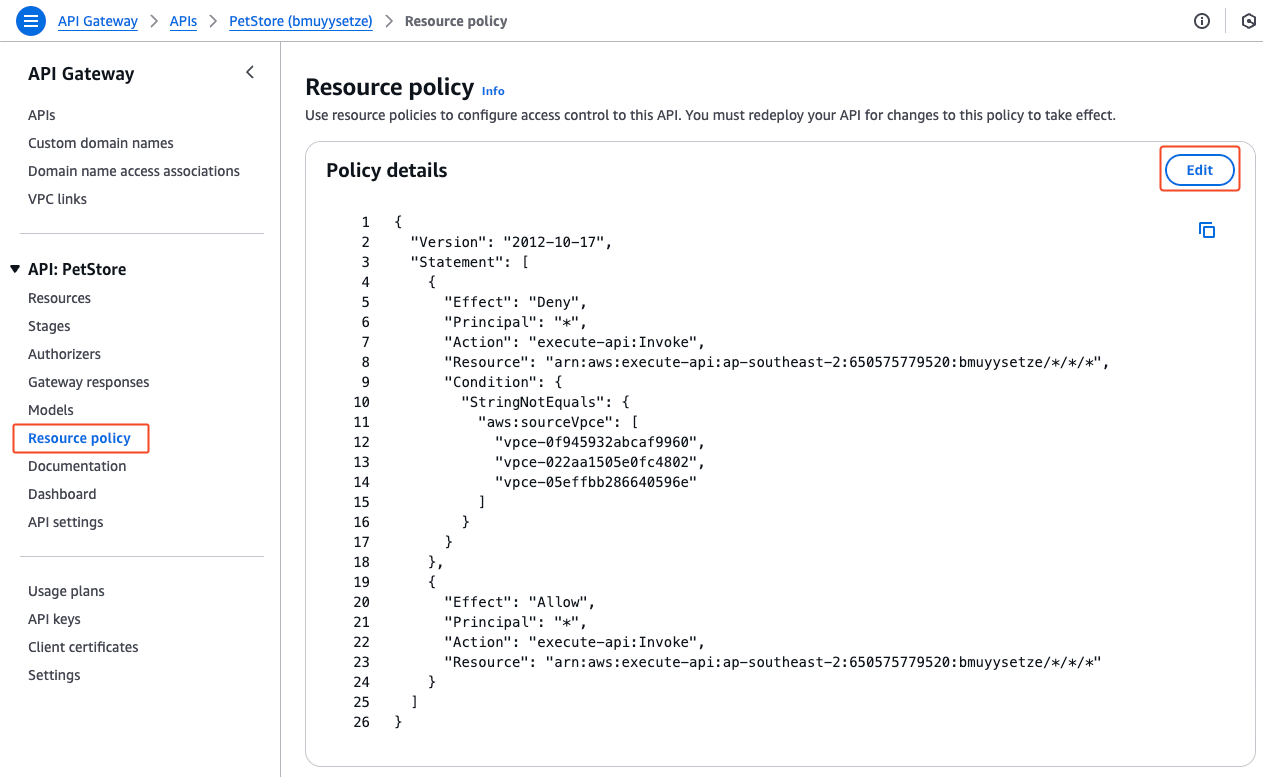
- Select resource policy on the sidebar and click Edit.
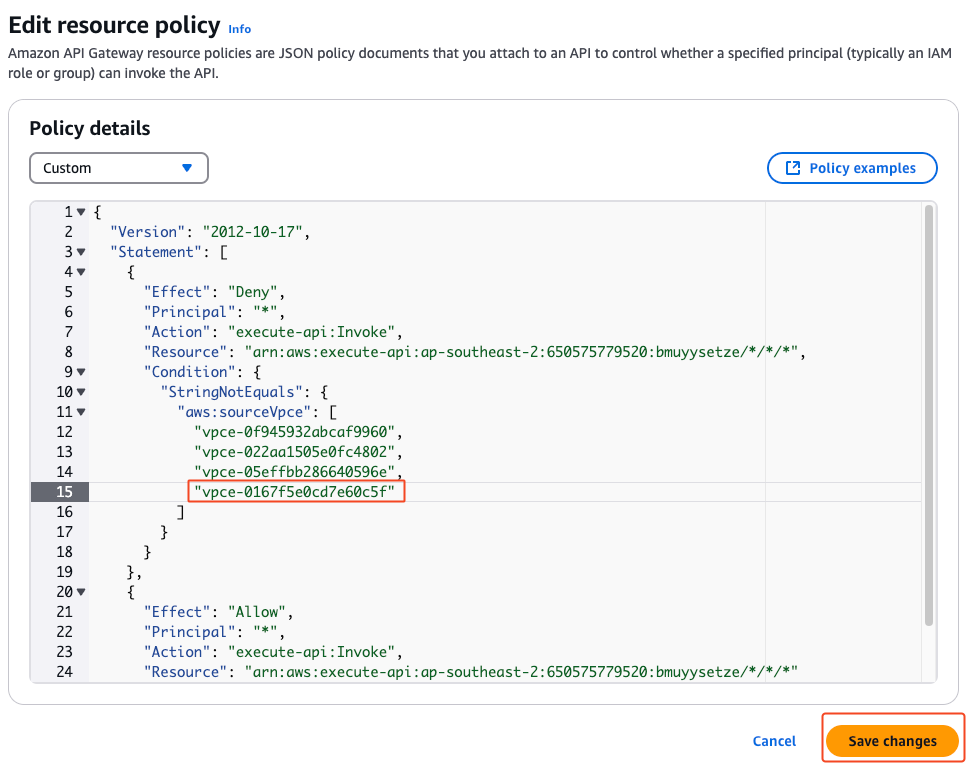
- Update the policy to have an additional line in the list of
aws:sourceVpceas per the table above and click Save Changes. Alternatively, if you have a different policy approach, please authorise the relevant VPC endpoint in your policy.
- Select Resources from the sidebar and deploy the appropriate API stage.
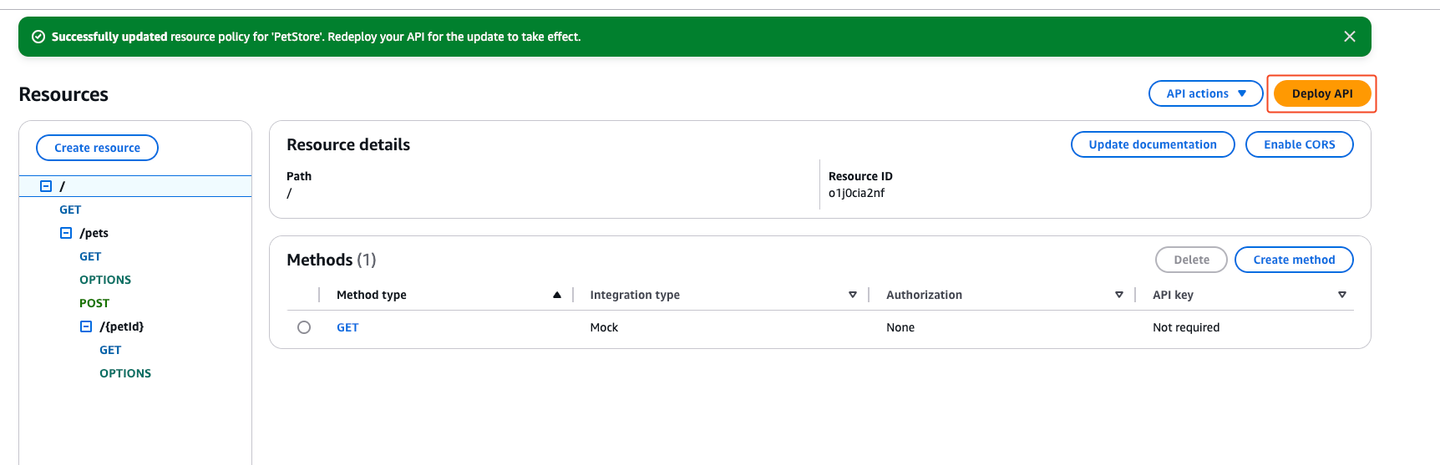
Select Resource
Outputs
- Once the resource policy is updated, please comment on the corresponding ticket and Biza will verify connectivity.