Step 4. Get List Accounts
The fourth step in consent flow is to obtain the list of energy accounts available under the authorised consent.
This step may be skipped if the CDR scopes in the ADR do not include a scope that requires an account to be shared.
Data Adapter Call
This data adapter call happens before the page is loaded for each principle returned in Step 2.
List Energy Accounts
GET/energy/{principalId}
List Banking Accounts
GET/banking/customer/{principalId}/account
Responses and Error Mapping
HTTP status - 200 - success
This applies when the customer has successfully authenticated and has accounts eligible for sharing as per the screen below
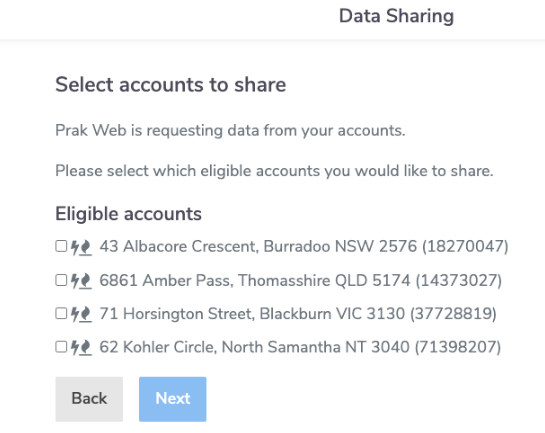
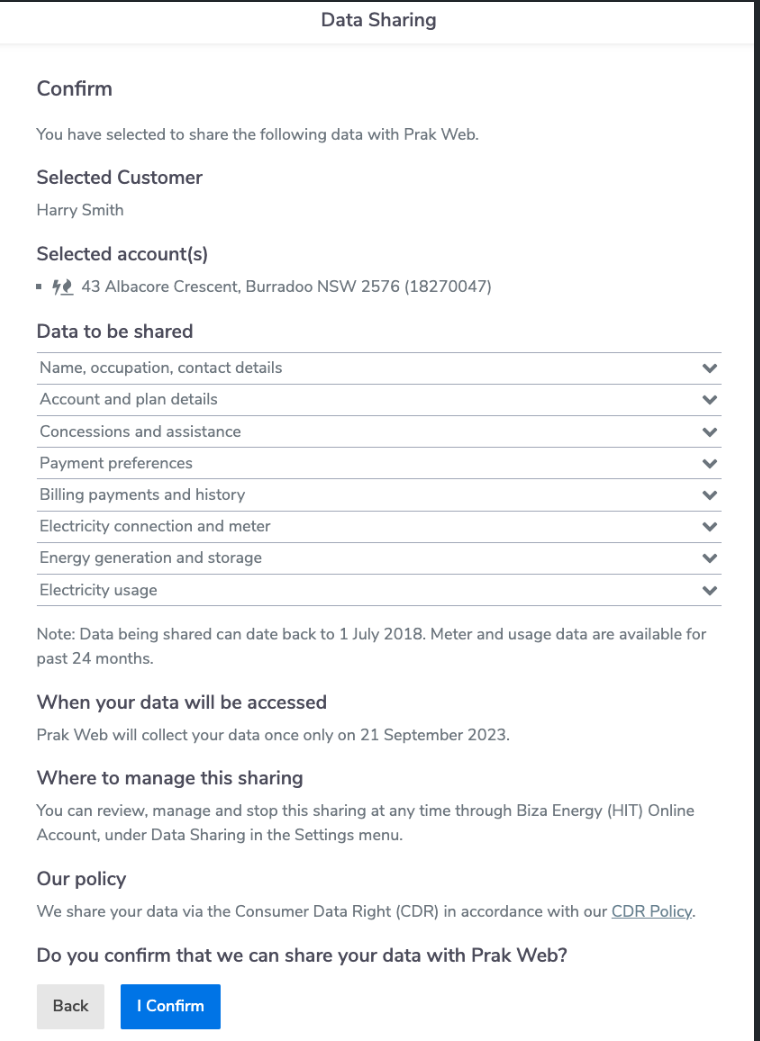
- Next action
- The user will be taken to the Data Sharing confirmation (see screenshot below) upon selecting an account(s) and clicking "Next" on the previous screen.
HTTP Status - 400 - Invalid Field
This applies when there is an OAuth error and the flow is terminated.
- URN code
"urn:au-cds:error:cds-all:Field/Invalid"
- Next action
- Redirect back to ADR
- Error to user
- Determined by the ADR
HTTP Status - 400 - Invalid Field
This applies when there is an OAuth error and the flow is terminated.
- URN code
"urn:au-cds:error:cds-all:GeneralError/Expected"
- Next action
- Redirect back to ADR
- Error to user
- Determined by the ADR
HTTP Status - 400 - Invalid Field
This applies when there is an OAuth error and the flow is terminated.
- URN code
"urn:au-cds:error:cds-all:Header/Invalid"
- Next action
- Redirect back to ADR
- Error to user
- Determined by the ADR
HTTP Status - 400 - Invalid Resource
This applies when there is an OAuth error and the flow is terminated.
- URN code
"urn:au-cds:error:cds-all:Resource/Invalid"
- Next action
- Redirect back to ADR
- Error to user
- Determined by the ADR
HTTP Status - 404 - Invalid Resource
This applies when there is an OAuth error and the flow is terminated.
- URN code
"urn:au-cds:error:cds-all:Resource/Invalid"
- Next action
- Redirect back to ADR
- Error to user
- Determined by the ADR
HTTP Status - 429 - Too Many Requests
This is used for data adapter rate limiting to the HaaS platform.
- Next action
- Redirect back to the ADR
- Error to User
- Determined by the ADR
HTTP Status - 451 - Legal Block
This status code indicates that the server is denying access to the resource as a consequence of a legal demand.
- URN code
"urn:dio:error:cds-all:Resource/LegalBlock"
- Next action
- No accounts will be returned
- Error to User
- You have no accounts eligible for sharing
- Screen displayed to User
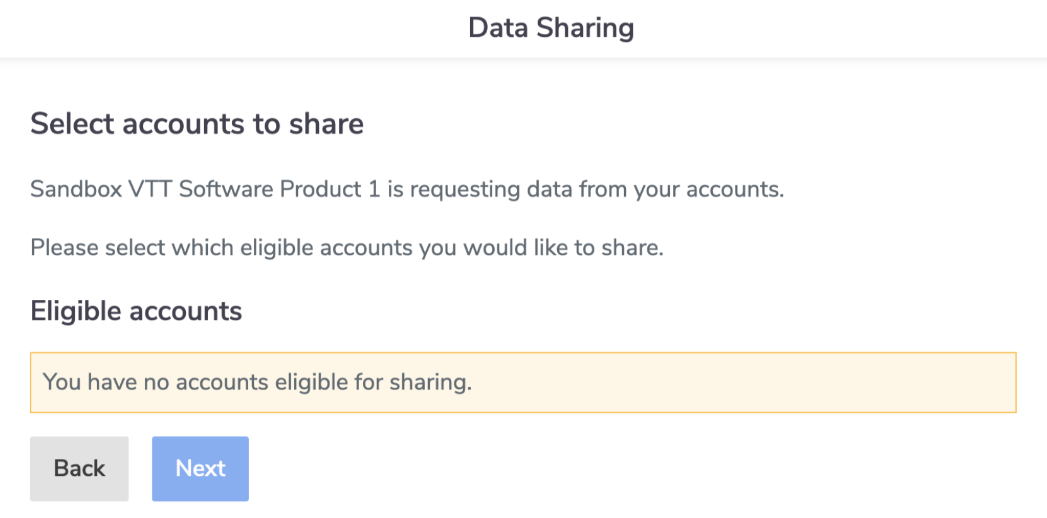
HTTP Status - 451 - Ineligible block
This status code indicates that the Consumer is ineligible for CDR Data Sharing.
- URN code
"urn:dio:error:cds-all:Resource/IneligibleBlock"
- Next action
- No accounts will be returned
- Error to User
- Some of your accounts have been filtered out due to ineligibility. You have no accounts eligible for sharing
- Screen displayed to User
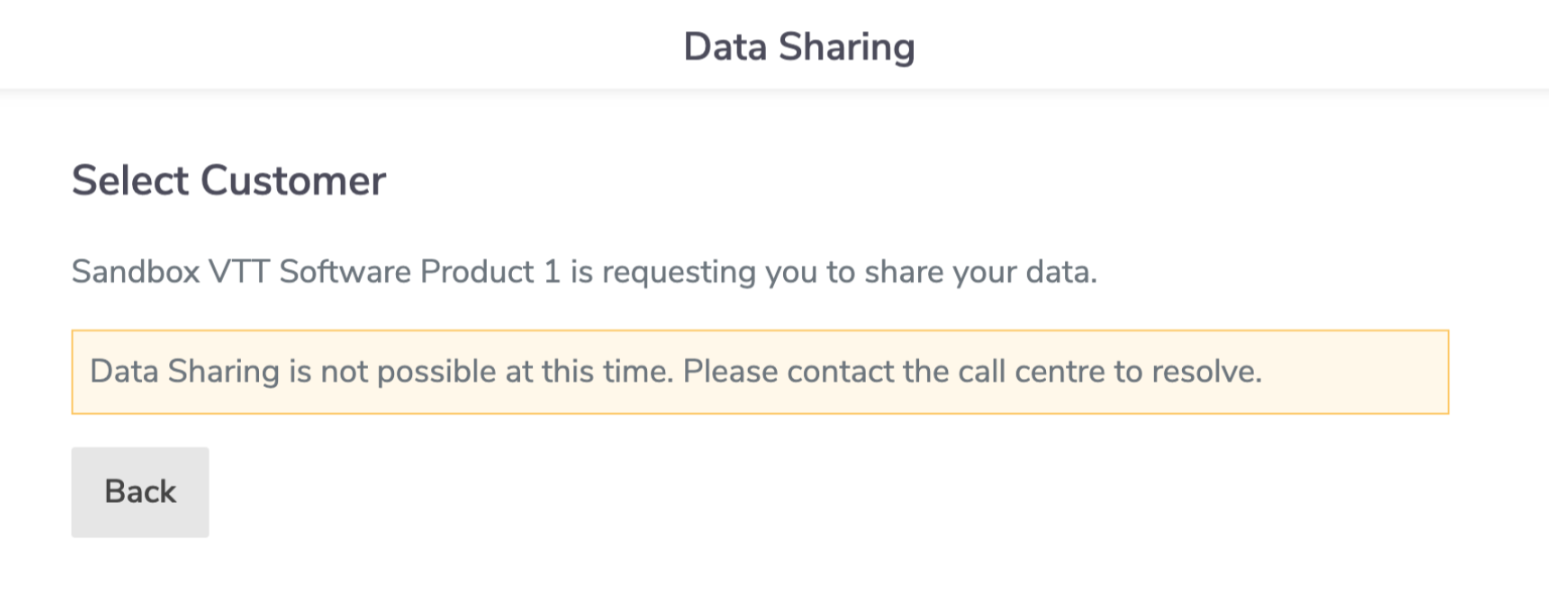
HTTP Status - 451 - Call centre block
This status code indicates that the consumer should call the Call Center for further information.
- URN code
"urn:dio:error:cds-all:Resource/CallCenterBlock"
- Next action
- No accounts will be returned
- Error to User
- Data Sharing is not possible at this time. Please contact the call centre to resolve
- Screen displayed to User
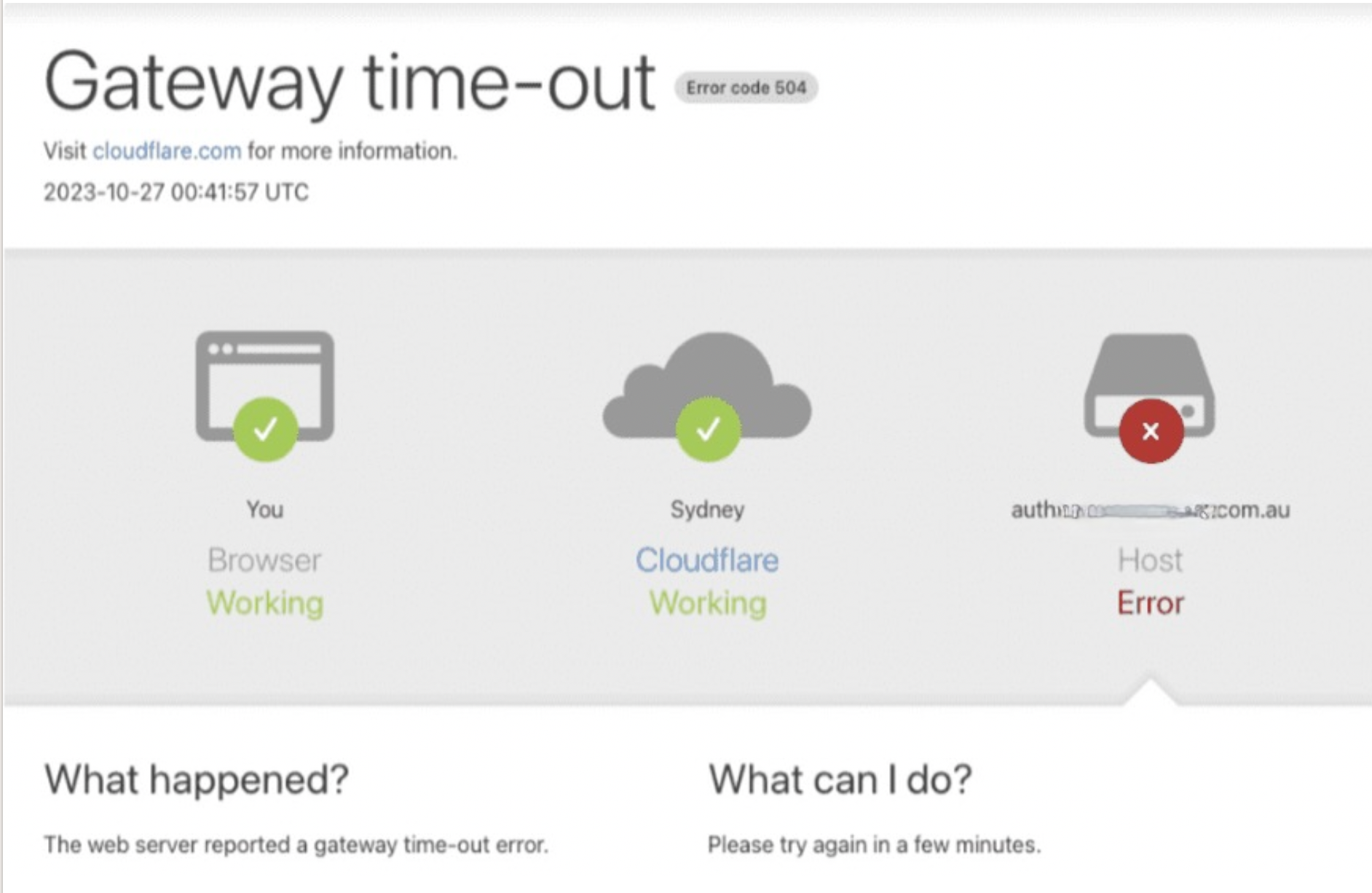
HTTP Status - 504 - Gateway timout
This error applies when there is a network connection issue or when the web server has not received a timely response from an upstream server that it needed to access to complete the request.
- URN code
- TBA
- Error to User
- Gateway timeout
- Screen displayed to user
- Please note that the screen below will only be displayed in production (not in the test environments)