Cognito OAuth Integration for Consumer Apps
This article describes a simple example of how to enable Consumer login to the Open Gateway Dashboard by integrating with AWS Cognito as an identity provider.
Open Gateway: v1.0.12+
Overview
Amazon Cognito is a hosted Identity Provider (IDP) managed by AWS and allows AWS to manage user pools, the log in process and various integrations with AWS services.
Biza's Open Gateway (OG) setup requires OAuth 2.0 credentials to log in to the Consumer Dashboard of Open Gateway.
This article is suitable for customers with an existing AWS Cognito setup with users and wish to integrate the same set of users to Open Gateway.
Prerequisites
- AWS Cognito setup with a user pool connected with Open Gateway
- Users in your pool should have the following -
- name
Setup Guide
To begin, log into the AWS Console.
Creating a new Lambda for the Pre Claim Trigger
- Go to
AWS Lambda
- Create function > Author from scratch.
- Enter or select the following information on the Basic information screen.
- Function name:
biza-pre-token-generation - Run time: Node.js 20.x (or latest)
- Architecture: x86_64
- Function name:
- Click Create
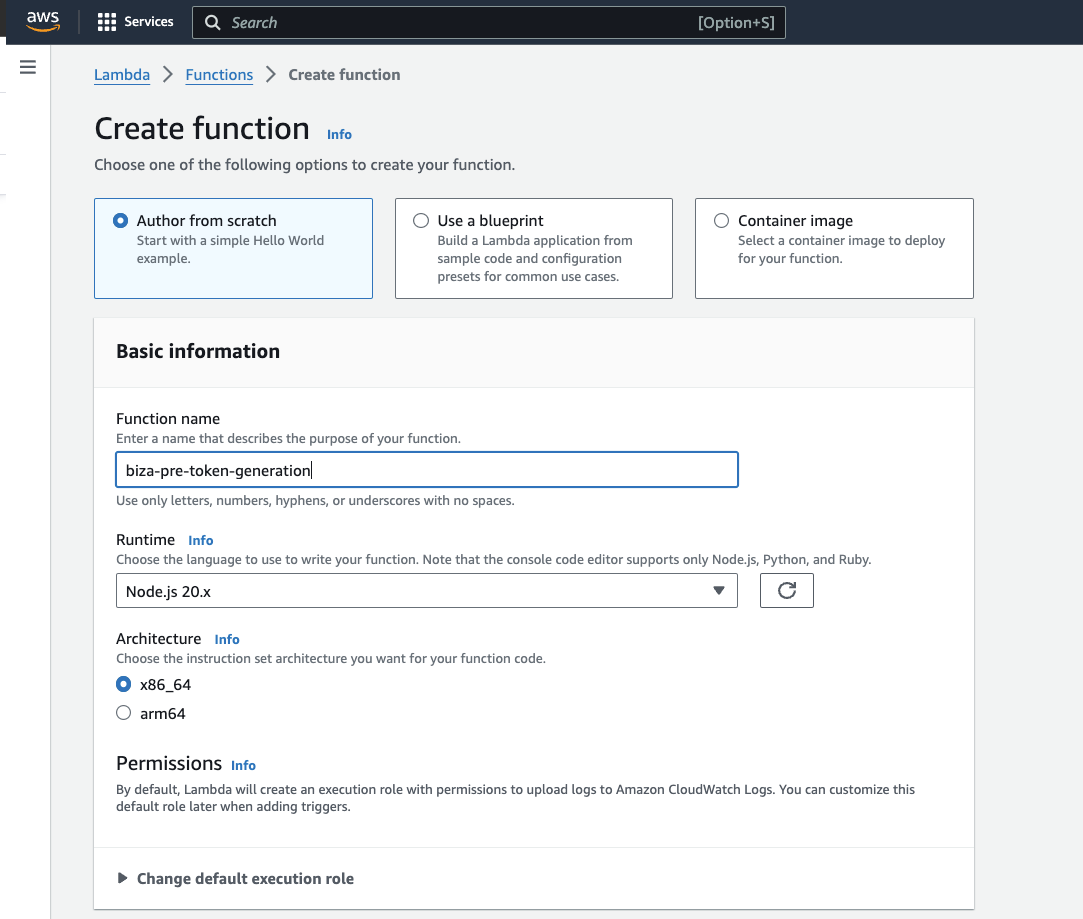
Create Function
- Add the following code and click
Deploy(Please ensure you click Deploy).
export const handler = function(event, context) {
  // Retrieve user attribute from event request
  const userAttributes = event.request.userAttributes;
  // Add scope to event response
  event.response = {
    "claimsAndScopeOverrideDetails": {
      "idTokenGeneration": {
        "claimsToAddOrOverride": {
          "biza-au:auth:user_id": userAttributes.sub,
          "biza-au:auth:principal_id": userAttributes.sub
        }
      },
      "accessTokenGeneration": {}
    }
  };
  // Return to Amazon Cognito
  context.done(null, event);
};
Enable the Pre Token Generation Trigger in Cognito
- Select your user pool, go to
Advanced Securityand click Enable
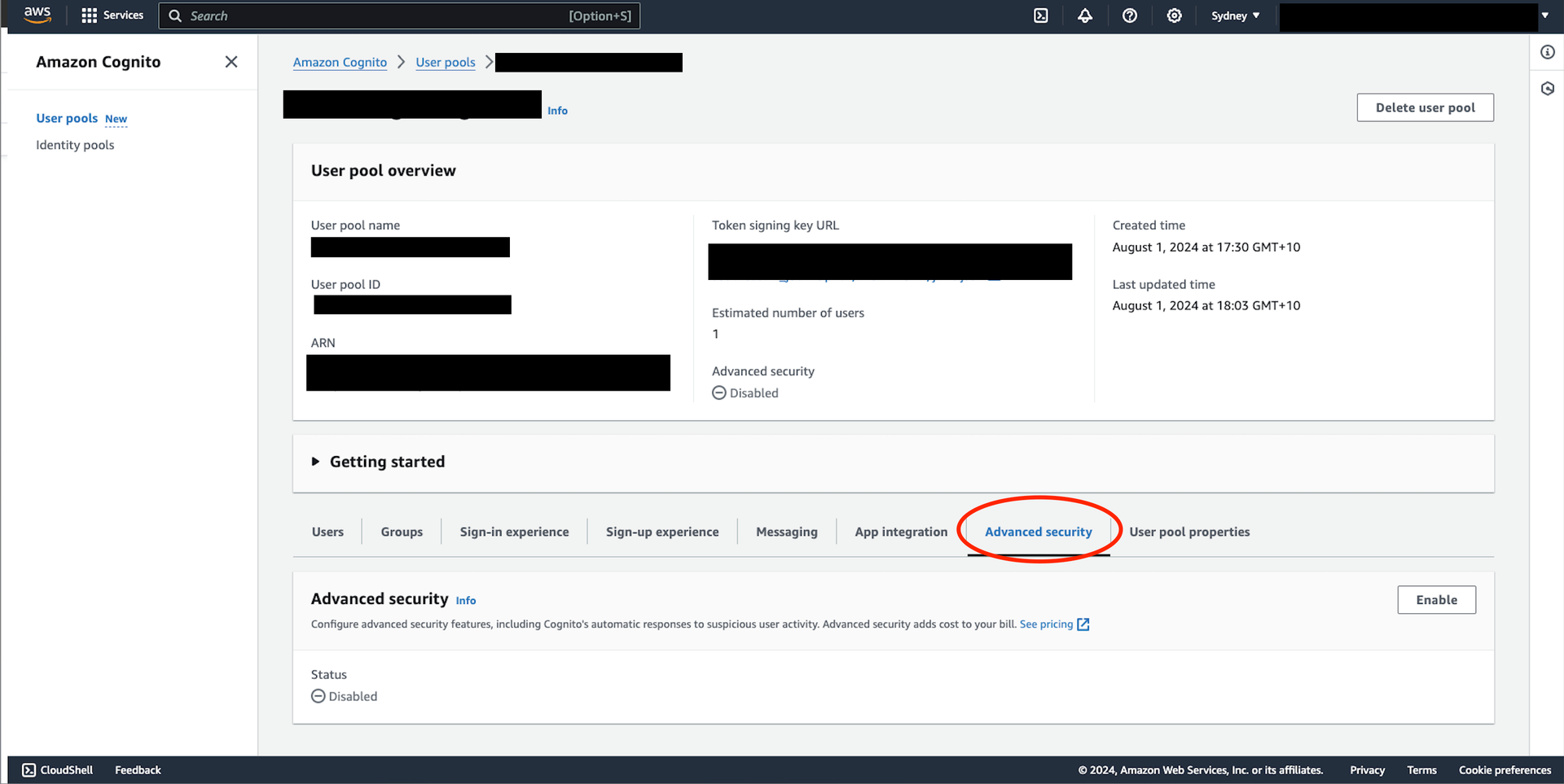
Advanced Security
- On the Edit advanced security screen, enable the following.
- Advanced security : ✅ Full-function
- Compromised credentials : ✅ Cognito defaults
- Adaptive authentication: ✅ Cognito defaults
- Click Enable
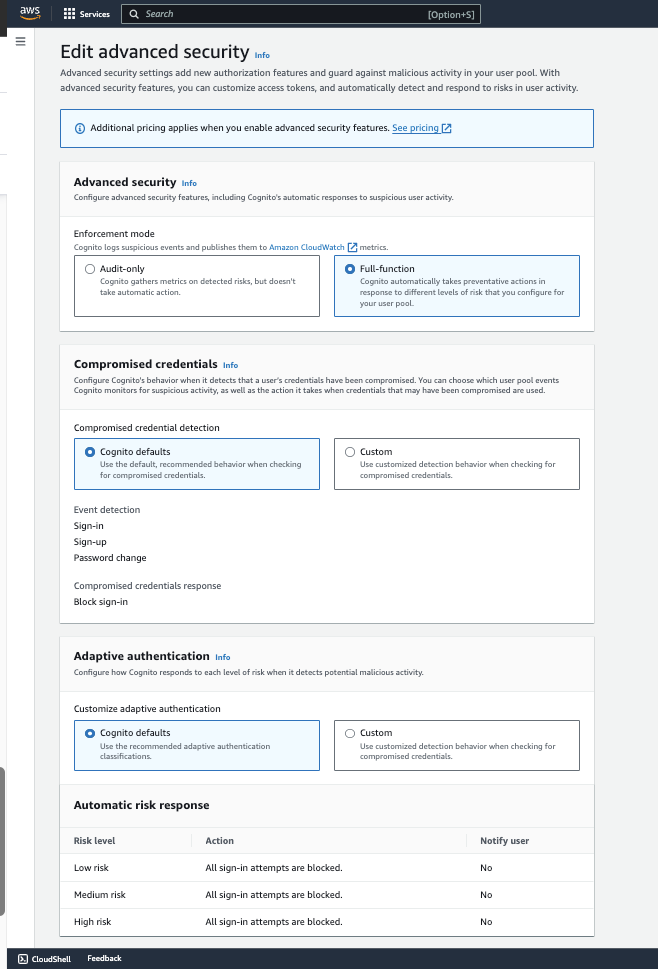
Edit Advanced Security
- Go to
User pool properties
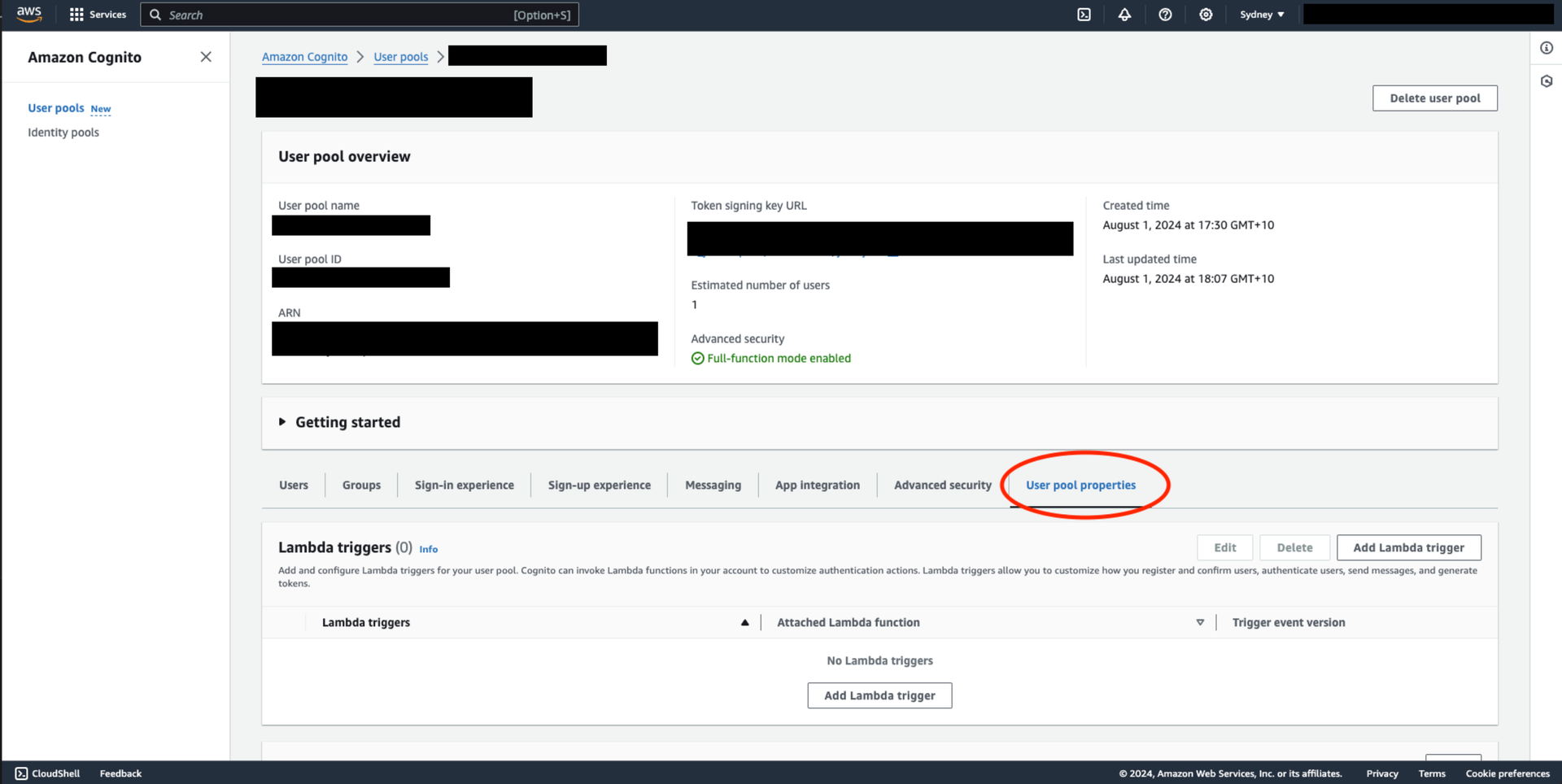
User Pool Properties
- On the Add Lambda trigger screen, select the following
- Trigger type:
authentication - Authentication:
Pre token generation trigger - Trigger event version:
Basic features + access token customization - Recommended - Lambda function: Select the Lambda created above
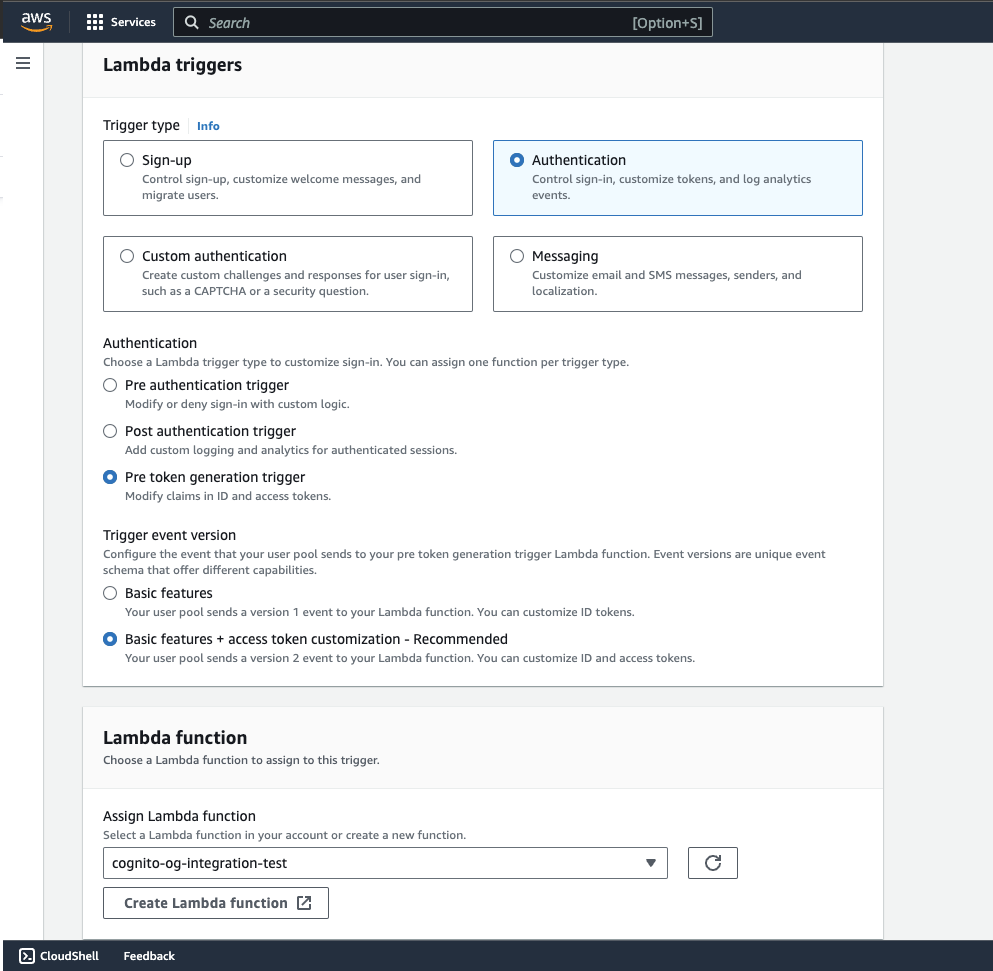
User Pool Properties
Create an App Integration for OG Dashboard
- Go to your
User Poolin Cognito.
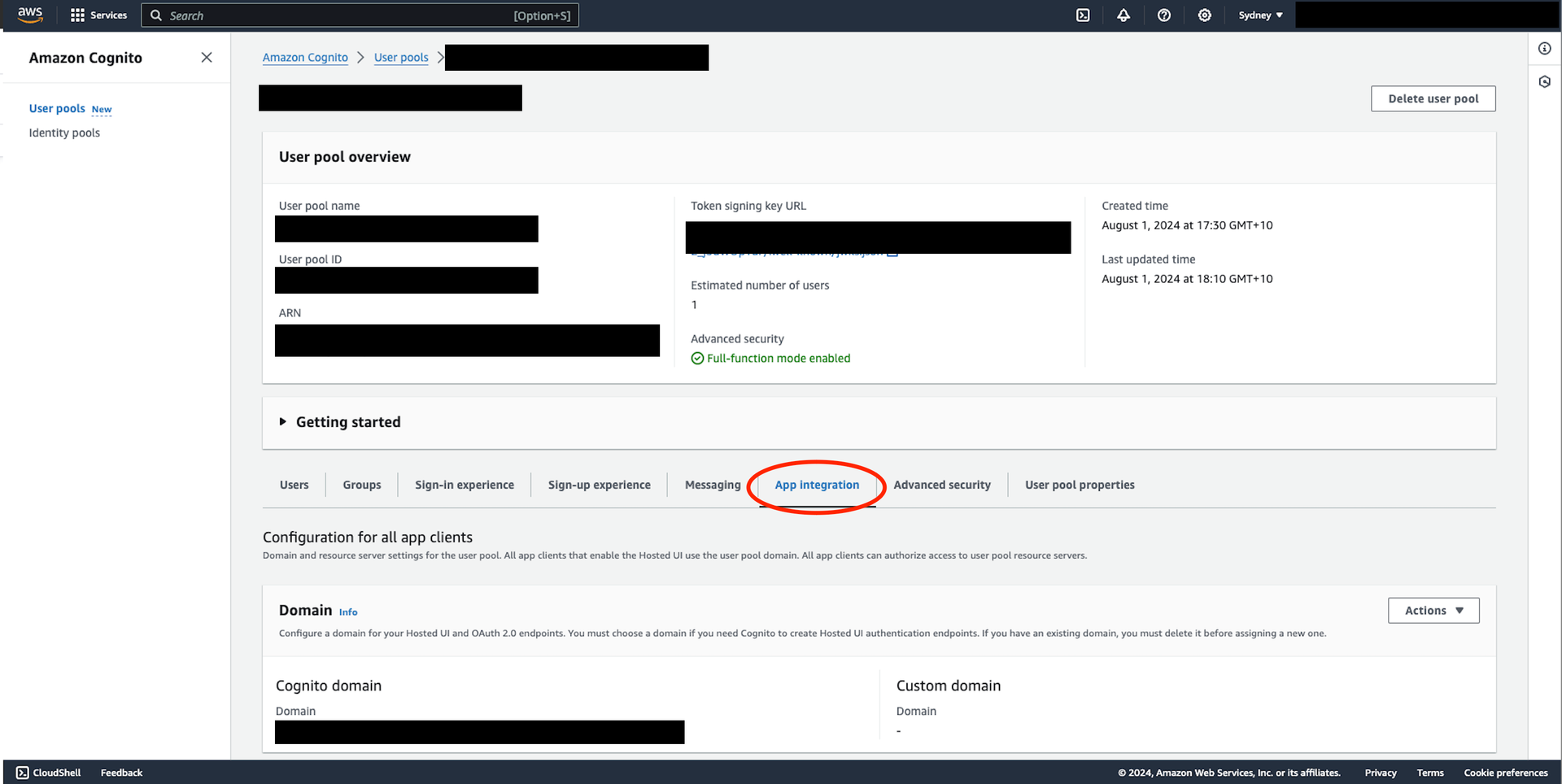
User Pool Properties
- In the App Integration tab, enter the following information
- App type: Other
- App client name:
biza-og-dashboard-integration - Client secret: ✅ Generate a client secret
- Allowed callback URLs:
https://{{DASHBOARD HOST}}/api/auth/callback/rbac_oauth - Advanced security configurations - optional
- ✅ Enable token revocation
- ✅ Prevent user existence errors
- ❌ Accept additional user context data
- Identity providers:
- Please select the preferred identity providers. This should match the identity providers specified in the client app which creates arrangements against OG.
- OAuth 2.0 grant types:
Authorization code grant - OpenID Connect scopes (see here for the required scopes)
- openid
- profile
- Attribute read and write permissions
- keep default
References
- Can I use AWS cognito to provide a open id connect endpoint?
- Pre token generation Lambda trigger - Amazon Cognito
- How to customize access tokens in Amazon Cognito user pools | Amazon Web Services
- https://guides.biza.io/og/architecture/oauth2-clients
- https://docs.aws.amazon.com/cognito/latest/developerguide/user-pool-lambda-pre-token-generation.html#aws-lambda-triggers-pre-token-generation-example-version-2-complex-objects