Visual API Testing
Explore and exercise CDR Data APIs interactively, without writing code.
Visual API Testing gives VTT a mechanism to navigate to the Data APIs via an intuitive user interface (UI). It lets you manage sharing arrangements and issue individual API requests so you can inspect exactly how your Data Holder implementation responds.
How it works
VTT exposes what Data Recipients would receive from your Data Holder platform. You create a sharing arrangement (consent) with your target Data Holder, choose the endpoint and parameters you want to test, and VTT issues the request and displays the response, including any payload schema errors, in the UI.
What it does
This interface provides the ability to:
- Create, Modify and Revoke Data Sharing Consents (agreements)
- Allow flexible collection creation, including:
- Selection of Data Scopes
- Selection of sharing duration, including "Once Off"
- Execute API endpoint requests
- Choose API parameters, both Path and Query based
- Choose payload versions
- View response payloads
- View response payload schema errors (see Biza Test Suite)
- View detailed request and response payloads
Queryable endpoints include:
Form behaviour
The interface guides you through building a valid request:
- Required field indicators: mandatory fields display a red asterisk (
*) next to their label, following the Mantine UI convention. Indicators appear on API call selectors, account selectors, service point selectors (energy) and multi-select fields. Submit buttons remain disabled until the required fields are set. - Loading state on submit: submit buttons show a loading spinner while the request is in flight, providing feedback and preventing duplicate submissions.
- Empty parameter handling: empty query parameters are automatically sanitised and are not forwarded to the Data Holder, avoiding unexpected validation failures.
Banking General — List Accounts
The "Choose a Banking Api Call" dropdown shows the required asterisk. Selecting an API (e.g., List Accounts) reveals additional form fields for pagination and filtering.
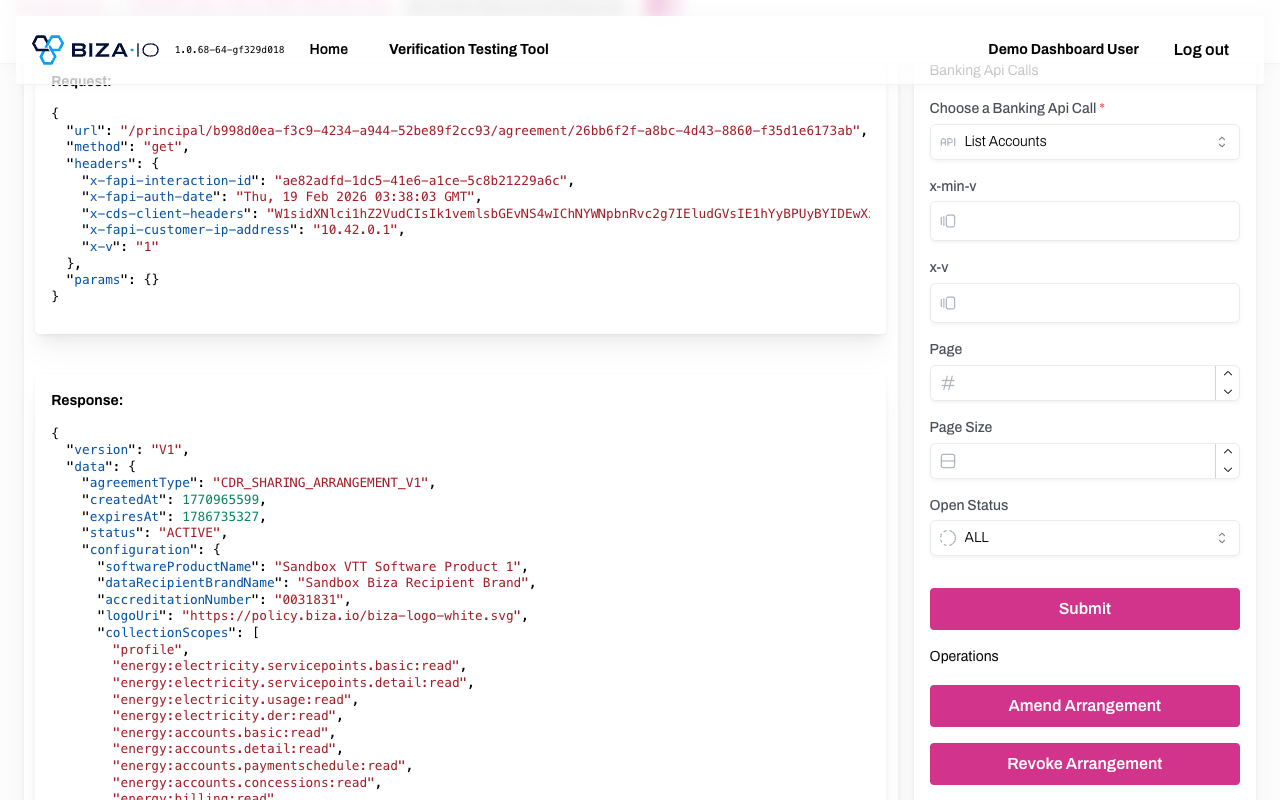
Banking general form with required indicator on API call selector
Banking Account Specific — Get Transactions
The account-specific form shows required indicators on both the "Select an Api Call" dropdown and the "Choose an Account" selector. The submit button is disabled until a required account is selected.
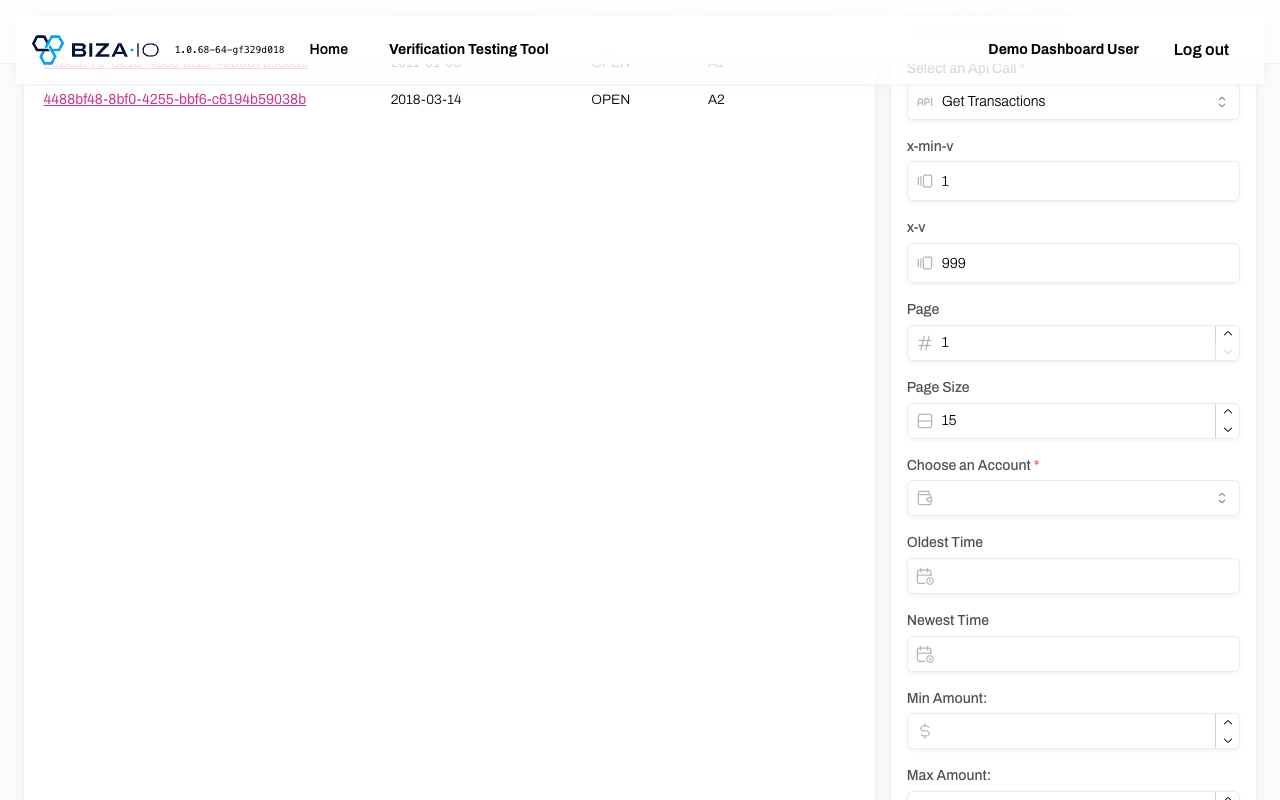
Account-specific form with required indicators on both selectors
Customer value & use cases
- Targeted, exploratory testing: query a single endpoint with specific parameters, payload versions and path/query variables to reproduce and diagnose issues.
- No code required: exercise Common, Banking and Energy Data APIs through the UI rather than building a bespoke test client.
- Immediate feedback: inspect full request and response payloads, and see schema errors, as you test.
- Full arrangement control: create, amend and revoke consents, including "Once Off" collections, directly from the interface.