Authorise Entra Users/Groups
Introduction
This step is required to authorise roles to users and groups within Entra ID. After carrying out the steps in Approve Entra Application you must authorise roles to users and groups with Entra ID.
Prerequisites
Your federation must have been cutover by Biza to redirect your customer domains to Entra ID. Please ask your Biza representative to confirm this prior to carrying out the steps below if you are unsure.
Procedure
We recommend Biza ID to be scoped to Entra ID groups rather than adding users directly.
1. Within the Enterprise applications section of Microsoft Azure, select Biza ID > Users and groups. Click +Add user/group.
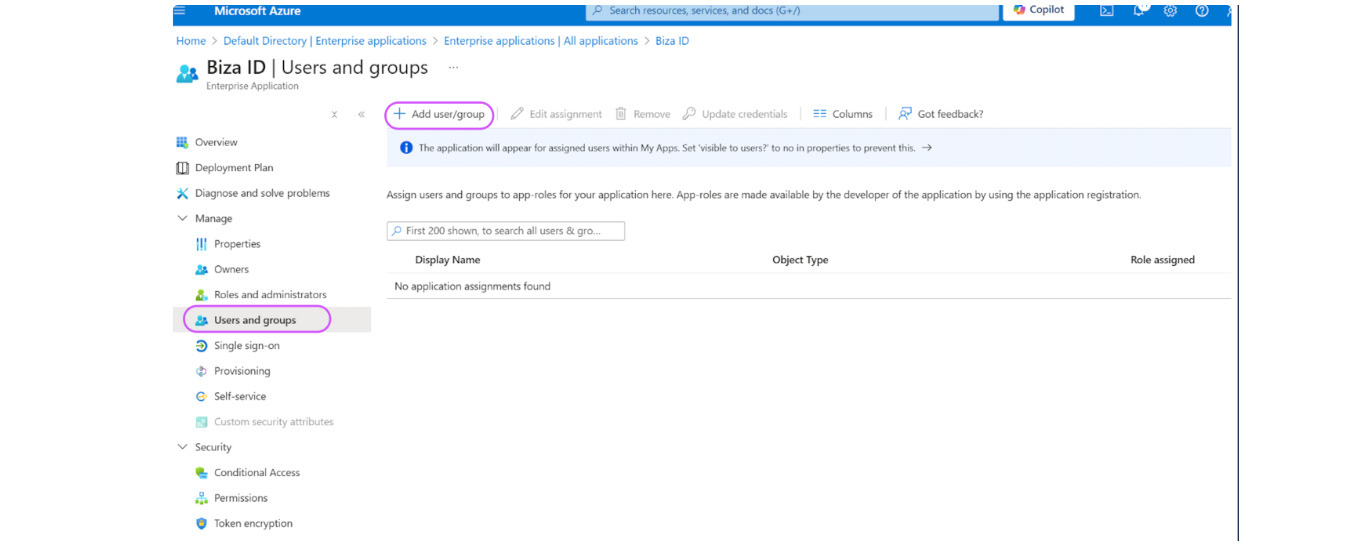
Biza ID users and groups
2. Select the user(s) or group(s) that require access to Biza applications and select the relevant roles from the list.
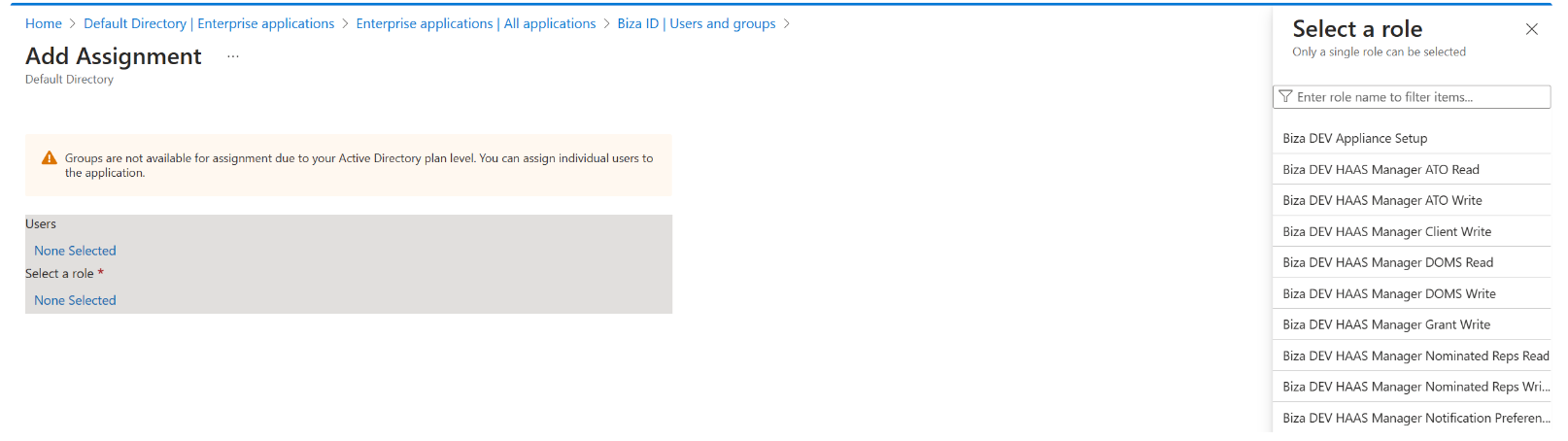
Add assignment to users or groups
3. The example below shows BizaIDTest User1 has Biza Product Manager Read role assigned and BizaIDTest User 2 has Biza Product Manager Write role assigned.
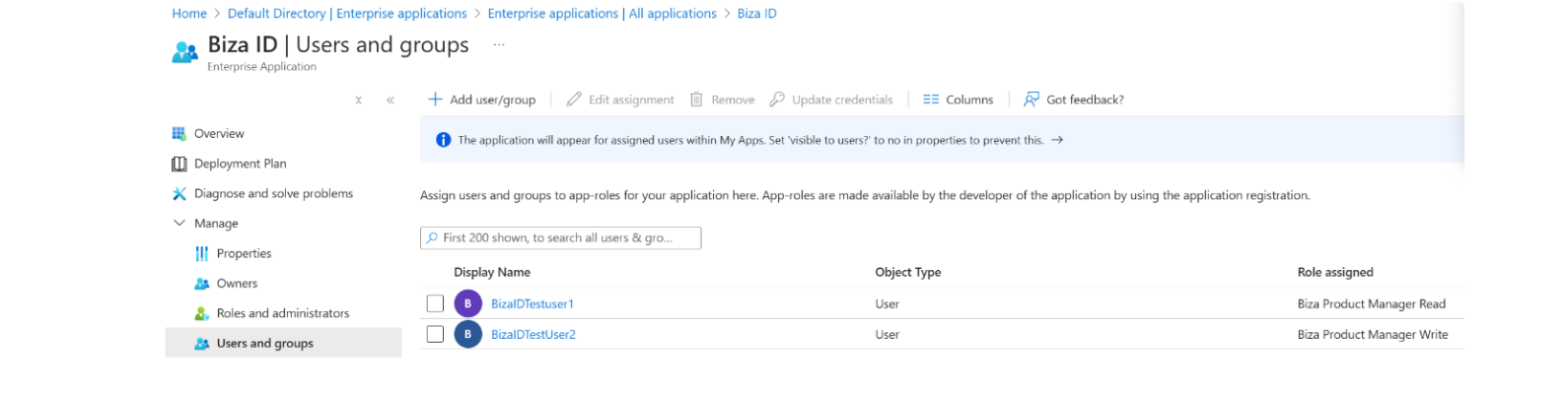
Role assigned to user
Please note that these steps must be carried out for each role you are adding as you can't add more than one role at a time.