Periodic Summary Notifications
Learn how to send Periodic Summary Notifications
important
This feature is intended solely for testing notifications. It allows users to manually trigger notifications instead of waiting for the scheduled weekly or monthly batch jobs. Please note that the destination email address can’t be overridden. Notifications will be sent based on the user’s existing preferences and email address returned by the Get User Notification Information adapter call.
- Select Periodic Summary Notifications from the dropdown menu.
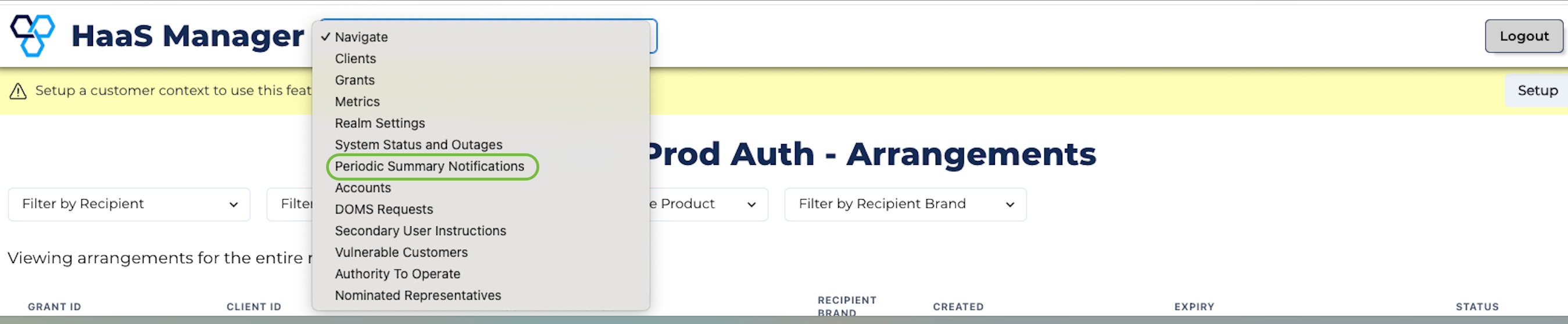
Period summary notifications menu option
- Select the notification period you wish to test (weekly or monthly) and the time from which the chosen period is subtracted from. For example, if you need to see all the period summaries for the month of August select monthly and set the date to the 31/08/2024.
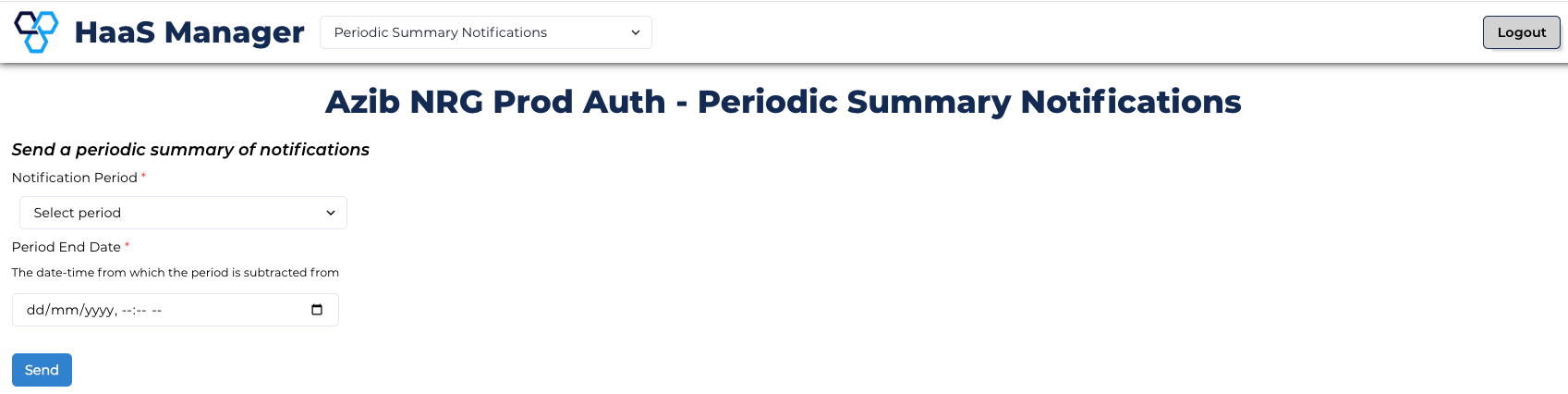
Period selection
- Upon clicking send on the previous screen, a number of API calls will be made and periodic notification summaries will be sent to your test users.