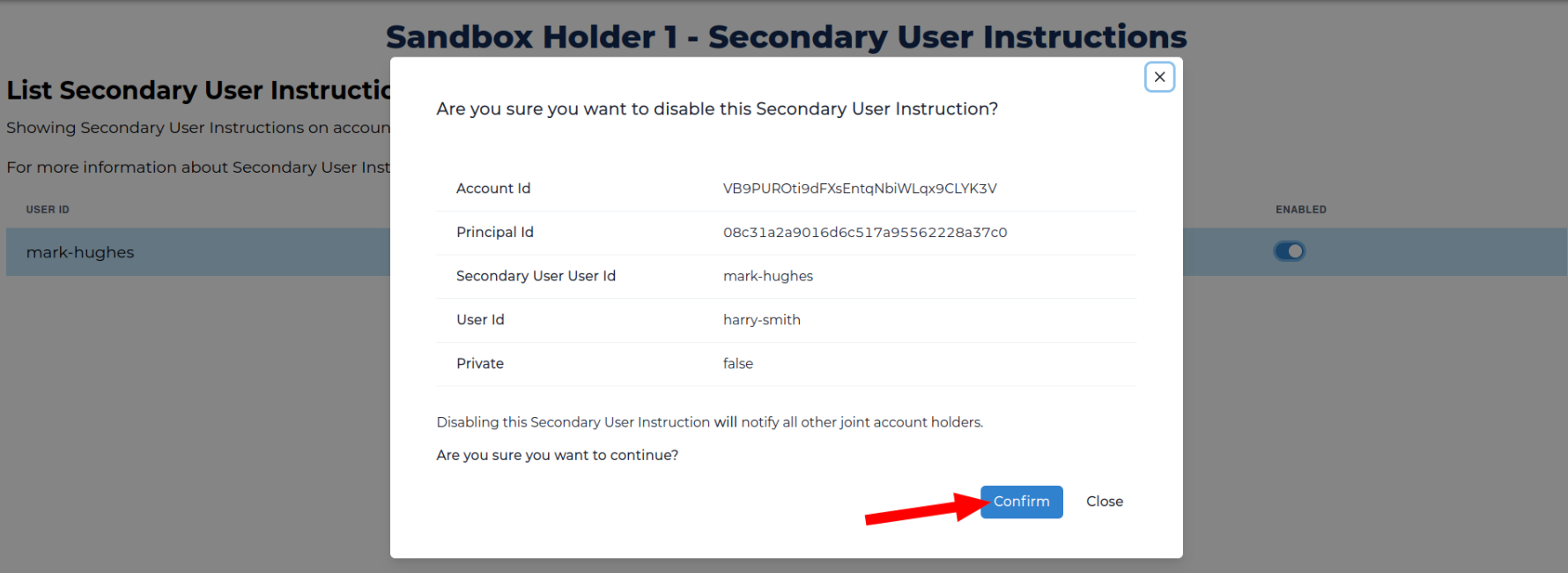
Manage a Secondary User Instruction
Learn to assign, enable, or disable a Secondary User Instructions
Assign a Secondary User Instruction
- Set the context for the user (i.e., search for them using identifiers such as Principal ID).
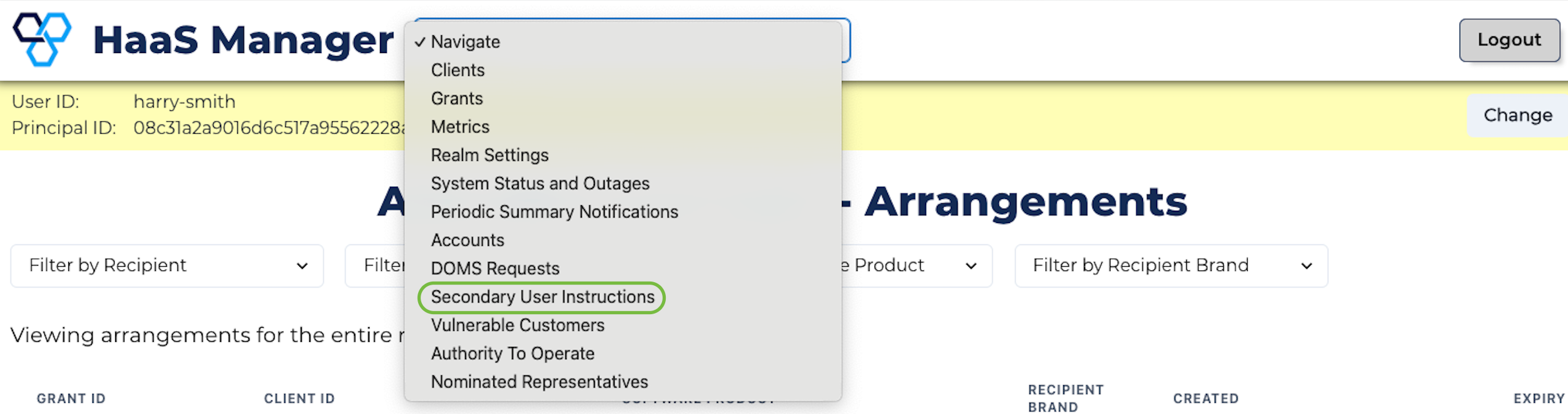
- Click Navigation at the top of the page and select Secondary User Instructions from the dropdown menu.
- Click View Secondary User Instructions for the account with a Secondary User defined as an Account Customer from the Data Adapter.
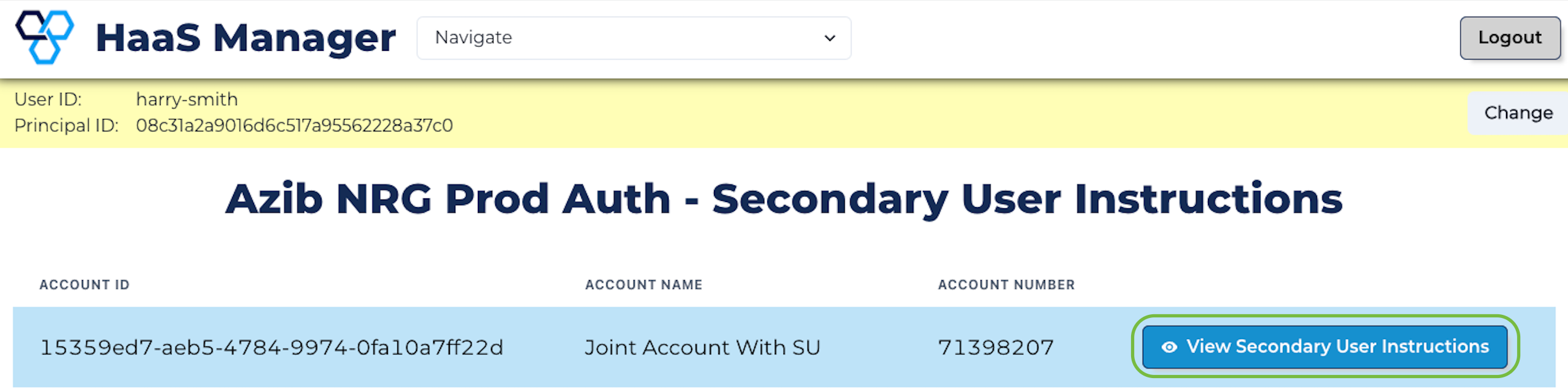
- Click Assign.

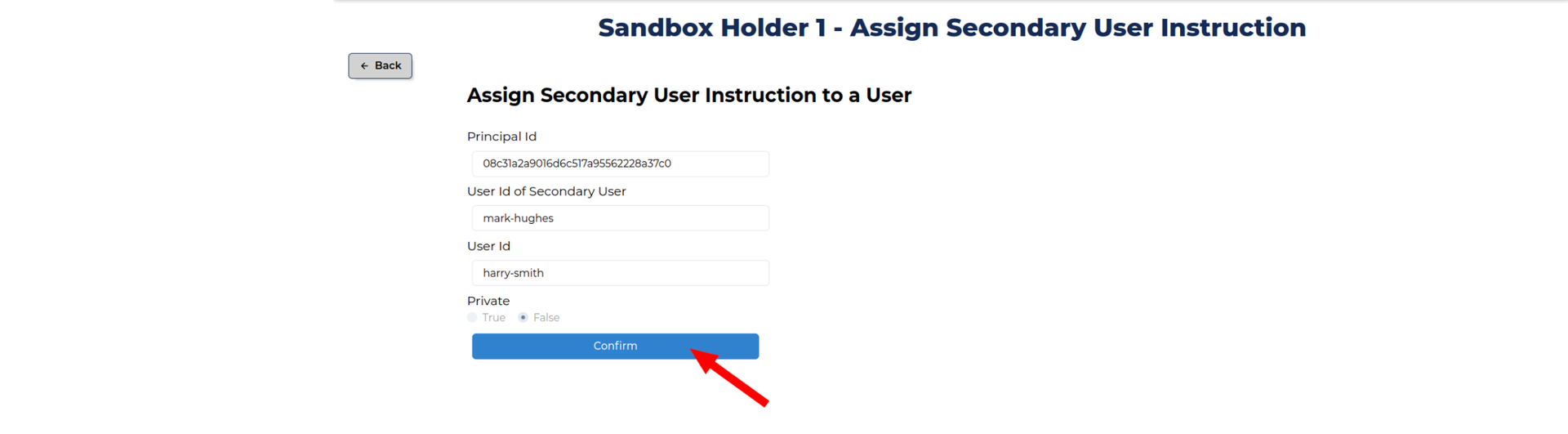
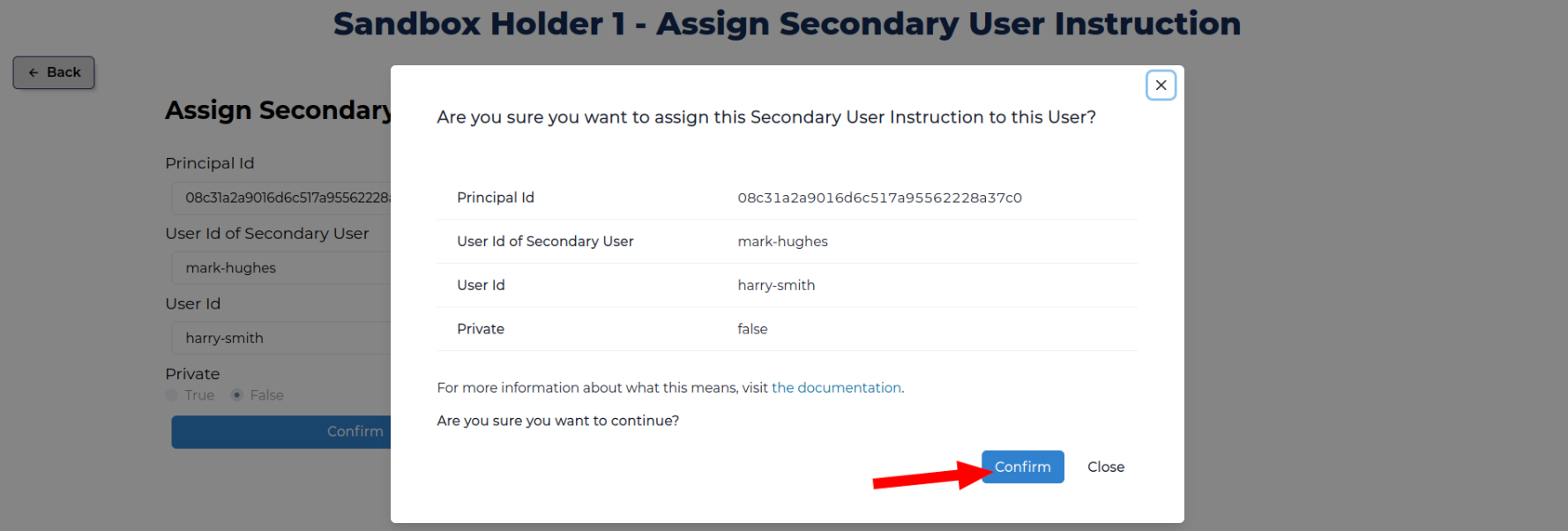
- Enter/verify the:
- Principal ID that was used to list accounts.
- User ID of the Secondary User.
- User ID of the user to be assigned the instruction.
Click Confirm.
- Review the consequences of this action and click Confirm.
Enable/Disable a Secondary User Instruction
- Set the context for the user (i.e., search for them using identifiers such as Principal ID).
- Click Navigation at the top of the page and select Secondary User Instructions from the dropdown menu.
- Click View Secondary User Instructions for the account with a Secondary User defined as an Account Customer from the Data Adapter.
- Toggle the ENABLED button.
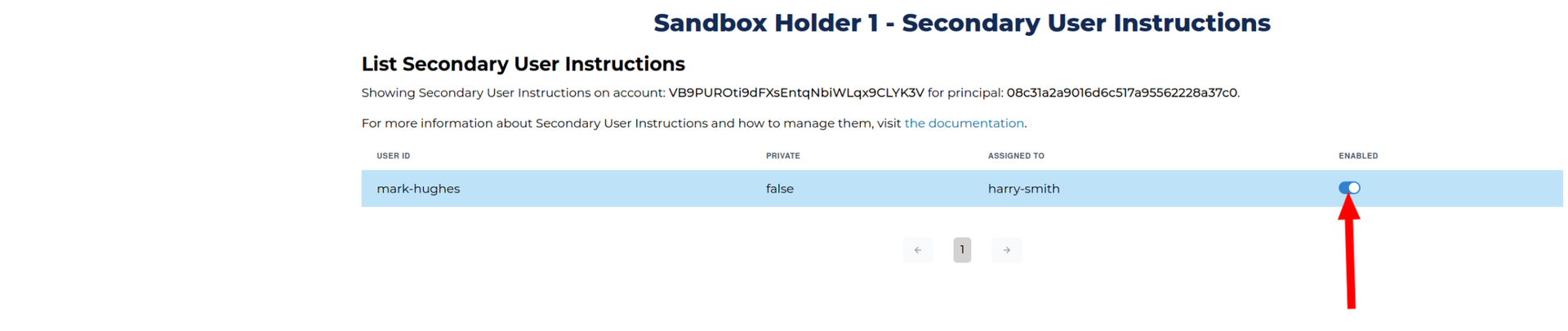
- Review the consequences of this action and click Confirm.