Manage Data Sharing
Learn how to view the sharing status of an account and to create DOMS requests.
Disable Data Sharing
- Follow the steps in View Accounts.
- Click View Account for the account you wish to view/manage.

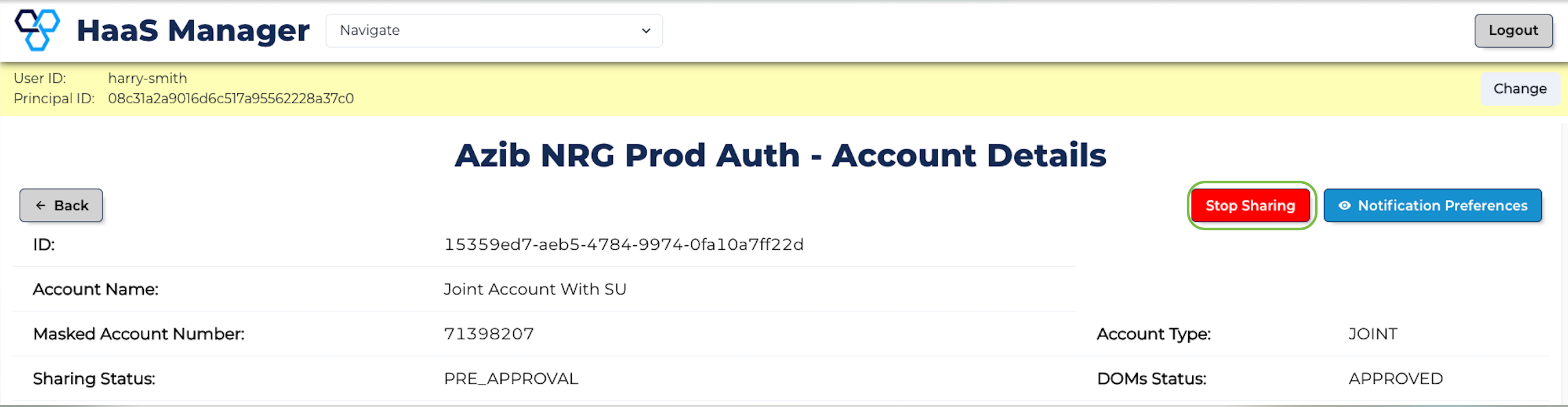
- Here, you will see the current Sharing Status of the account, the Account Type and the status (if applicable) of the most recent DOMS Request ("DOMS Status"). Click Stop Sharing.
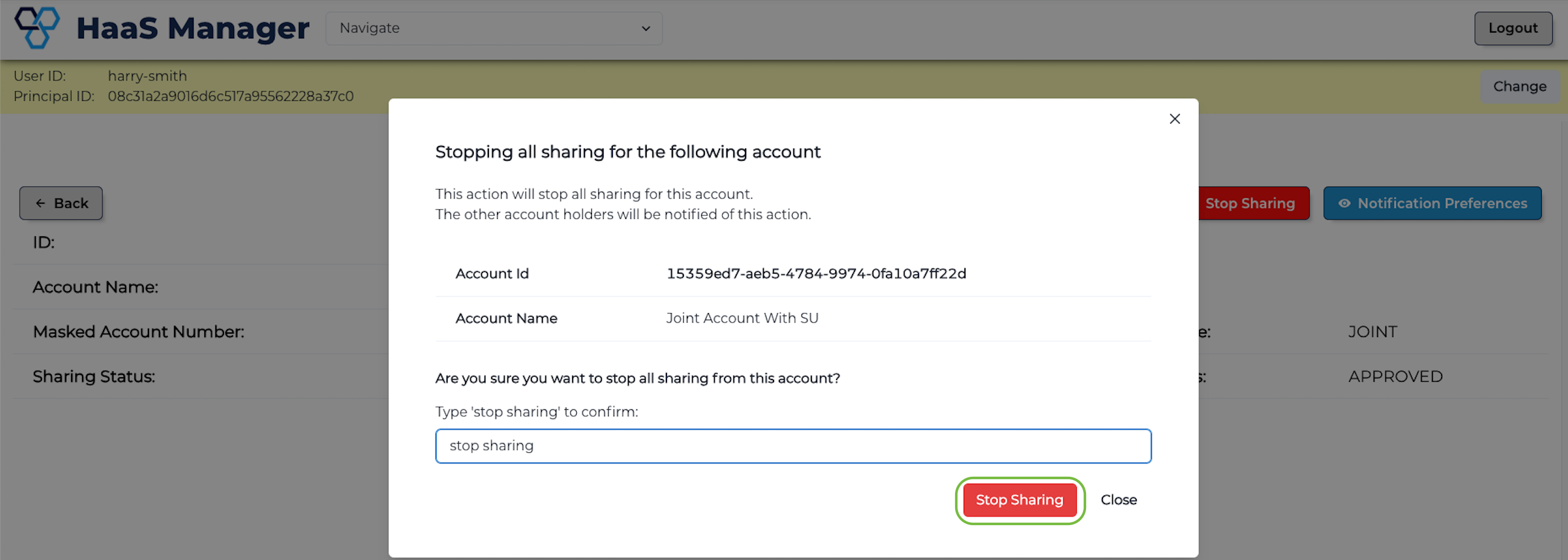
- Review the consequences of this action, type stop sharing and click the Stop Sharing button.
- Transitioning from
PRE_APPROVALtoNON_DISCLOSURErequires no approvals, meaning the account is now in aNON_DISCLOSUREstate. This disallows the sharing of data from this account by any joint account owner until sharing is enabled again.
Enable Data Sharing
-
Follow the first 3 steps in Disable Data Sharing above.
-
Click Start Sharing.
-
Review the consequences of this action, type enable sharing and click the Enable Sharing button.
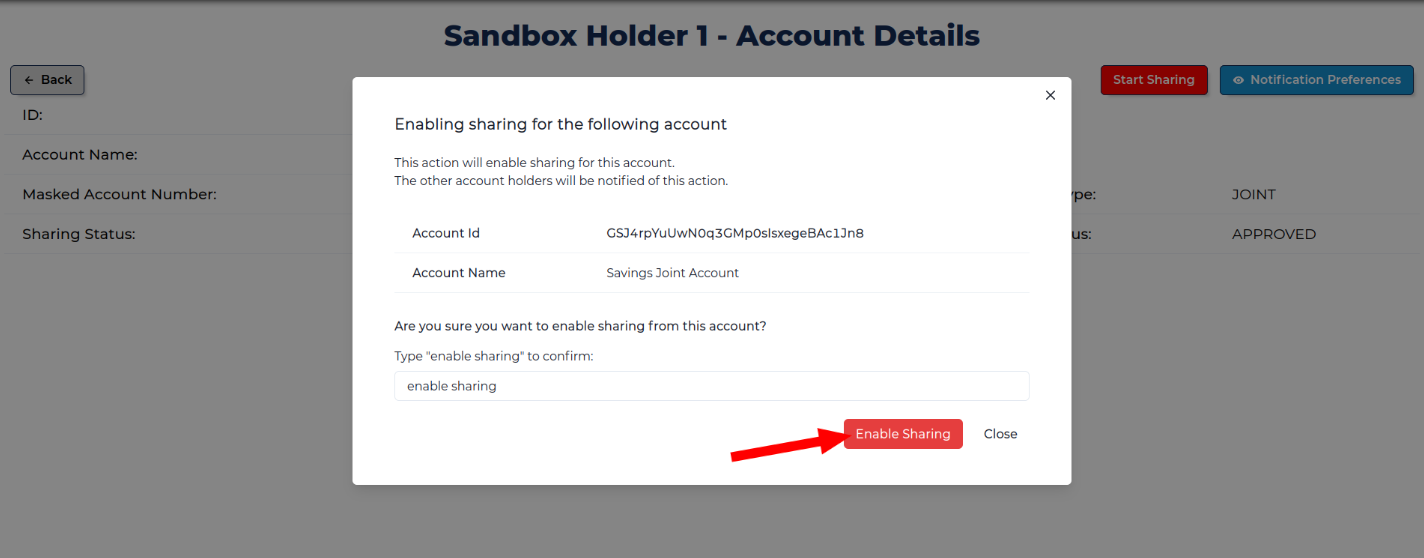
- This will create a DOMS request for each joint account owner and will require all joint account owners to approve before its expiry. If this does not happen, the DOMS request will be denied (or expired) and the account will remain in the
NON_DISCLOSUREstate.

- Transitioning from
NON_DISCLOSUREtoPRE_APPROVALrequires approval from all account holders, meaning the account remains in theNON_DISCLOSUREand state, and data cannot be shared until all approvals have been given.
info
See Manage DOMS Request for instructions on how to respond to DOMS requests.