Scheduling a new outage
Learn how to schedule a new outage
- Select System Statuses and Outages from the dropdown menu.
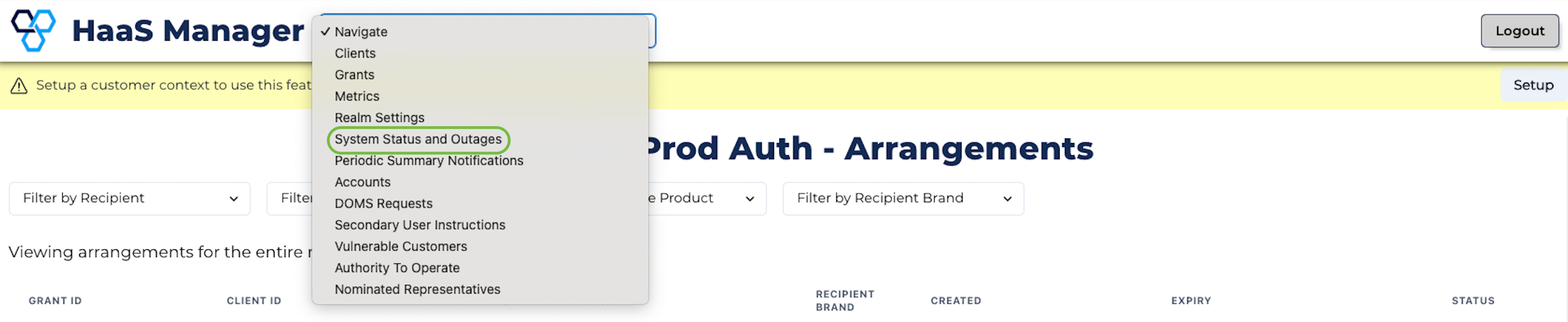
System statuses and outages
- Click + Create Outage.
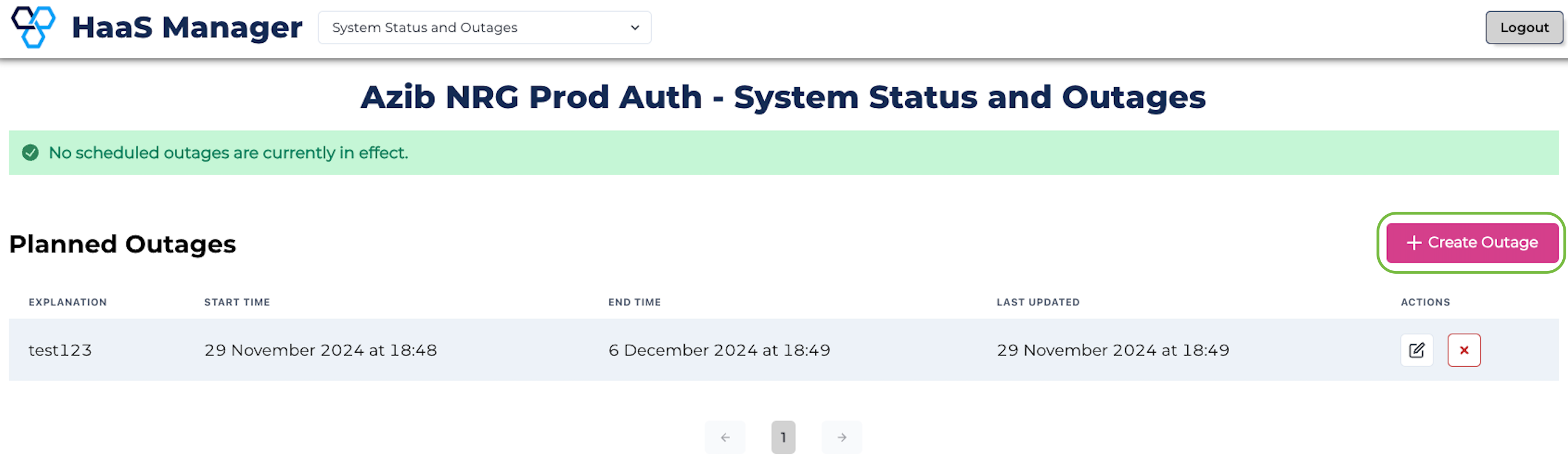
Create Outage
- Populate the popup box with the details of the outage and click Create.
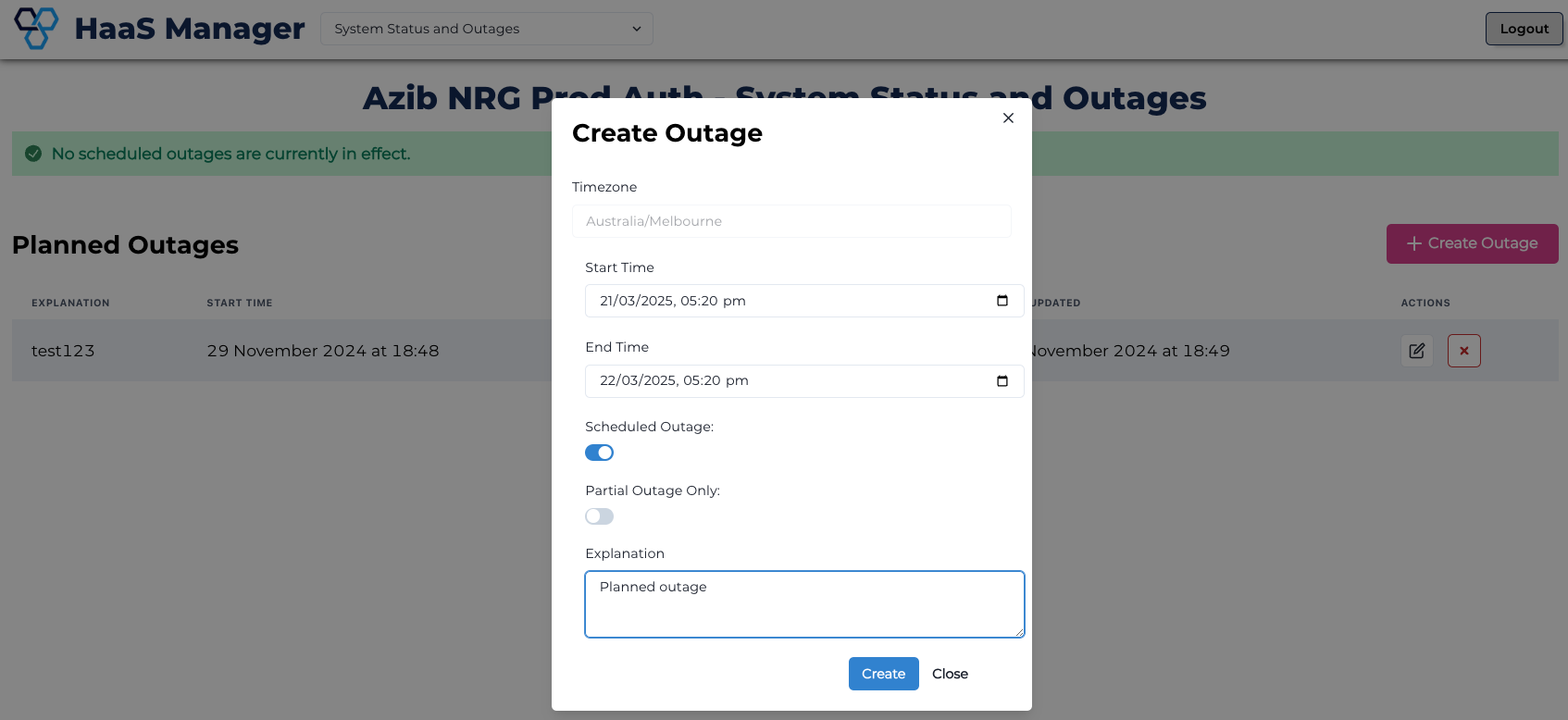
Create outage popup
- You will now see the newly created Planned Outage on the System Status and Outages page.
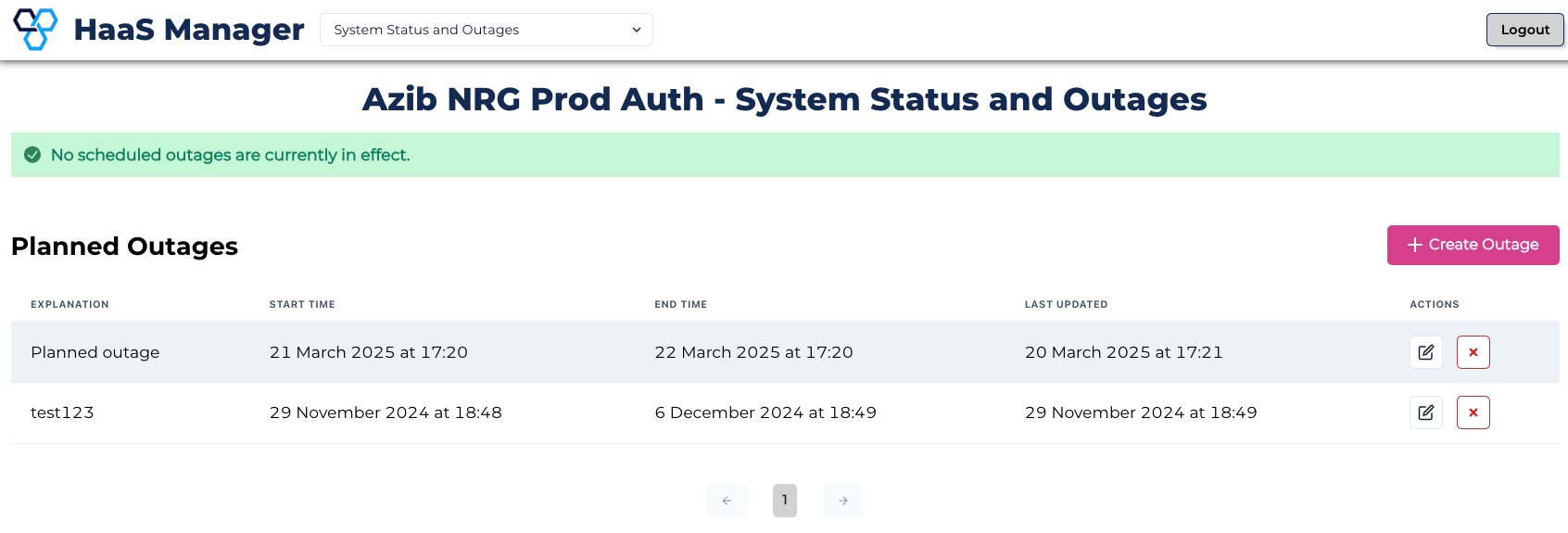
Create outage popup