Check HaaS Server Errors and Rejections
Find out if your Haas instance is experiencing issues handling the number or traffic demands of requests.
To see errors and rejections returned by your HaaS instance:
- Click Navigate at the top of the page and select Metrics from the dropdown menu.
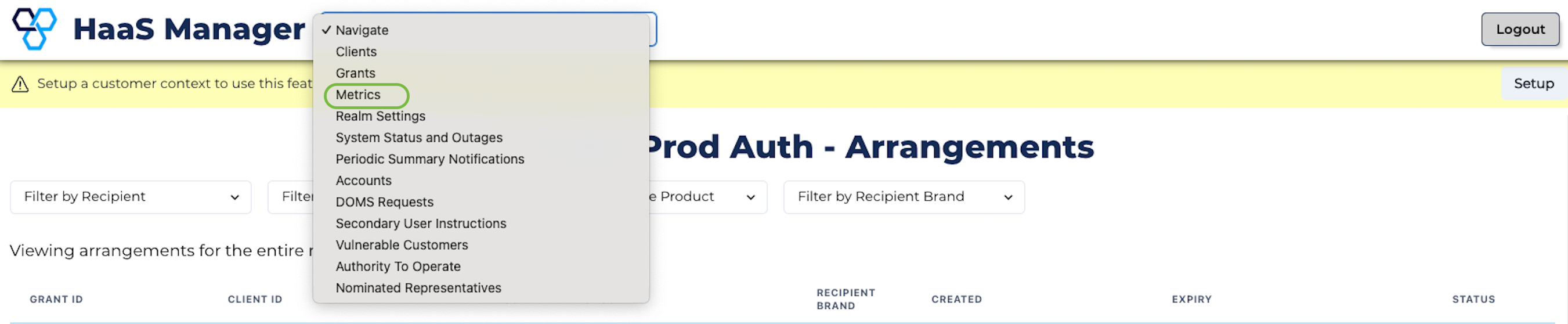
Metrics Option
- Look at the Errors row to see how many function calls received a server error.
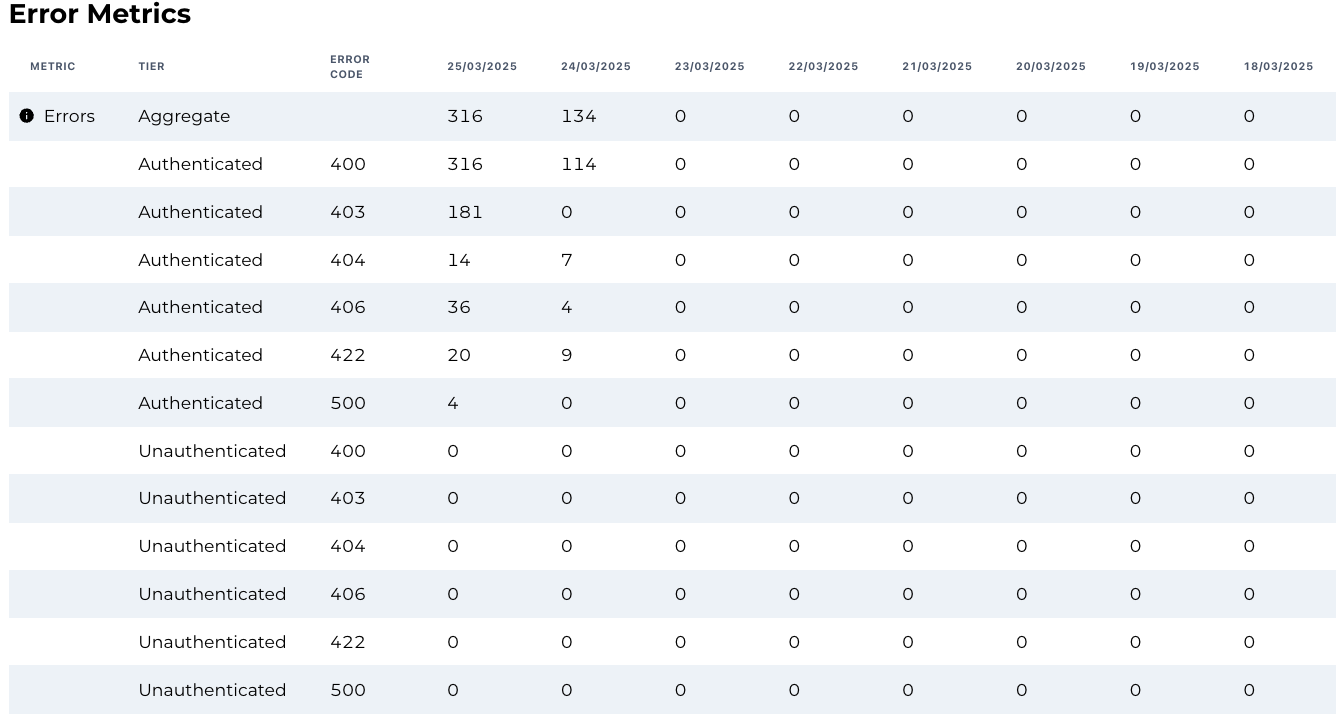
Errors
- Look at the Rejections rows to see how many function calls were rejected by the HaaS instance due to traffic thresholds.

Rejections
important
The error metrics shown in HaaS Manager do not always map directly to CDR API errors or to errors returned by your data adapter. This is due to several factors:
- HaaS may return errors to an ADR without any requests to the data adapter (e.g., where there are invalid request parameters).
- Not all data adapter requests are related to CDR requests (e.g., such as in the case of the consumer dashboard or consent flow).
- HaaS may retry requests to the data adapter if a 5xx is returned. If a retry fails, one CDR error response may be related to multiple error responses from the data adapter. If the retry succeeds, HaaS returns success to the ADR, so there will be data adapter error responses but no CDR error responses.
As a result, data adapter errors, CDR errors and HaaS Manager metrics can reflect different failure points across the request lifecycle.
To better understand our CDR error mapping, you can refer to the Developer Resources section. Each endpoint page includes detailed error mappings and handling behaviour.