Check HaaS Usage Stats
See how your HaaS instance is being used, and how many transactions it's handling.
To see how your HaaS instance is being used:
- Click Navigate at the top of the page and select Metrics from the dropdown menu.
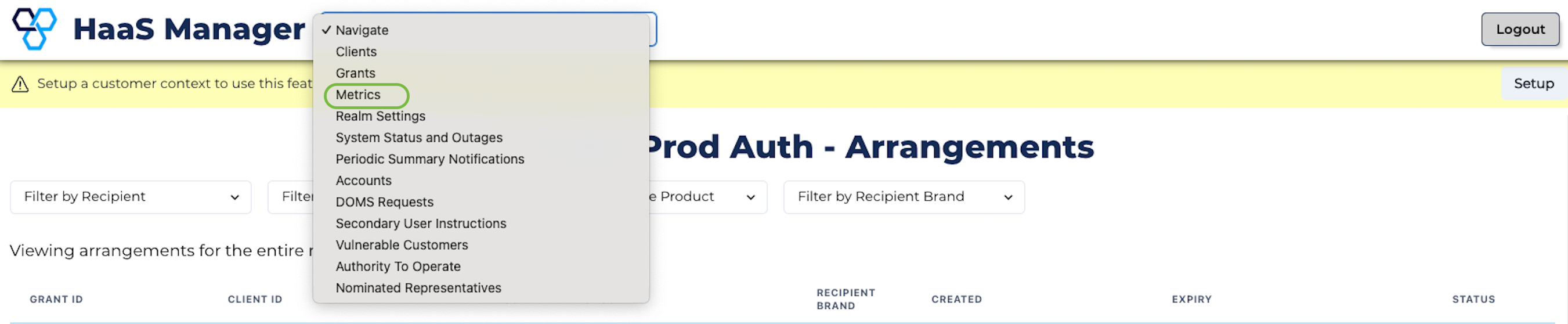
Metrics Option
- Look at the Average TPS and Peak TPS rows to see how many transactions per second your HaaS instance is handling.
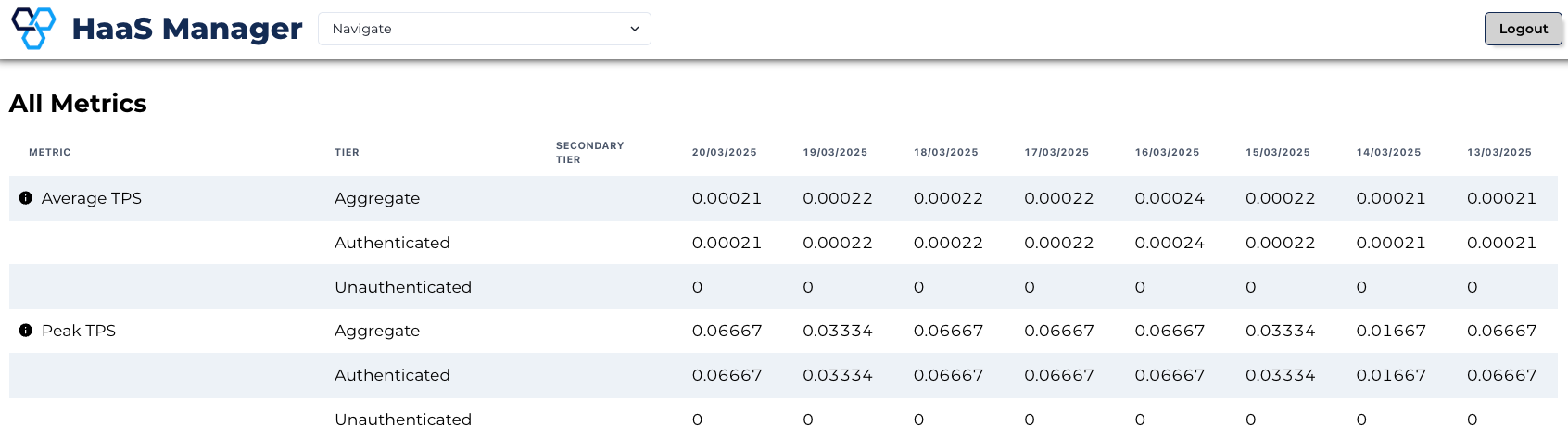
Average and Peak TPS
- Check the Session Count row to see the number of sessions your HaaS instance is hosting each day. A session is a single person or server using HaaS for a period of time.

Session Count
- Check the Invocations rows to see the number of API calls that your HaaS instance has handled each day. These are broken down into performance tiers.
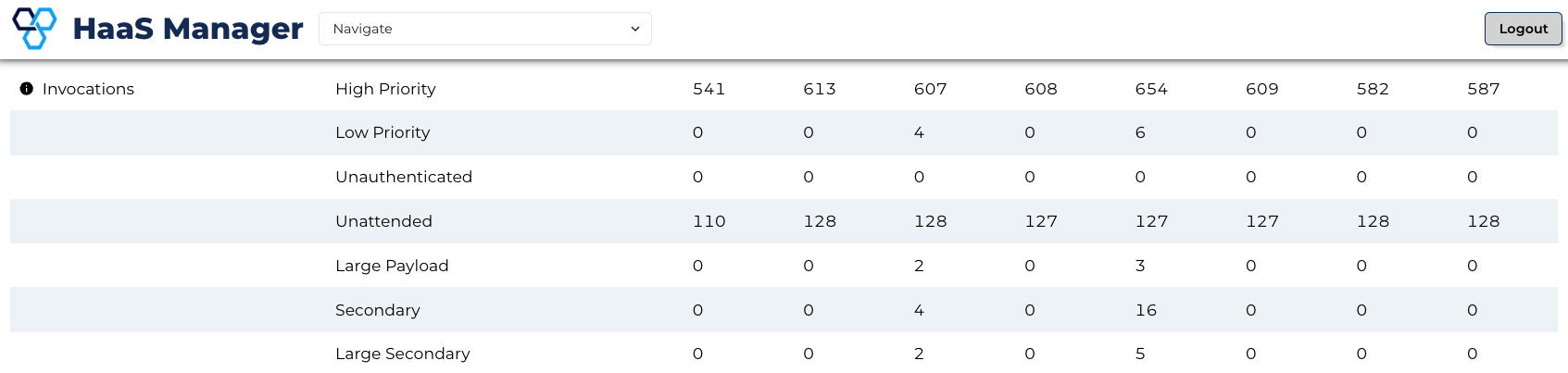
Invocations