Revoke an Arrangement
Learn how to revoke data sharing arrangements.
1. Sign-in to your VTT account.
2. Follow the instructions to View arrangement
3. Select the arrangement ID for the one you wish to revoke.
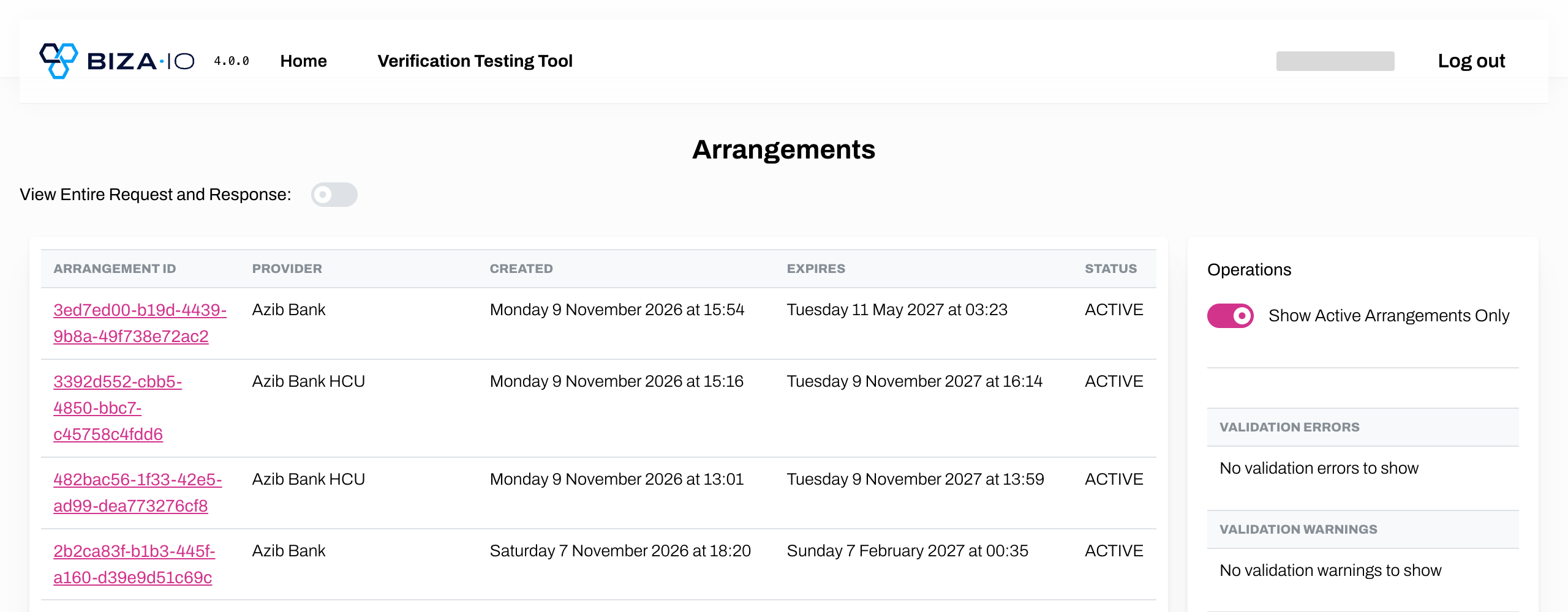
Search Arrangements
4. Click Revoke Arrangement.
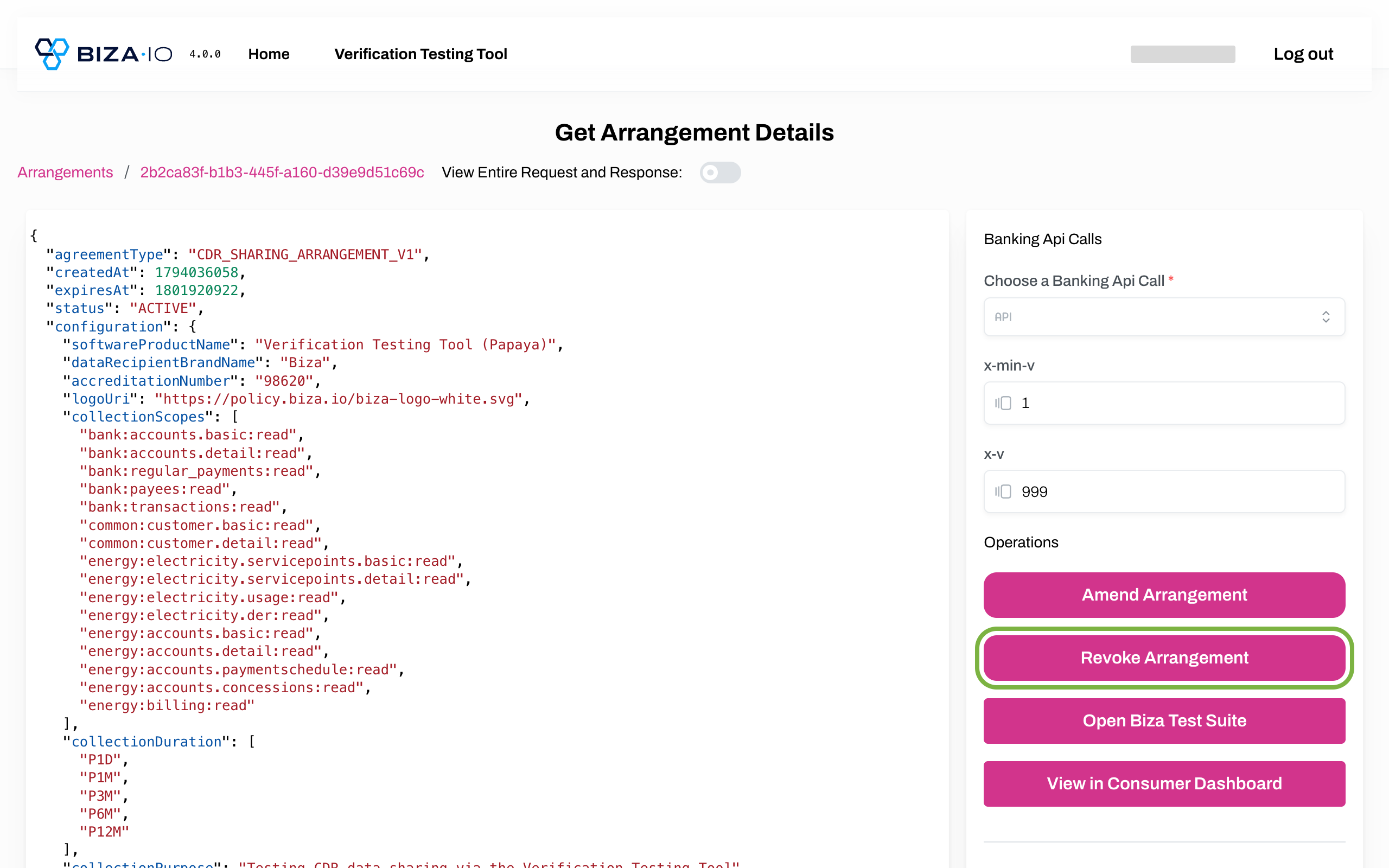
Revoke in Dashbaord
5. On the Arrangement details page, click Stop access.
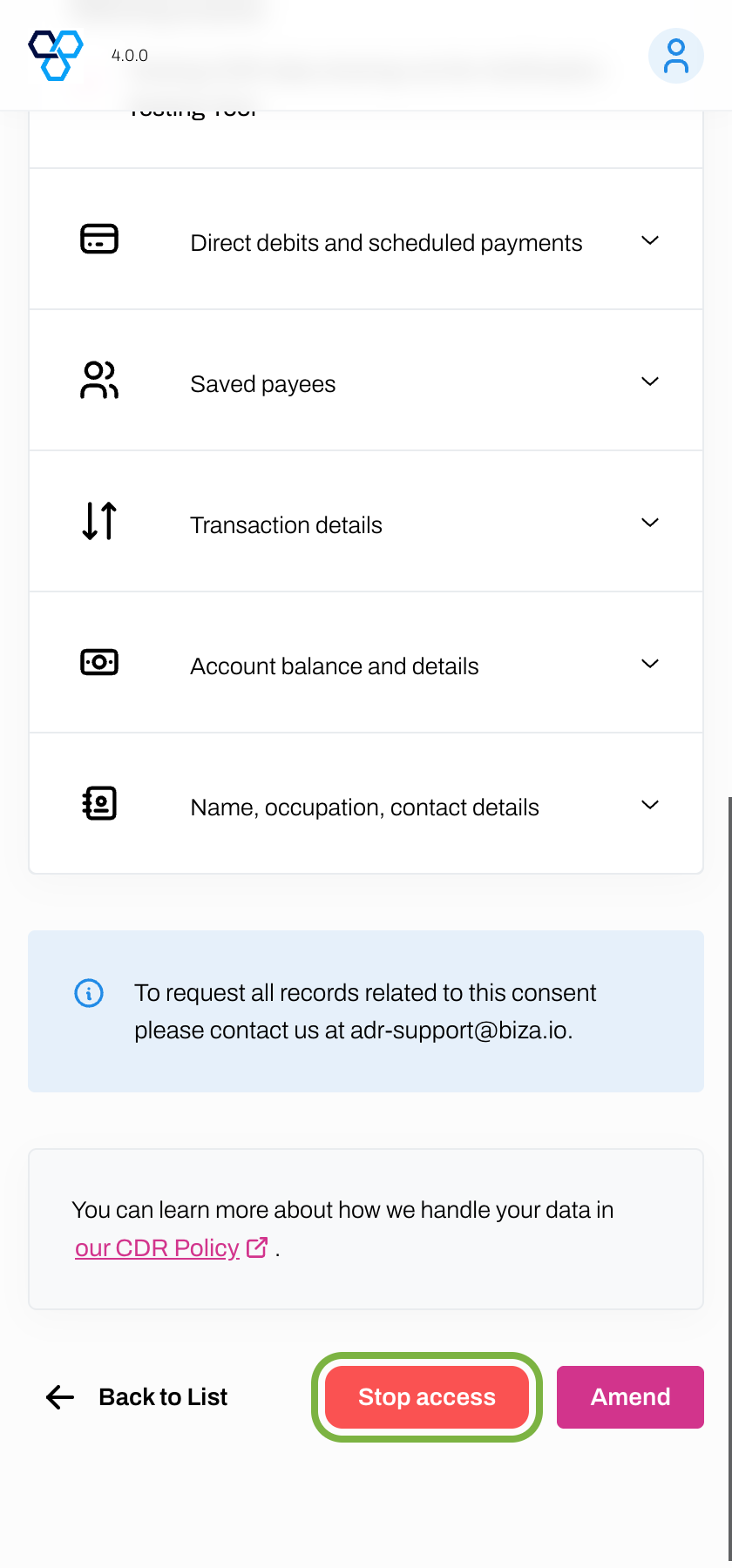
Stop Access
6. On the Stop access pop-up box, click Stop access.
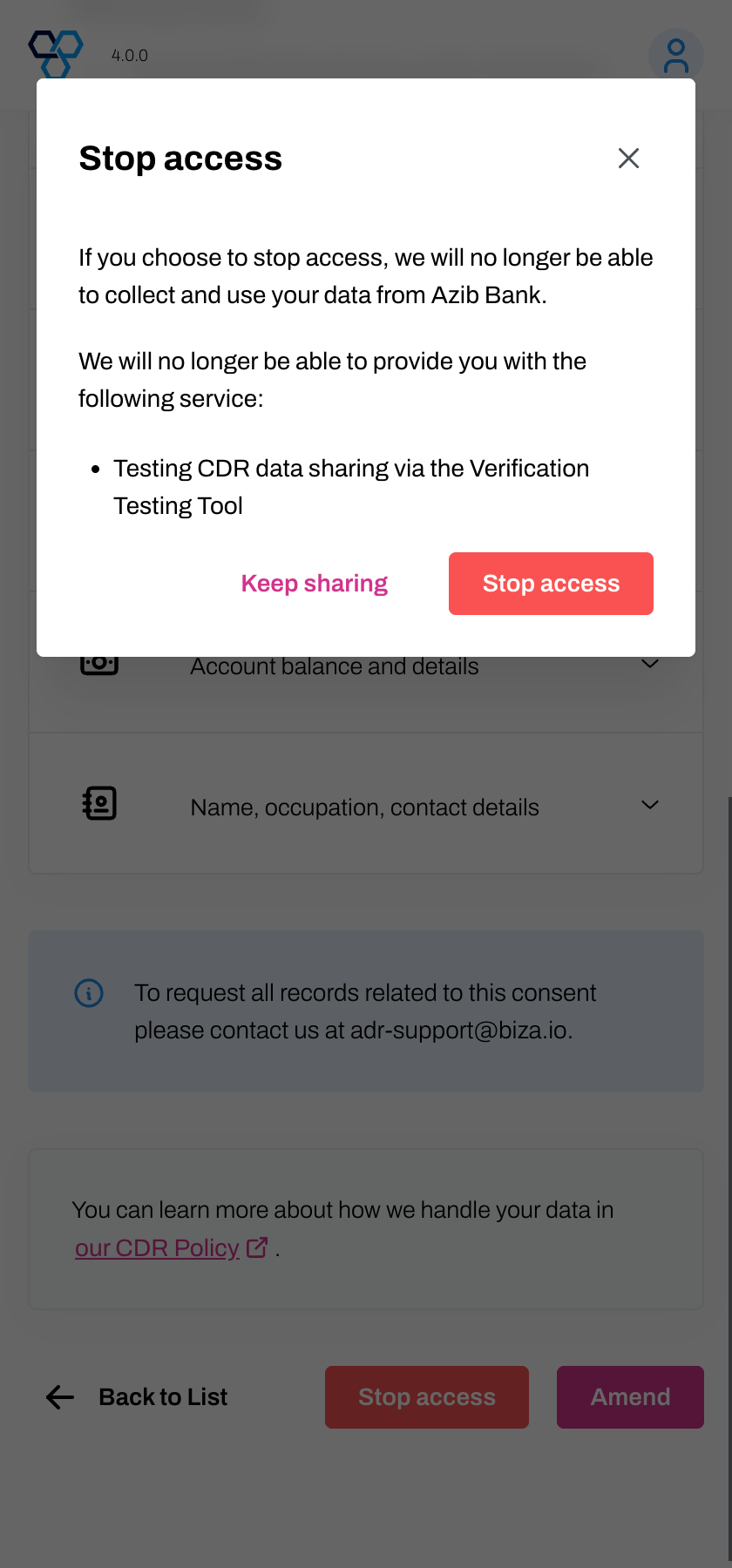
Stop Access Popup
7. The revoked arrangement should now appear on the Inactive tab on the Data sharing arrangements page.
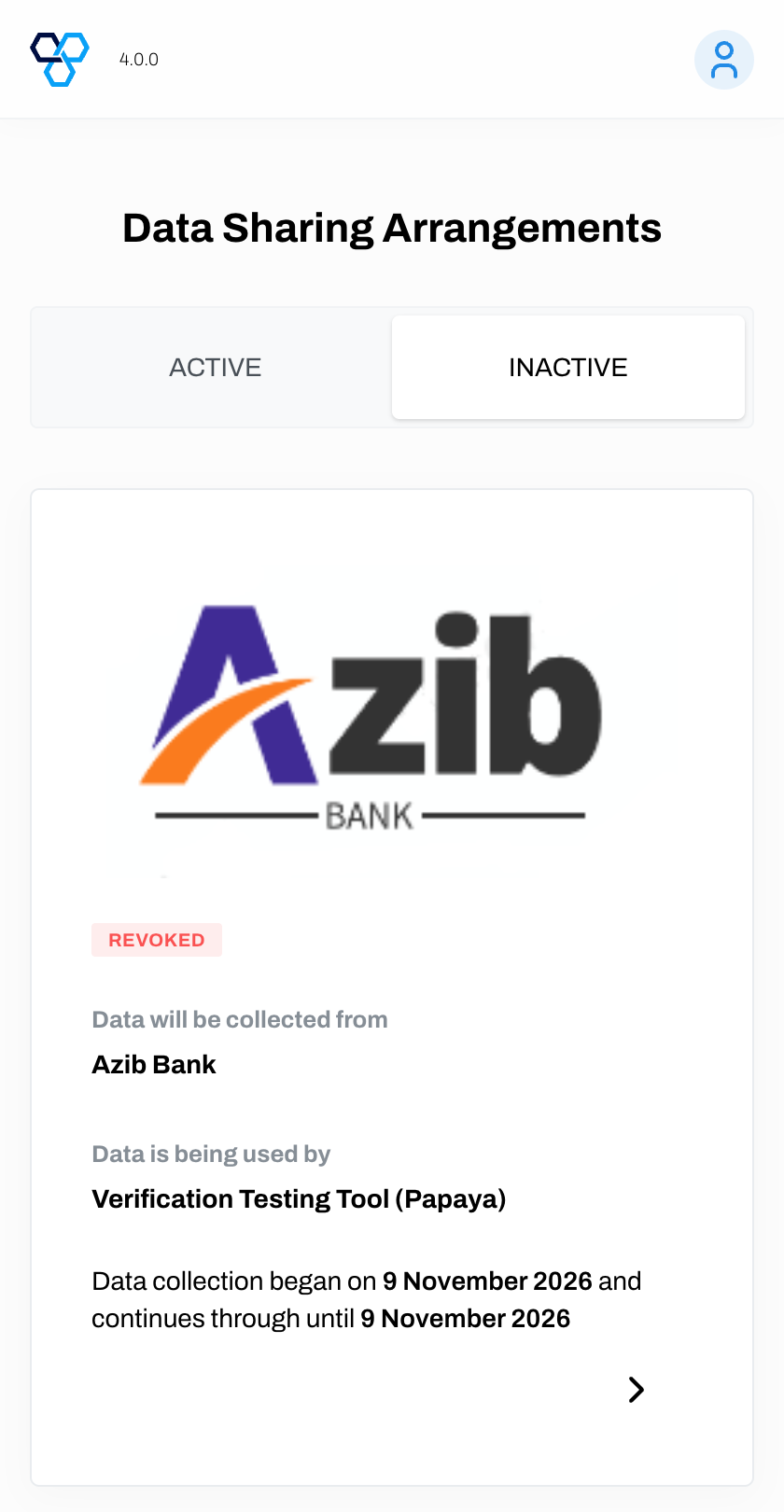
Inactive Tab