Filter the Grants List
Limit the number of grants listed in the grants page so you can easily find what you are looking for.
info
Please note that the terms Grant and Arrangement are used interchangeably throughout this documentation.
Your permissions and your organisation's setup will define which filters you have access to on the grants list page.
You might be able to filter the grants list by:
- Recipient: The legal entity of the Software Product that received access to the arrangement.
- Client ID: The OAuth2 Identifier for the Software Product it is registered under.
- Software Product: The application used to make data sharing requests.
- Recipient Brand: The brand name (if different) to the recipient organisation.
Select an option from a dropdown list to view only grants created with that recipient, client, software, or brand.

Filters
Important
Currently only one filter can be applied at a time.
Remove a Filter from the List
Stop filtering a list by conditions like client or recipient.
To remove a filter from a list, click the x Remove filter button above the filter drop downs.
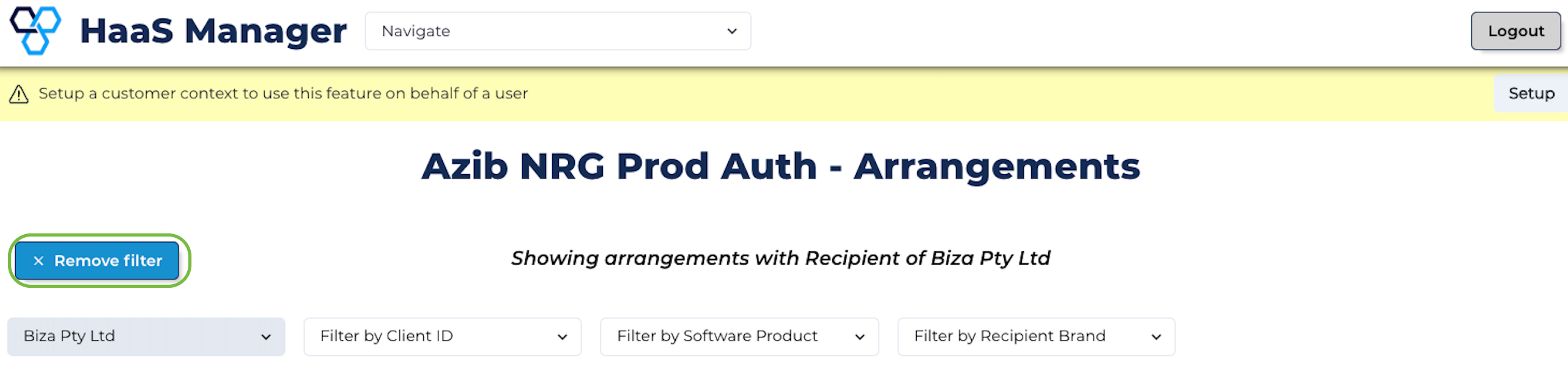
Stop Filtering