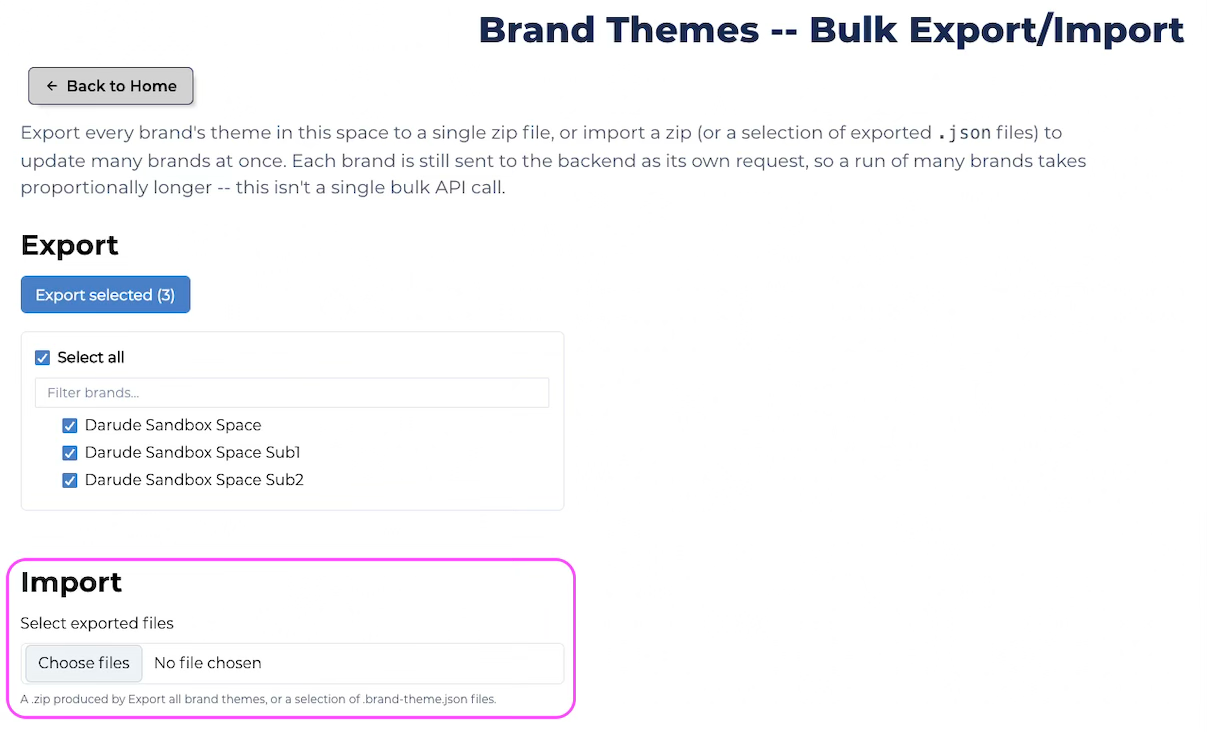
Bulk theme import and export tool
Learn how to import and export your brand theme.
Nebula Series and beyond
HaaS Manager Theme Editor is available on the Nebula series and later.
Promoting to Production?
See Promote themes from Yellow to Red for the full workflow.
You can export the themes for every brand in a space (or a selection) as a .zip, and import saved brand themes back in, by following the steps below.
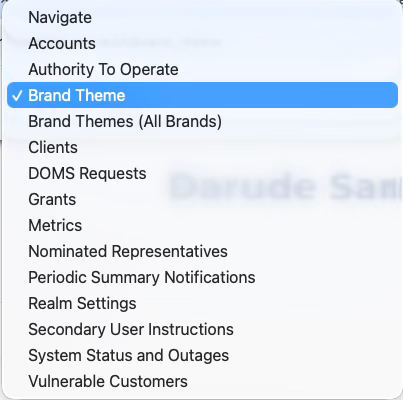
1. Login to HaaS Manager and select Brand Theme (All Brands) from the dropdown menu.
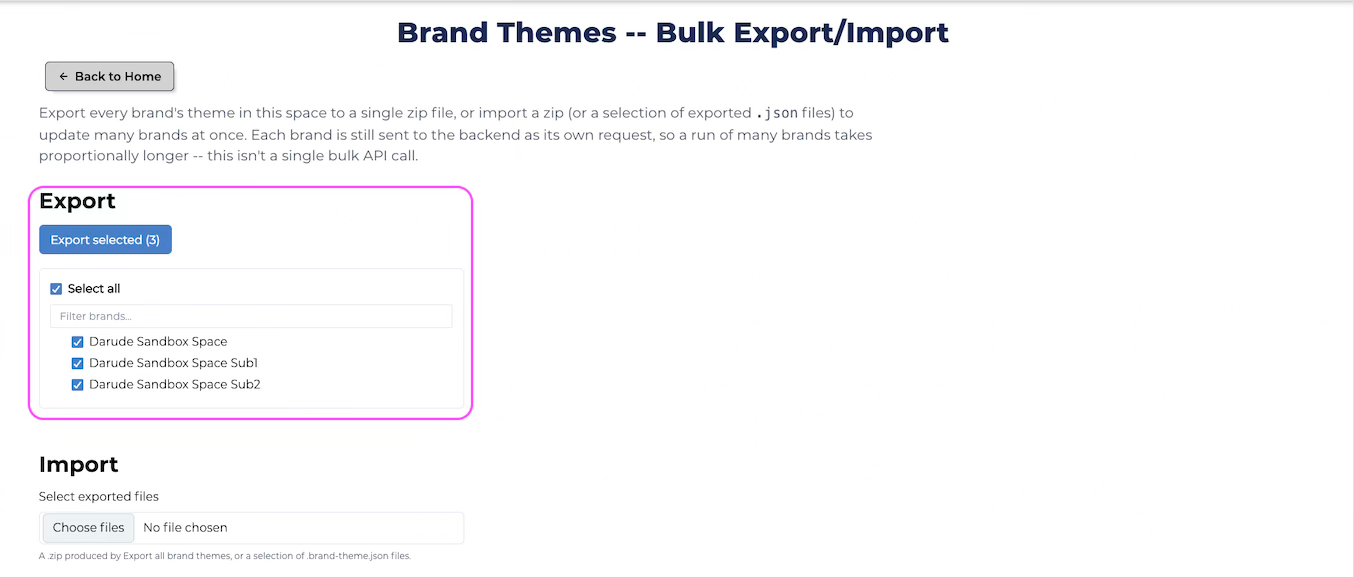
2. You can export every brand's theme within the space, or a sub selection, and clicking export.
3. You can also import a .zip produced by exporting brand themes (see step 2), or a selection of brand-theme.json files.