CDR Endpoint Tool
Learn about the CDR Endpoint function within PM.
The CDR Endpoint tool is an inbuilt component of Product Manager (PM). The PM solution allows you to effortlessly manage and modify your Product Reference Data (PRD). Once those adjustments are made, the CDR Endpoint tool enables you to verify your PRD changes in real-time, and ensure your data is accurate.
This section applies to PM Enterprise Customers only. If you're a PM Starter customer and ready to upgrade, please contact us at pmstarter@biza.io.
The CDR Endpoint tool calls the CDR endpoint directly from your browser. If your organisation's firewall or proxy blocks access to the prd.pm.productdata.au domain, queries will fail with a "Failed to fetch" error. If you encounter this error, ask your network team to allow access to prd.pm.productdata.au from your browser.
List Products
The List Products Endpoint results in a list of your organisation's products and simulates how that data is exposed to the CDR. Any changes you make to your existing products, or the creation of new products, can be viewed by executing this query.
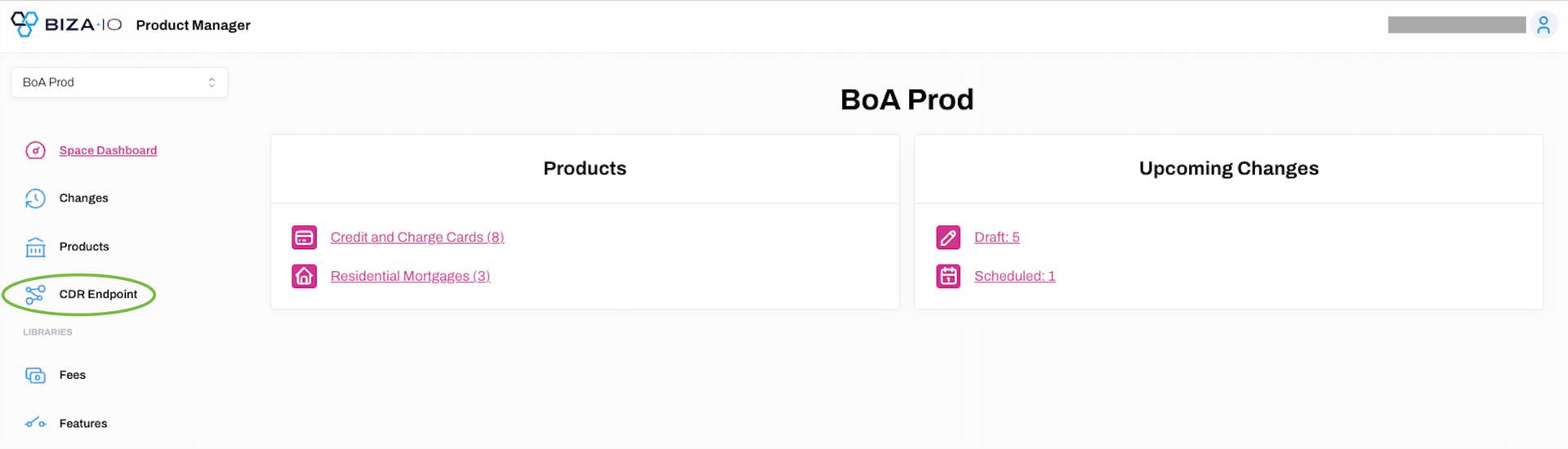
1. Select CDR Endpoint from the main menu.
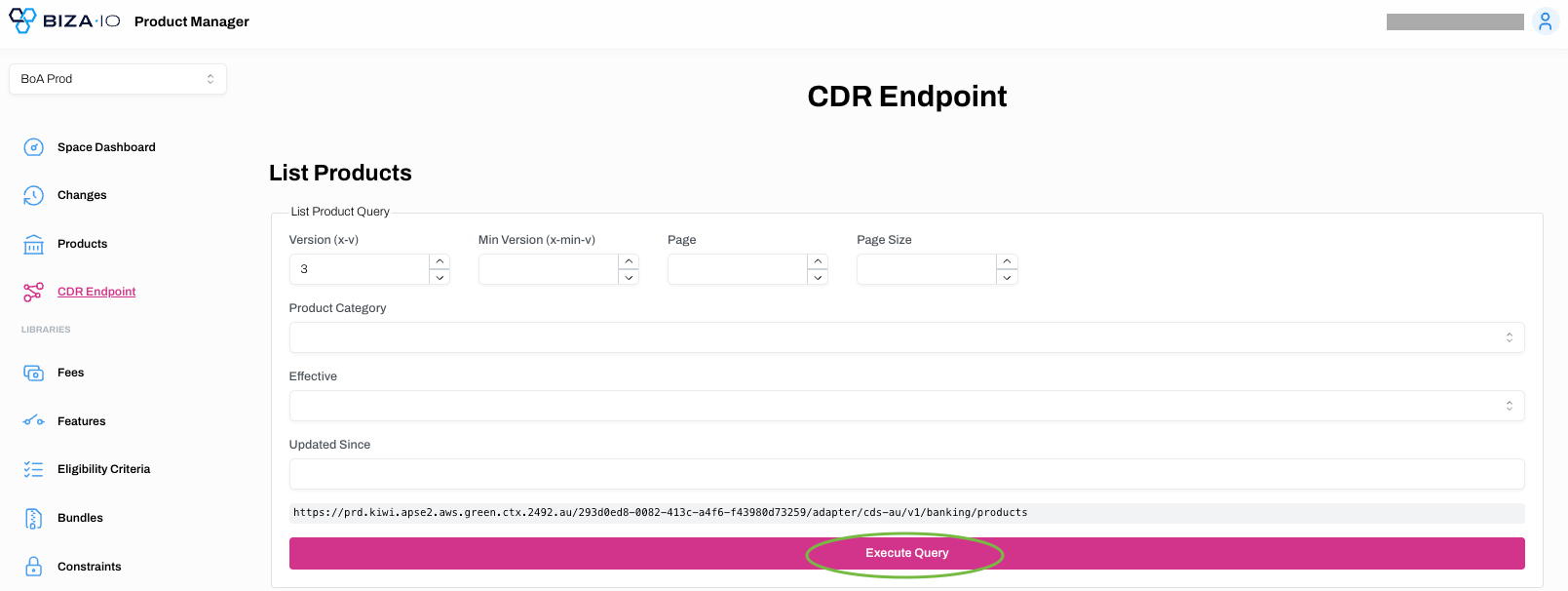
2. You can see what data is exposed to the CDR ecosystem for your entire range of products you have stored in PM by clicking Execute Query. Or you can filter the list first via selecting the relevant criteria (e.g., category, effective date, etc) and then clicking Execute Query.
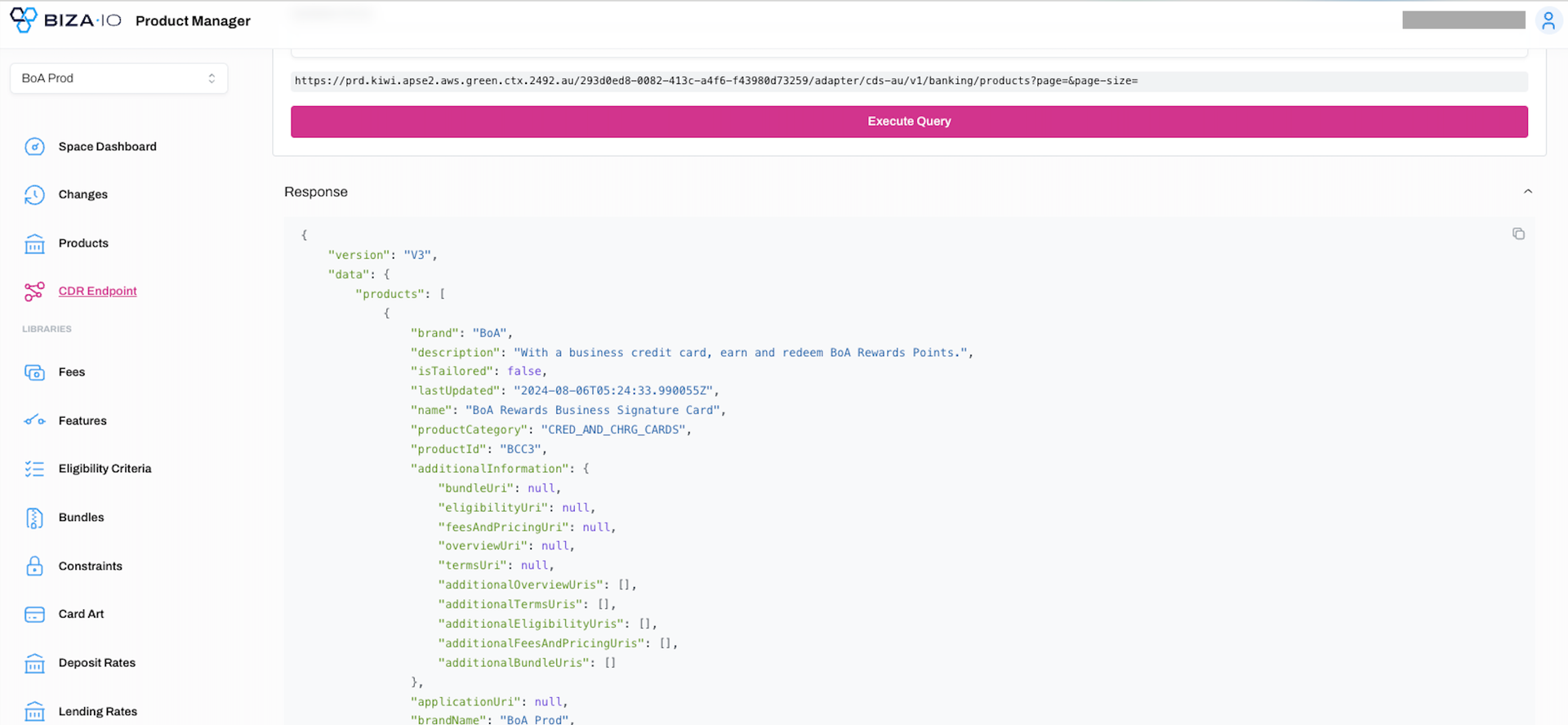
3. The response that would be exposed to the CDR will appear on the panel below.
Get Products
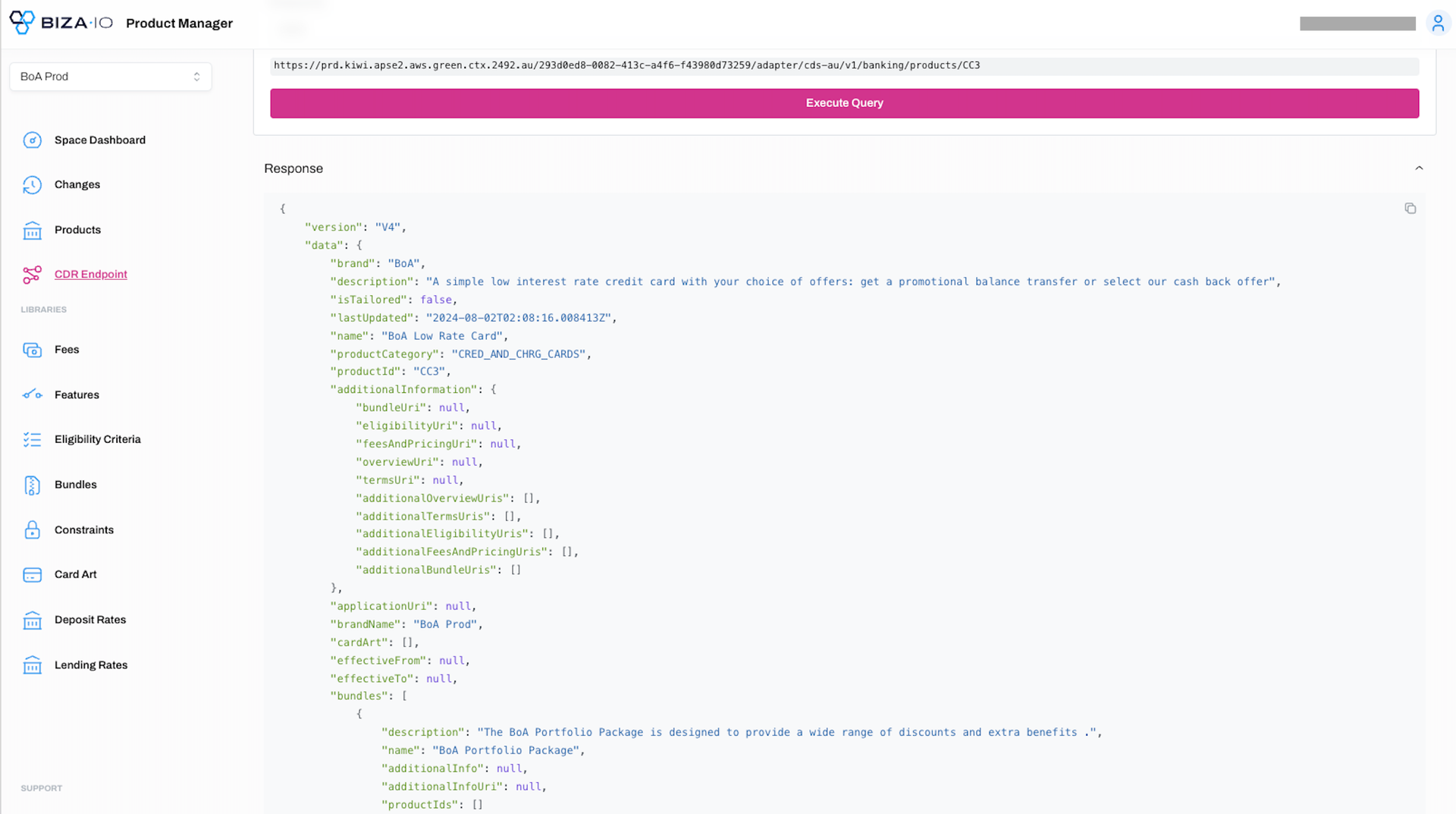
The Get Products Endpoint simulates what product-specific data would be exposed to the CDR. Any changes you make to a product, or the creation of a new product, can be viewed by executing this query.
1. Select CDR Endpoint from the main menu.
2. Enter a Product ID and select an endpoint version if required. Click Execute Query.
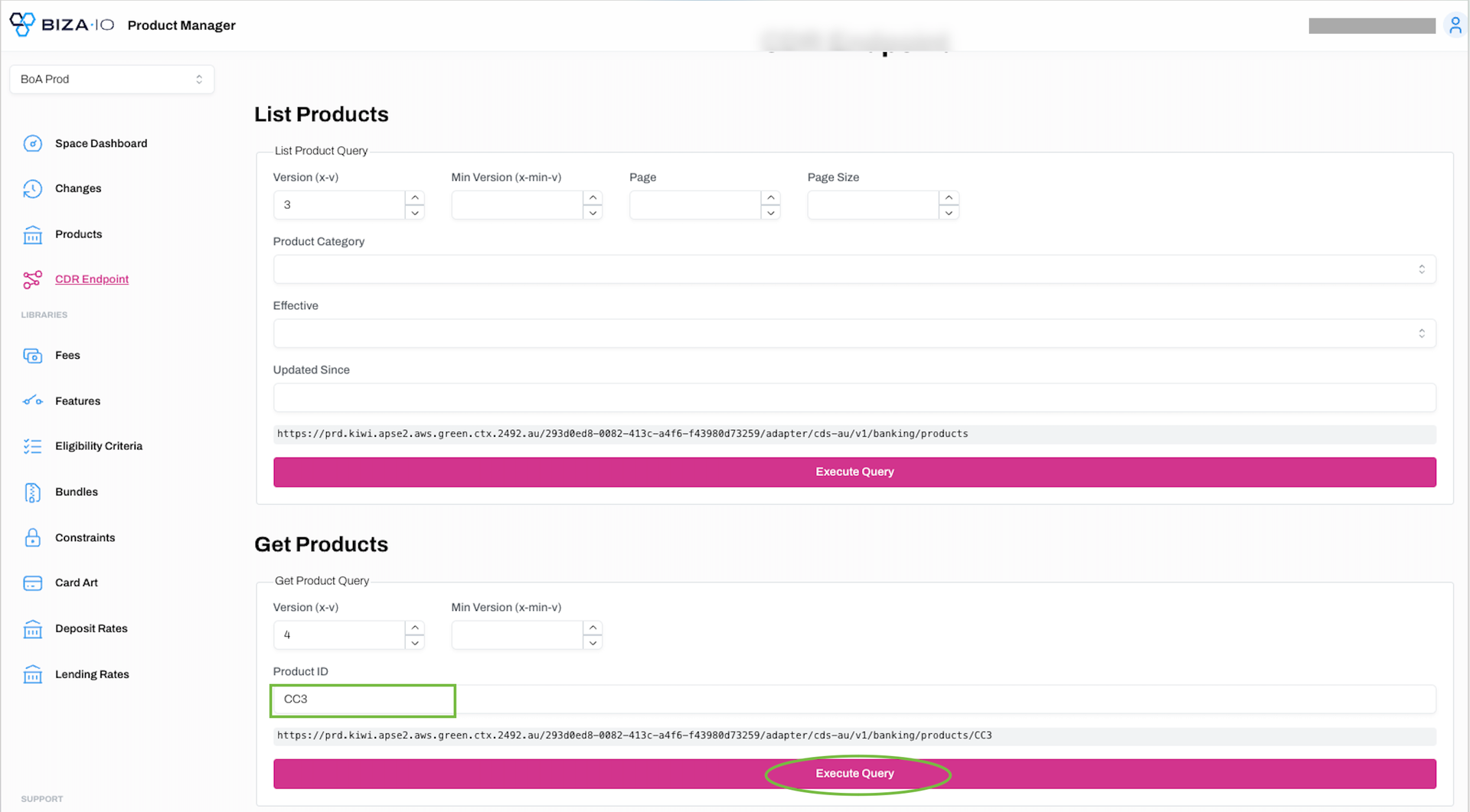
3. The response that would be displayed to the CDR will appear on the panel below.