Immediate Changes
Learn how to make and find a record of immediate changes to Products and Library Tables
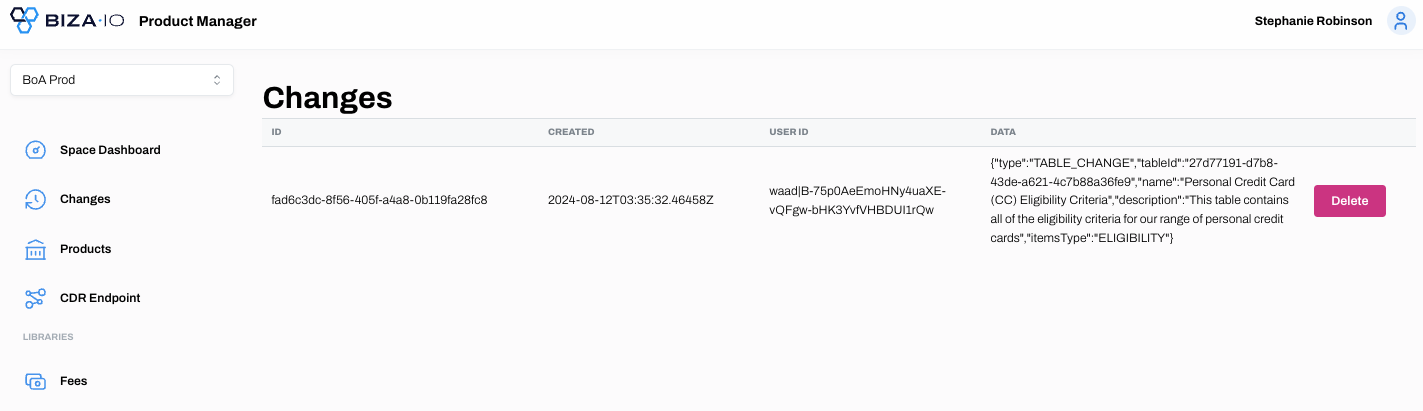
Changes to Products and Library Tables, and the creation of new Products, can be carried out immediately and the change will be reflected on the Changes page. See below for an example.
Note
Changes can also be scheduled for a future date via the Changeset function.
1. Find the Table you wish to edit.
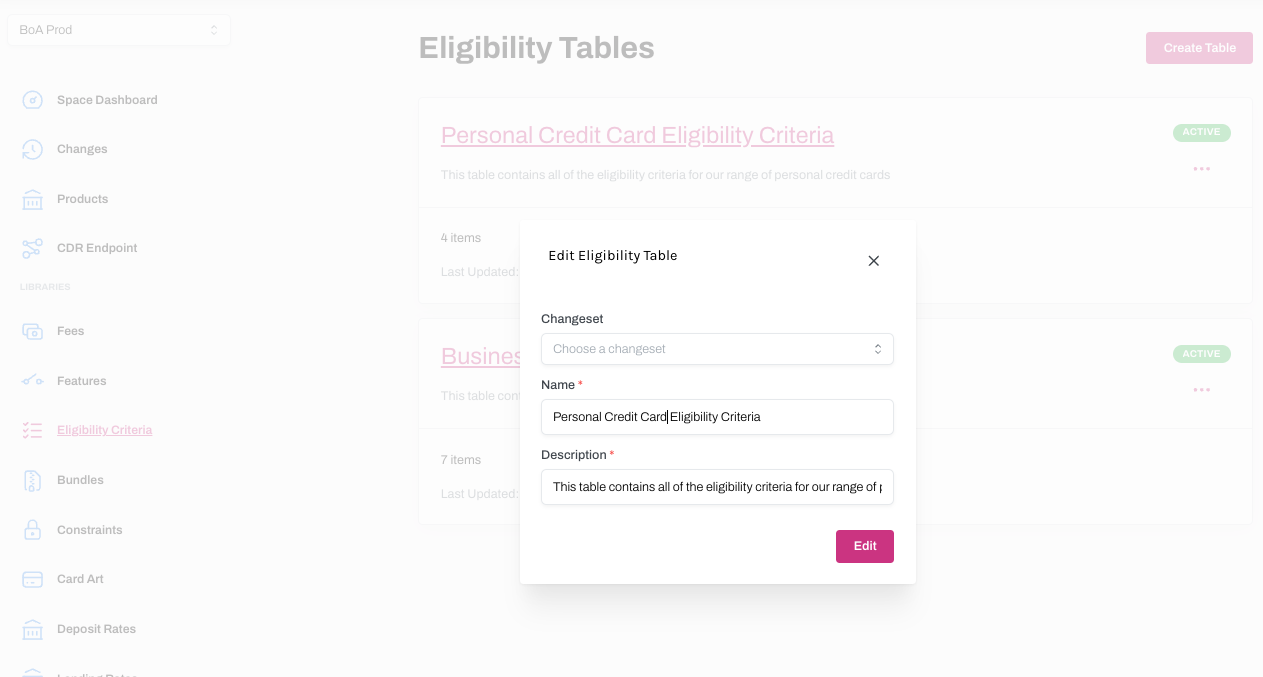
2. Make any necessary changes.
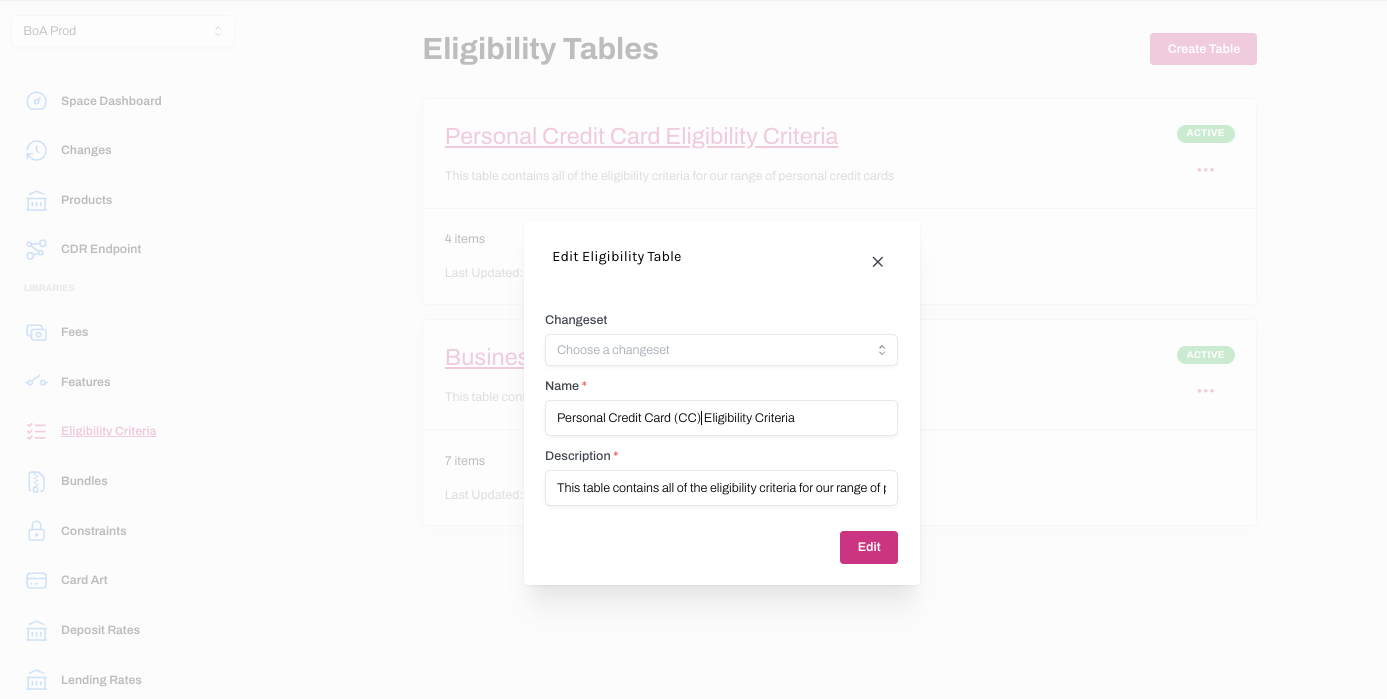
3. The change(s) you make can be found on the Changes page. Click on the hyperlink to display more information about the change.
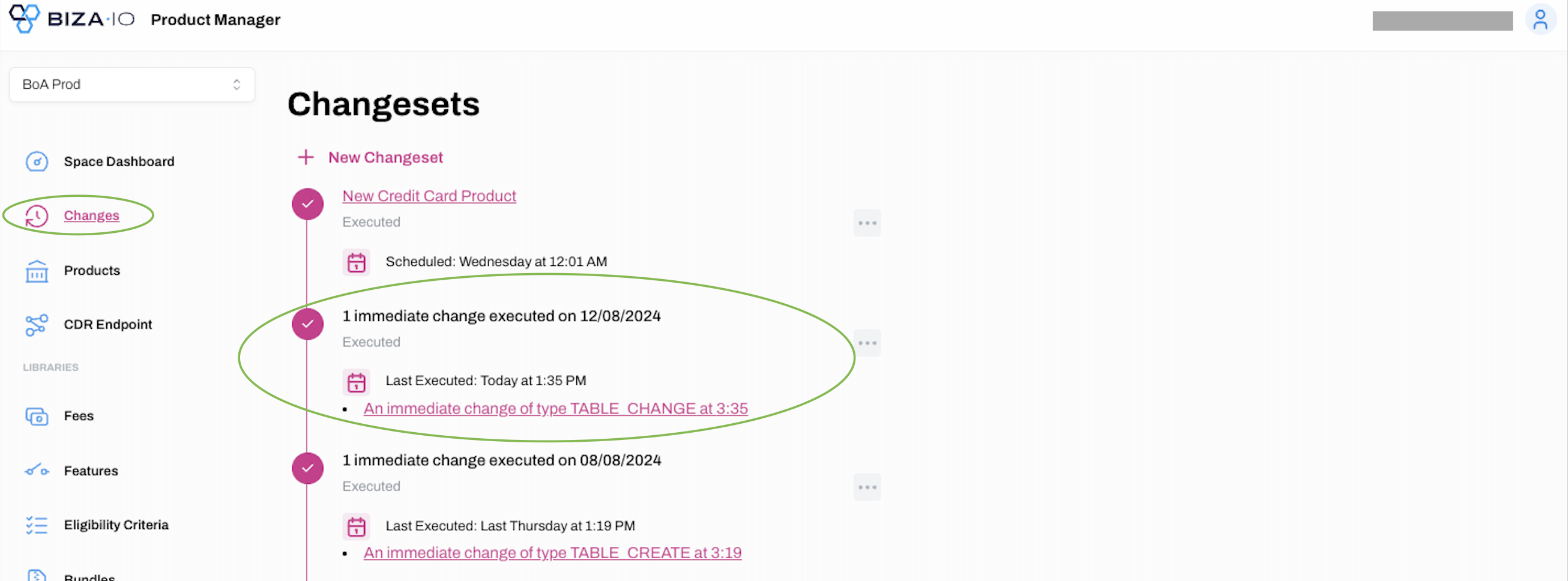
4. Clicking on the hyperlink in the previous step will provide you details about the change.