Setting Up Product Manager (PM)
Initial set-up for customers with live CDR Product Reference Data
If your Product Reference Data (PRD) is already live in the CDR, your data can either be imported to PM using a script (please talk to your Biza representative for more information) or you can import your own product from a CDR endpoint.
This functionality is only available on PM Enterprise Customers. Upgrade to PM Enterprise if you would like to utilise the Biza CDR PRD import tool by contacting us at pmstarter@biza.io.
PM Starter customers can follow the information found here to set up your first product.
Importing Data via CDR Endpoint
Please ensure the following conditions are met before attempting to import data
- The user importing PRD data has
biza-au:pm:readandbiza-au:pm:writeroles assigned. - Your PRD public endpoint is available.
- The domains
pm.biza.auandprd.productdata.auare included in your allowed domain list.
1. Sign in to the Product Manager Console (see here for instructions).
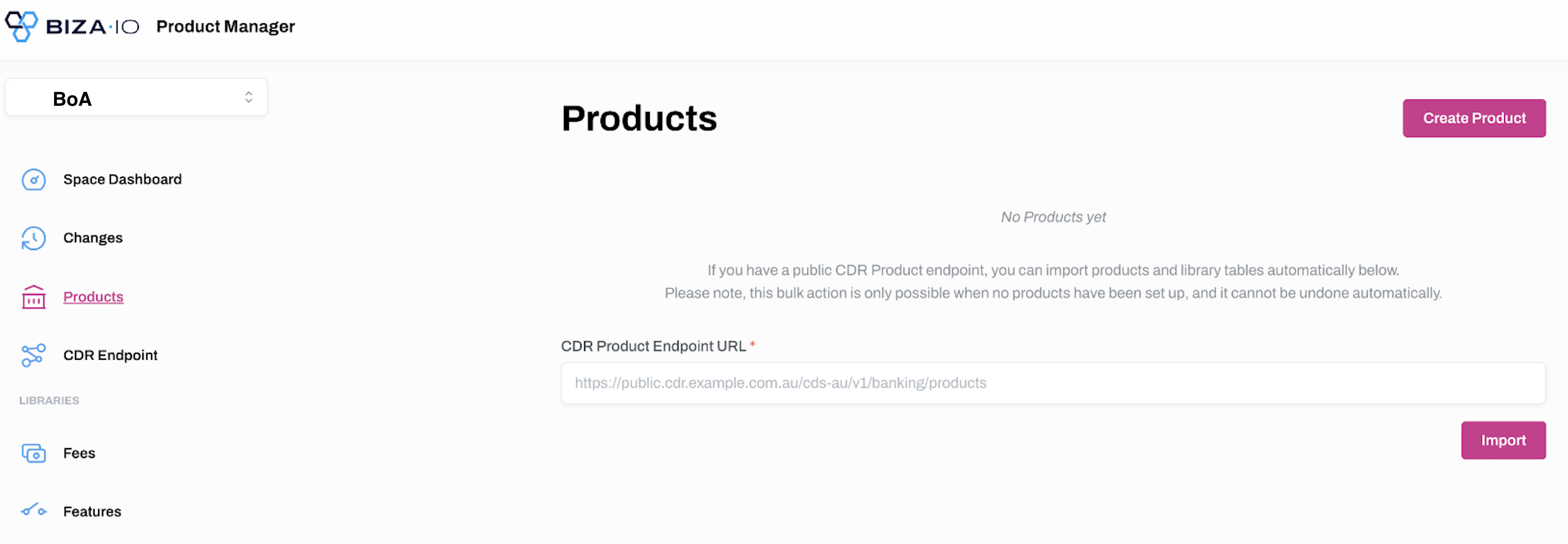
2. Click Products on the left-hand menu.
3. Enter your Public CDR endpoint URL into the field provided and click Import.
When your data has been imported, you can configure PM in a way that works best for your organisation. For example, you might like to create Library Tables of attributes that are shared between products so that you only need to perform updates in one place.
You can add and manage new Products by following the instructions found here and manage Libraries by following the instructions found here.