Decline a data sharing request
This page describes how to decline a data sharing request for joint accounts.
1. Navigate to the consumer dashboard and login .
2. Under Data sharing requests click Approve or decline requests.
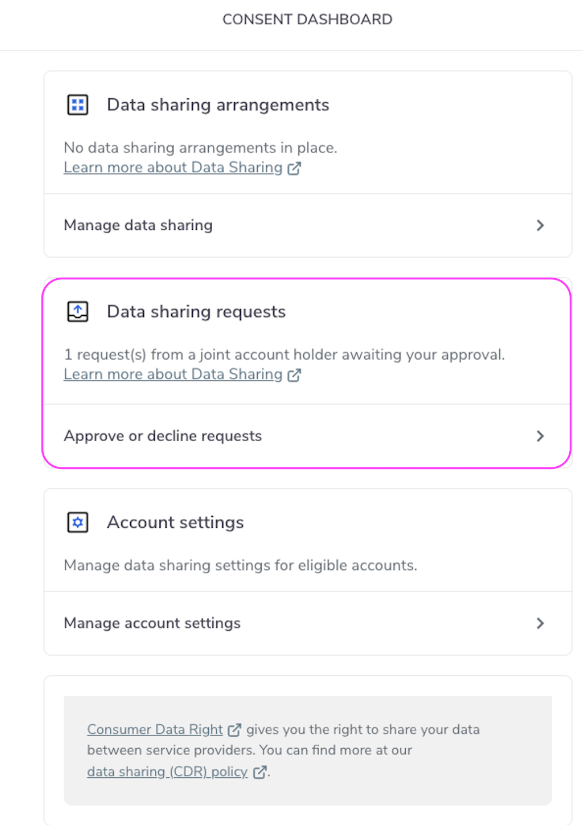
Data Sharing Approve or Deny
3. Select the joint account requiring a response.
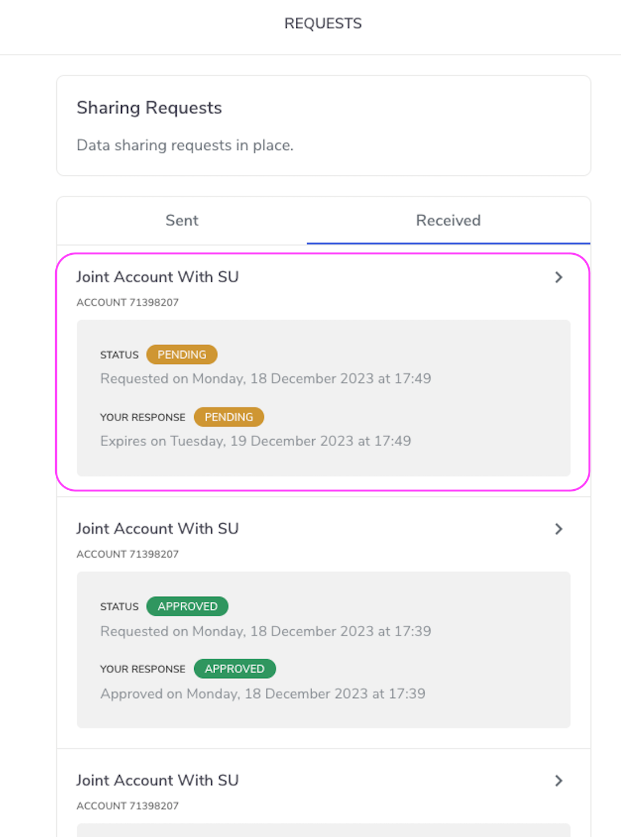
Sharing Pending
4. Click Deny.
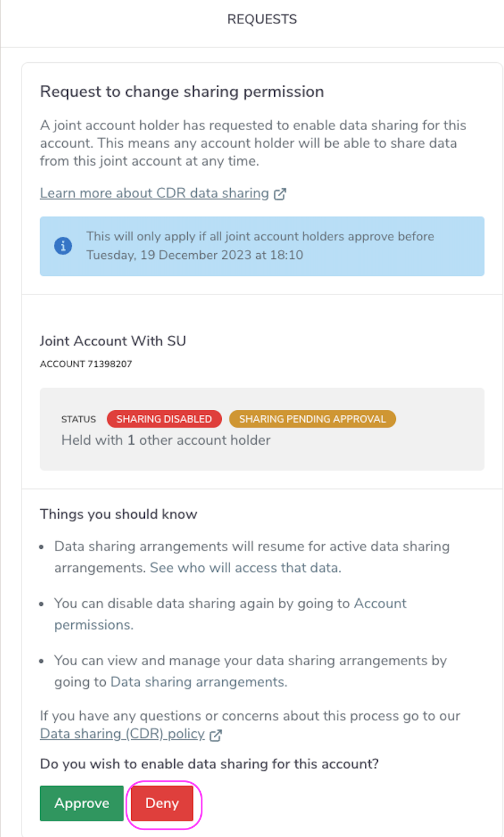
Deny Sharing Request
5. You will now see the X Denied screen.
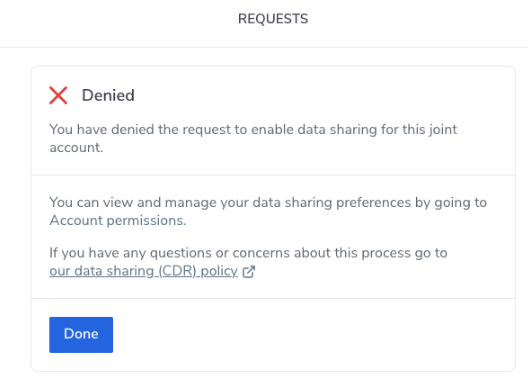
Sharing Request Denied
info
Please note this will immediately mark the sharing request as denied for all account holders.
6. The joint account will now show are sharing request denied.
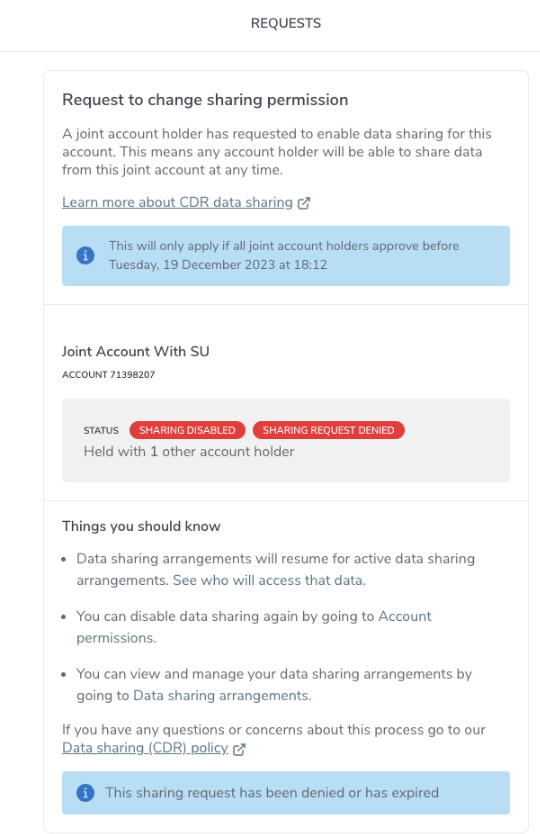
Sharing Denied Confirmation