View Data Sharing Sent and Received Request Status
This page describes how to view data sharing requests that have been sent or received.
1. Navigate to the consumer dashboard and login
2. Click Data sharing requests.
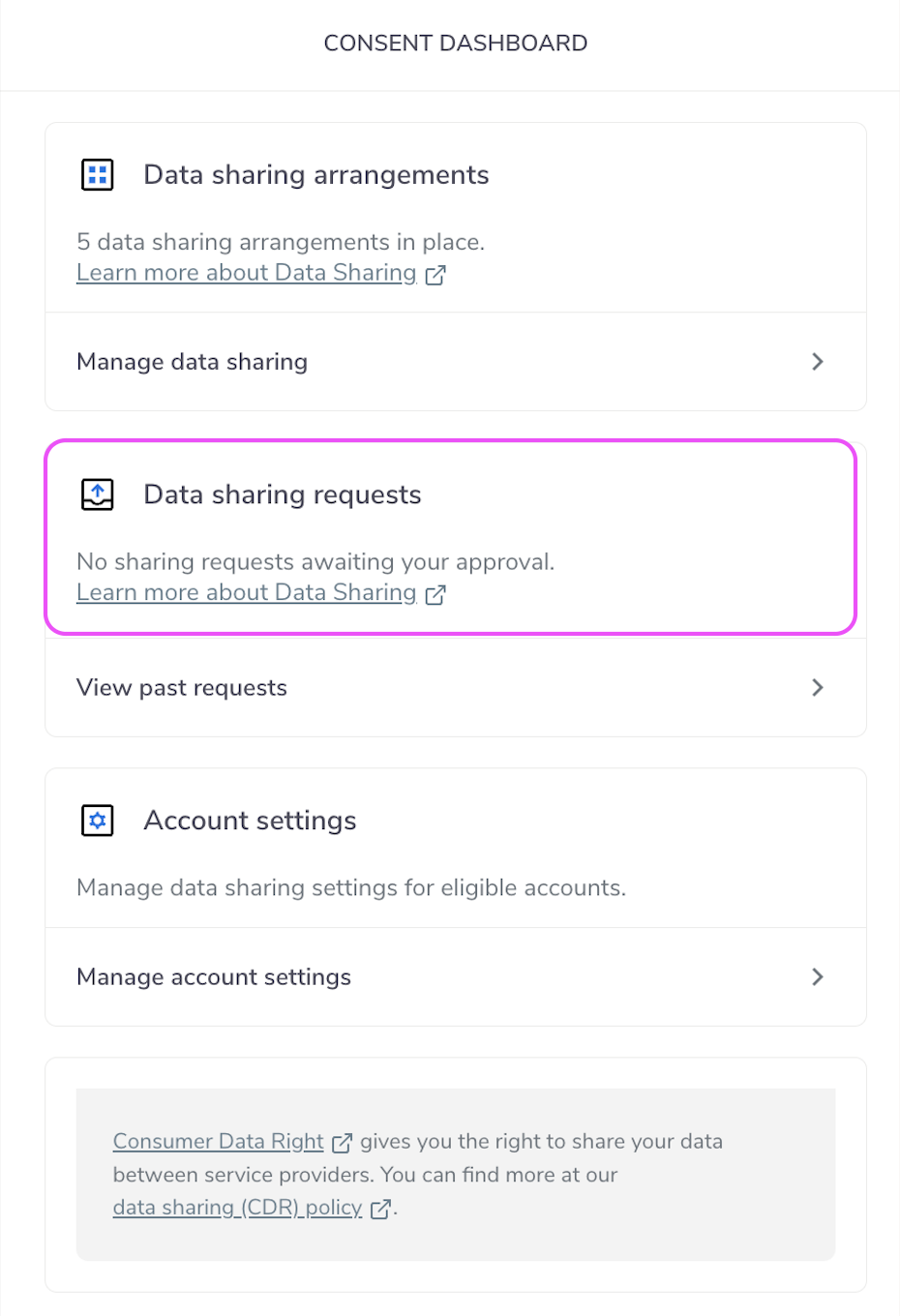
Data Sharing Request
3. Click Sent or Received to view data sharing requests.
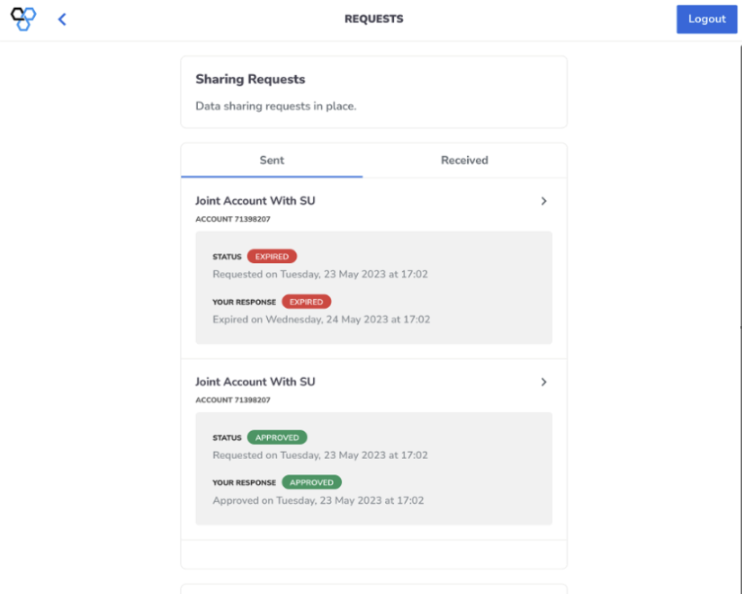
Sent and Received
4. If you click on a sent or received request you will see detailed information pertaining to that request.
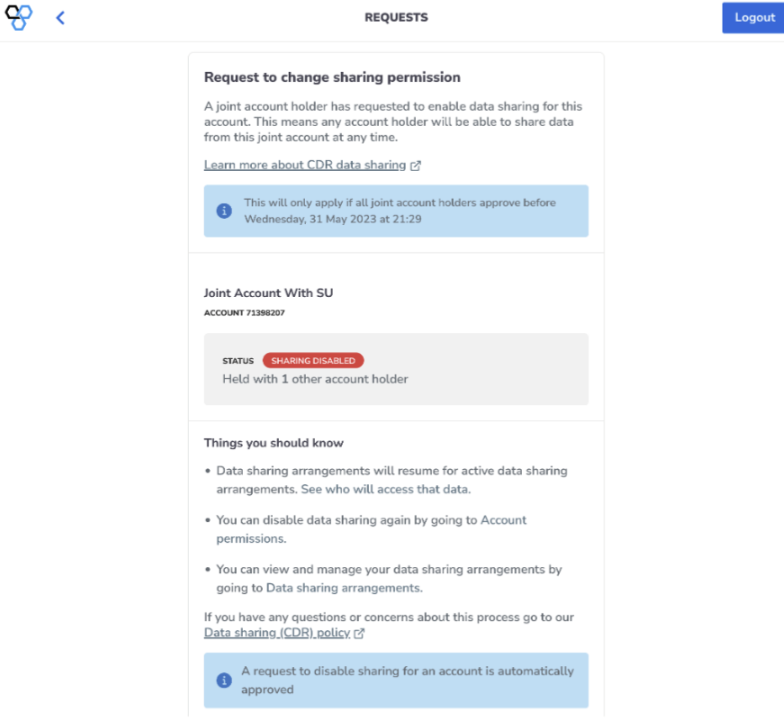
Request Details