Withdrawing data sharing approval
This page describes how to withdraw data sharing approval for joint accounts.
New functionality introduced in the Phobos release allows joint account holders to withdraw data-sharing approval via the consumer dashboard. However, only the joint account holder who is not the arrangement creator has the ability to withdraw the account from the arrangement; the creator cannot perform this action.
1. Navigate to the dashboard and login.
2. Under Data sharing requests click Manage data sharing.
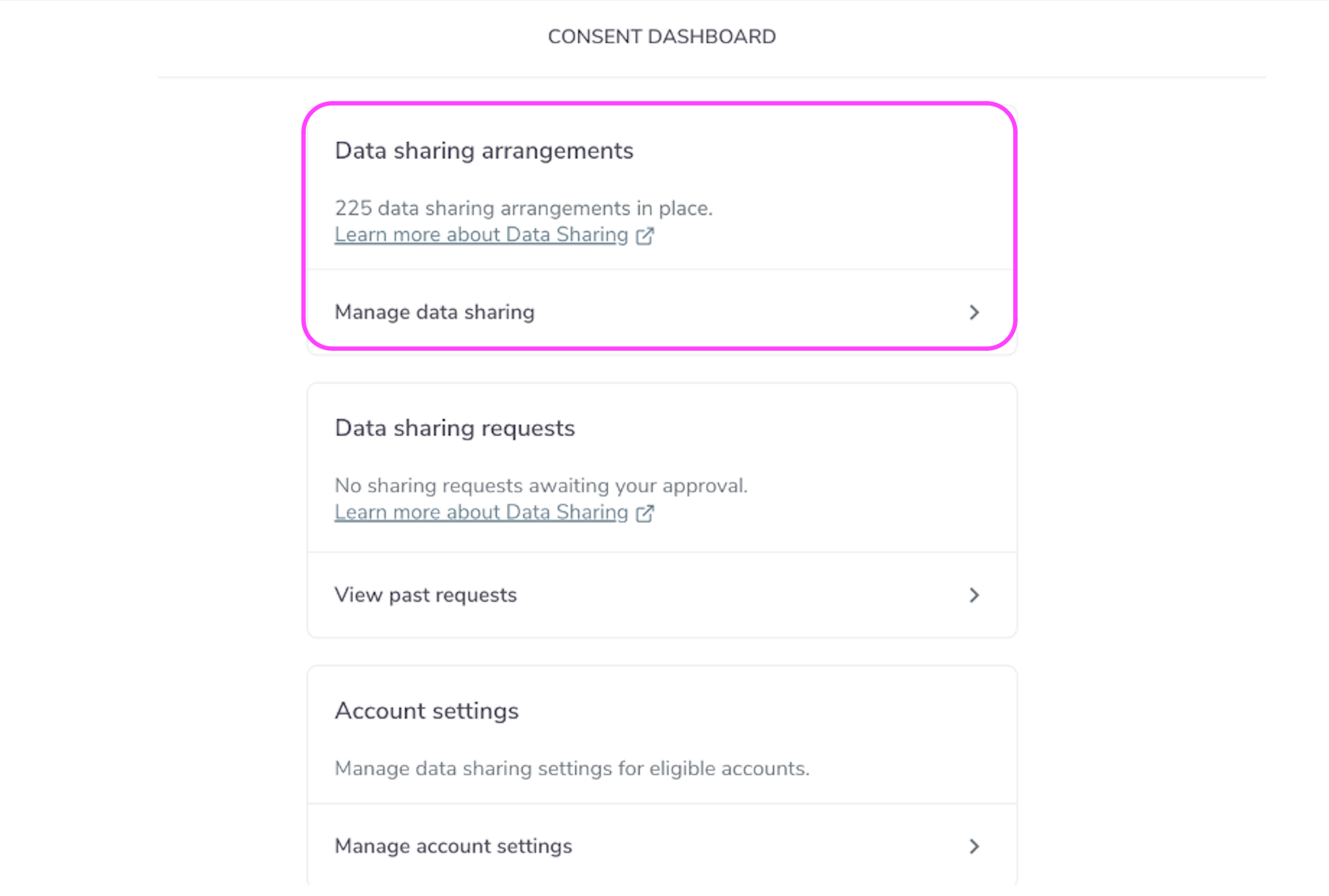
Data Sharing Arrangements
3. Select the Joint Account for which you wish to withdraw approval to share data from. The arrangements where this function is available are denoted by Created by someone else.
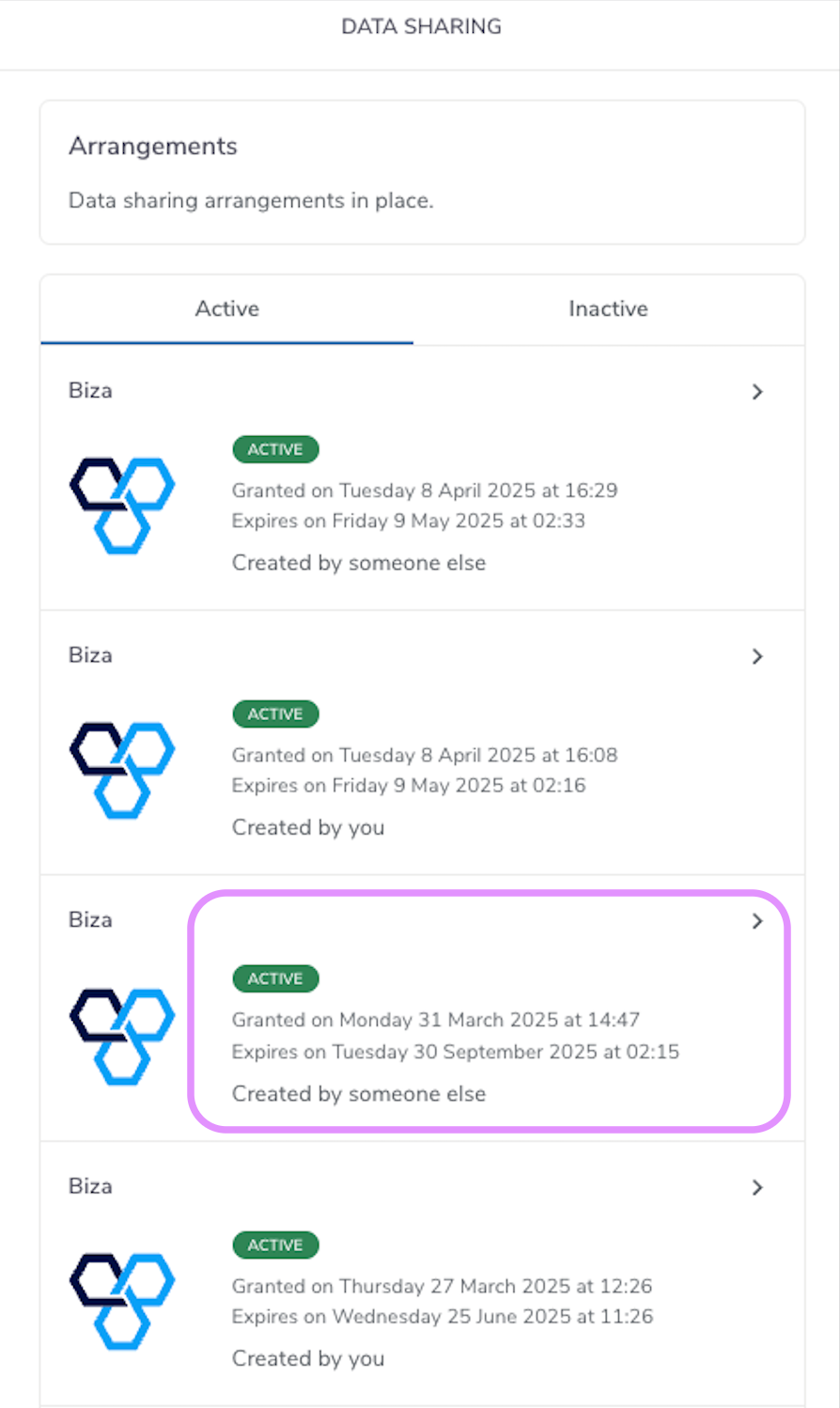
Created by Someone Else
4. Click Withdraw sharing approval. (Note that following withdrawal of data sharing approval, a data sharing amended notification will be sent to the arrangement creator.)
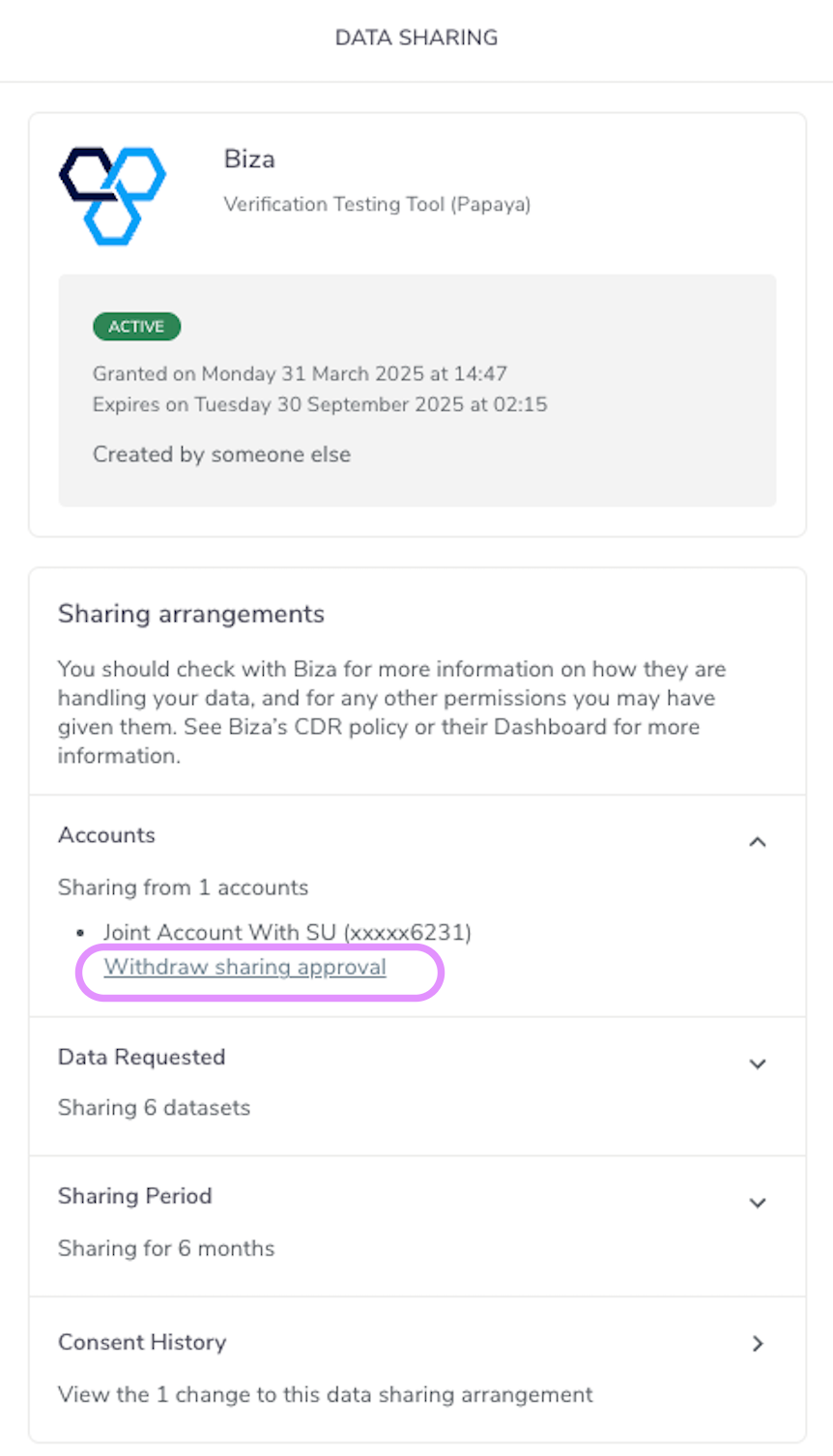
Withdraw Sharing Approval
This account is no longer part of this particular data sharing arrangement but does not have any impact on other data sharing arrangements. To re-instate data sharing for the account in this data sharing arrangement, the account owner must amend the arrangement