Enable sharing for joint accounts
This page describes how to enable sharing for joint accounts.
Enabling sharing for joint accounts moves the state from non-disclosure (i.e, no joint account holder can establish a consent) to pre-approval (i.e., any joint account holder can establish consent to share data without requiring explicit approval from other account owners). Changing the account back to pre-approval requires approval from all account holders.
1. Navigate to the consumer dashboard and login.
2. Under Account settings click Manage account settings.
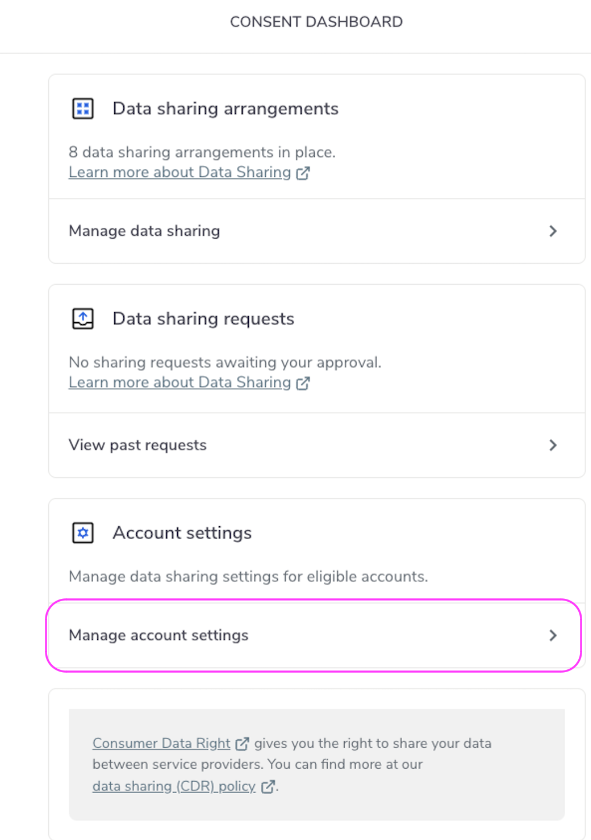
Manage Account Settings
3. Select the account you wish to enable sharing for.
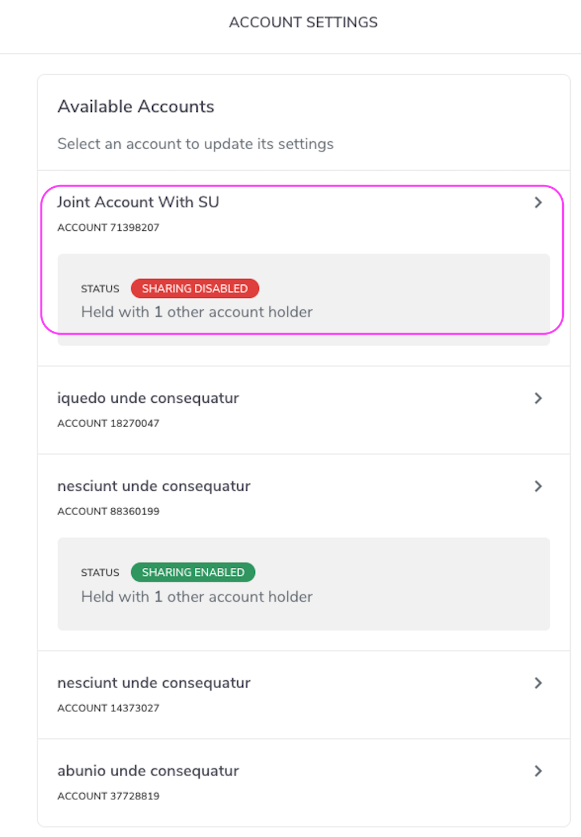
Select Accounts to Enable
4. Click Enable data sharing.
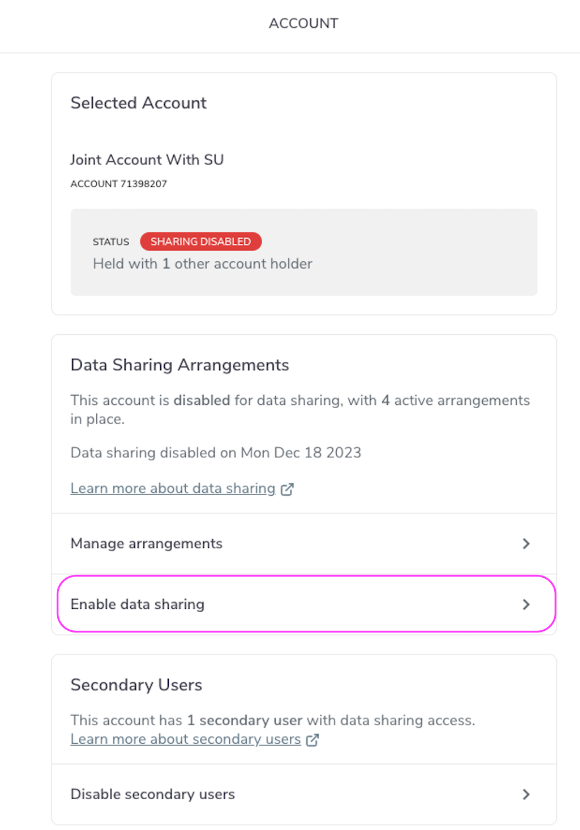
Enable Data Sharing
5. Click Enable sharing.
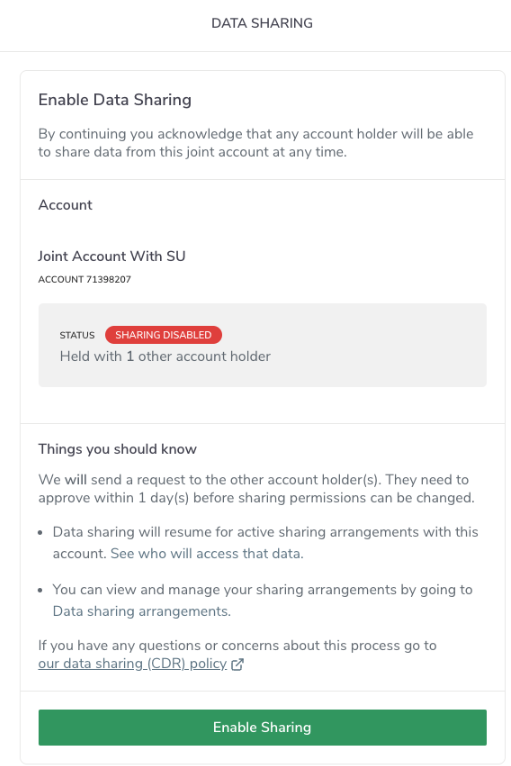
Enable Data Sharing
6. Click Enable data sharing to confirm you want to stop data sharing from the account.
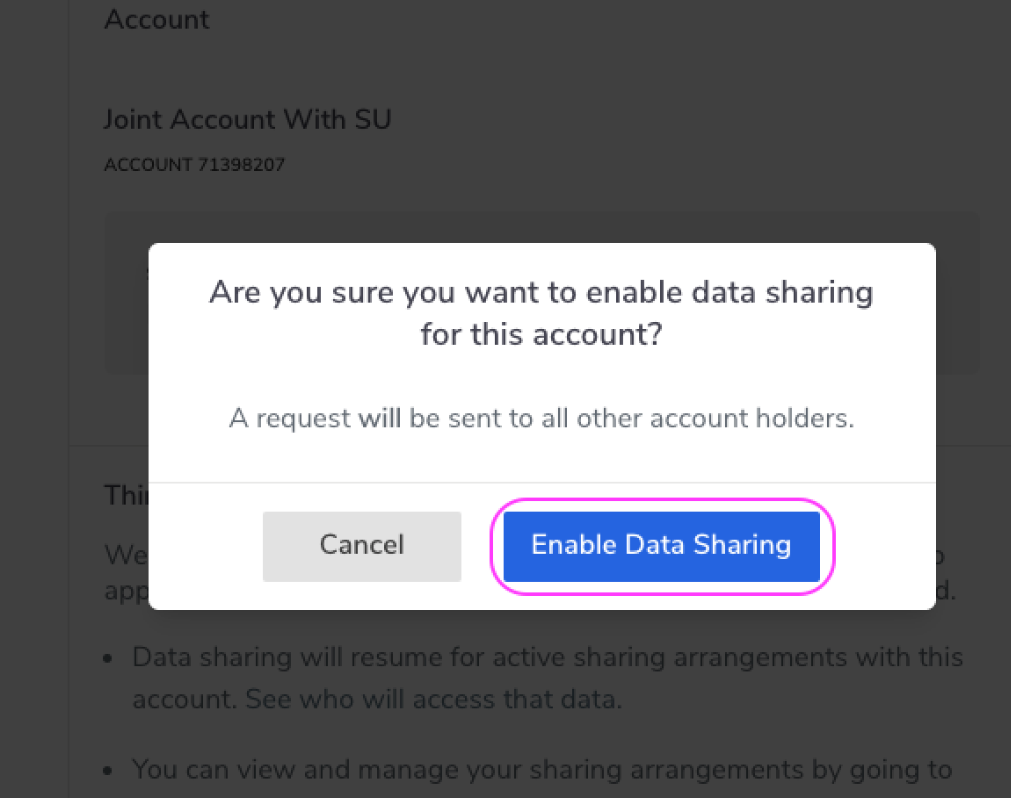
Enable Data Sharing Button
7. You will see the Request has been sent popup screen. Click Done.
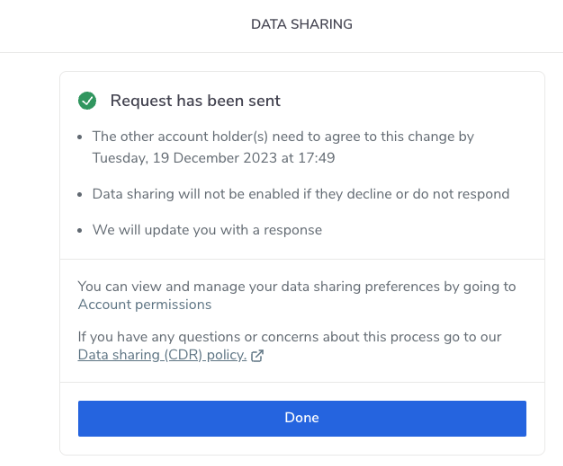
Request Sent
8. The account will be marked as Sharing Pending Approval until all joint account holders approve the request.
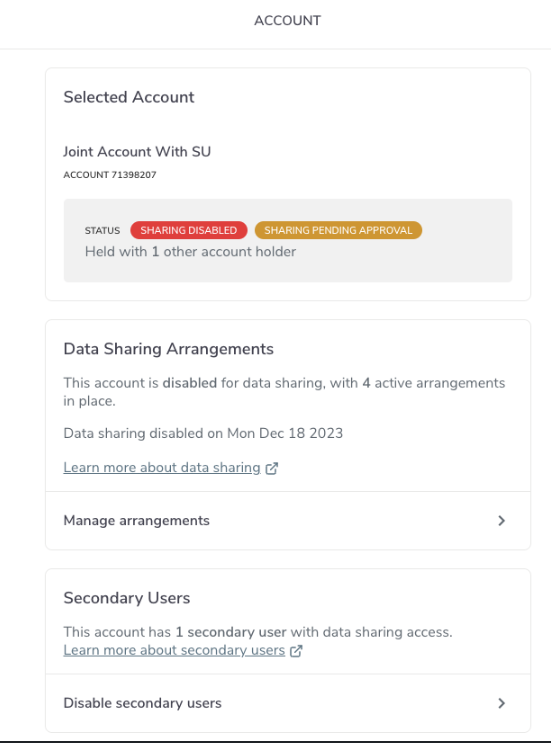
Sharing Pending