View inactive data sharing arrangements
This page describes how to view inactive sharing arrangements (i.e., arrangements that have expired been revoked.)
1. Navigate to the consumer dashboard and login.
2. Click Manage data sharing underneath Data sharing arrangements.
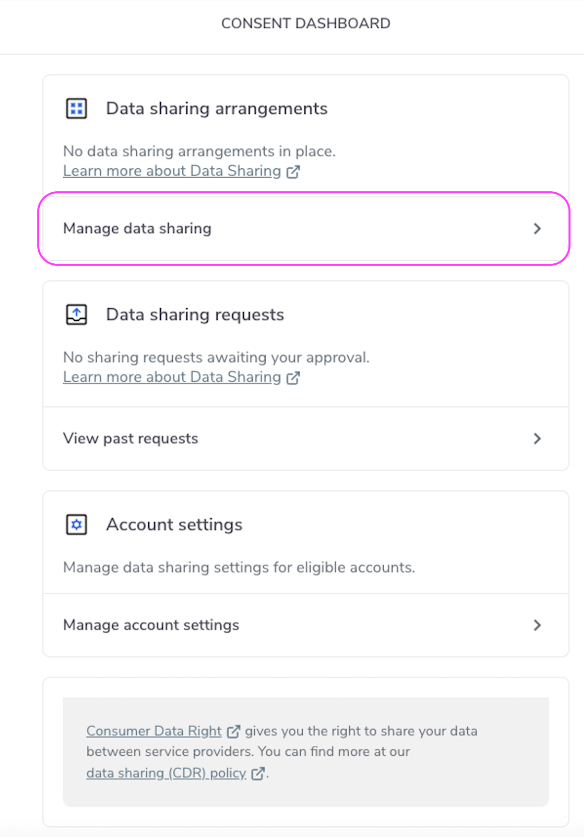
Manage Data Sharing
3. To view arrangements that are either expired or have been revoked, click Inactive.
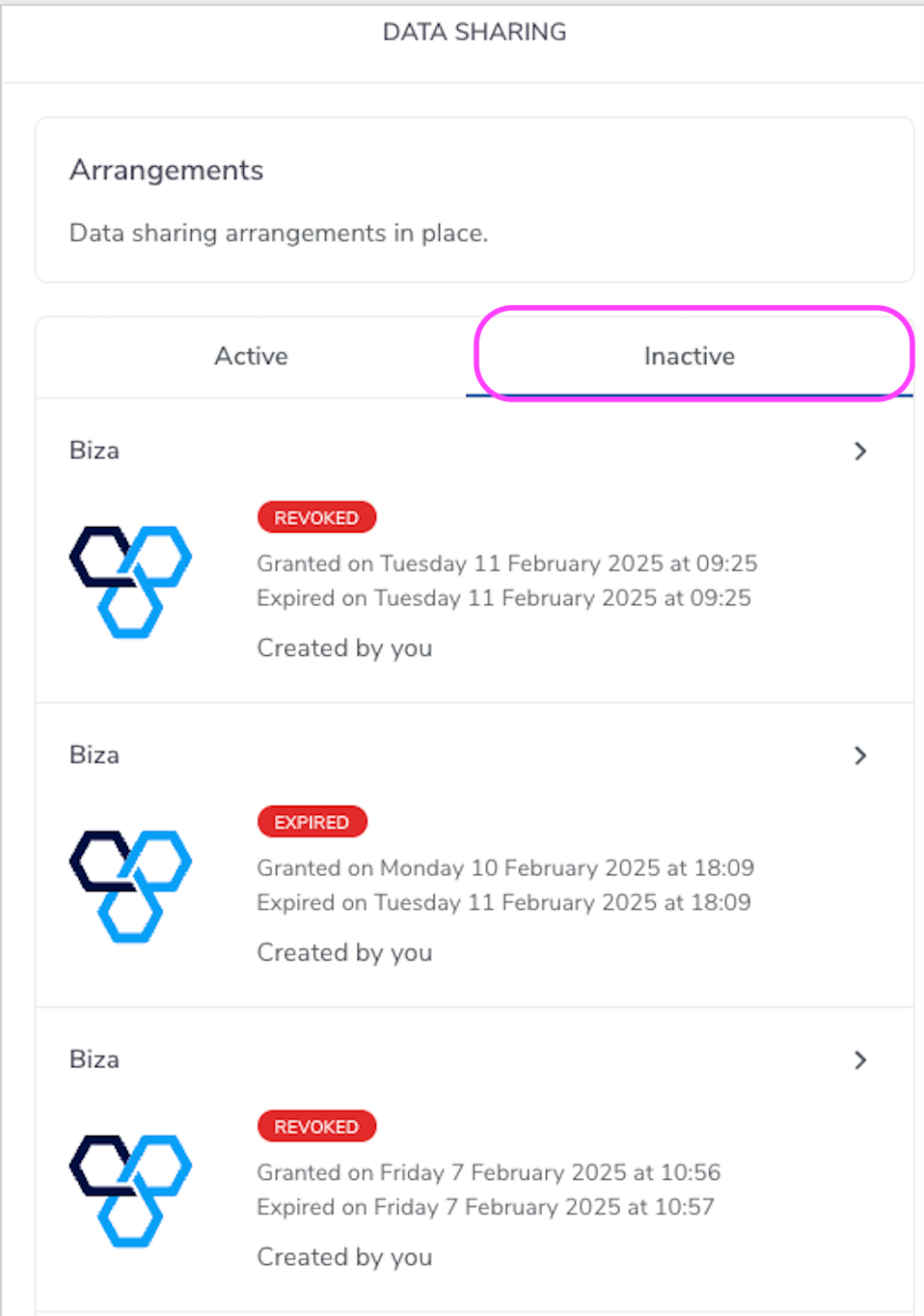
Inactive Arrangements
4. If you click on an expired or revoked arrangement you will see details such as the accounts from which data was shared, the data that was shared and the data sharing period.
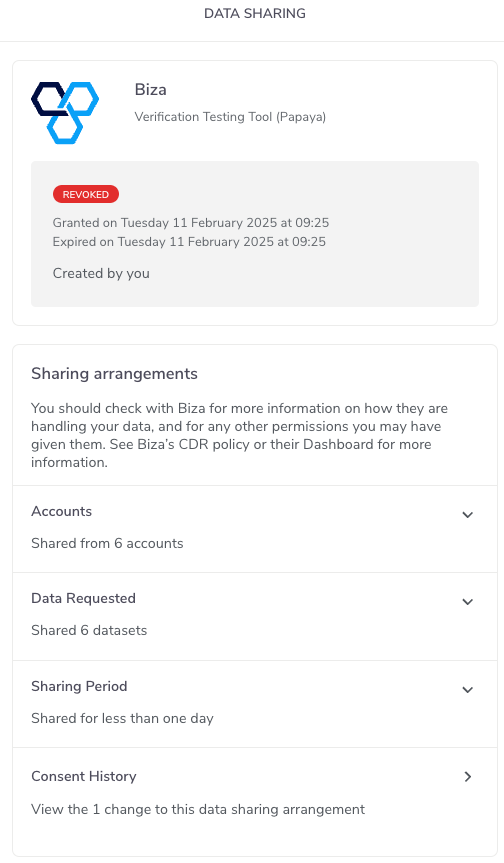
Inactive Arrangement
Note
Please note that no further action can be taken for inactive arrangements.