View and manage active data sharing arrangements
View active data sharing arrangements
You can follow the steps below to view active data sharing arrangements.
1. Navigate to the consumer dashboard and login.
2. Click Manage data sharing underneath Data sharing arrangements.
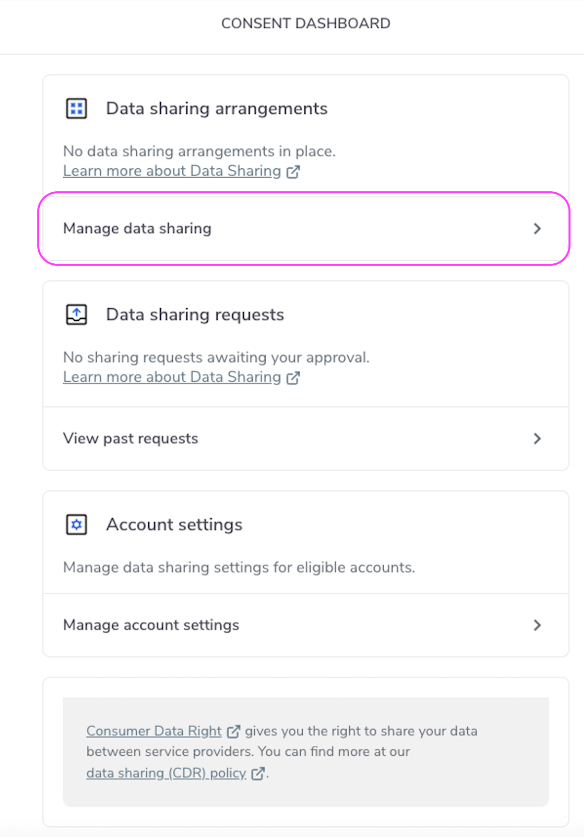
Manage Accounts
3. Click Active to view active data sharing arrangements.
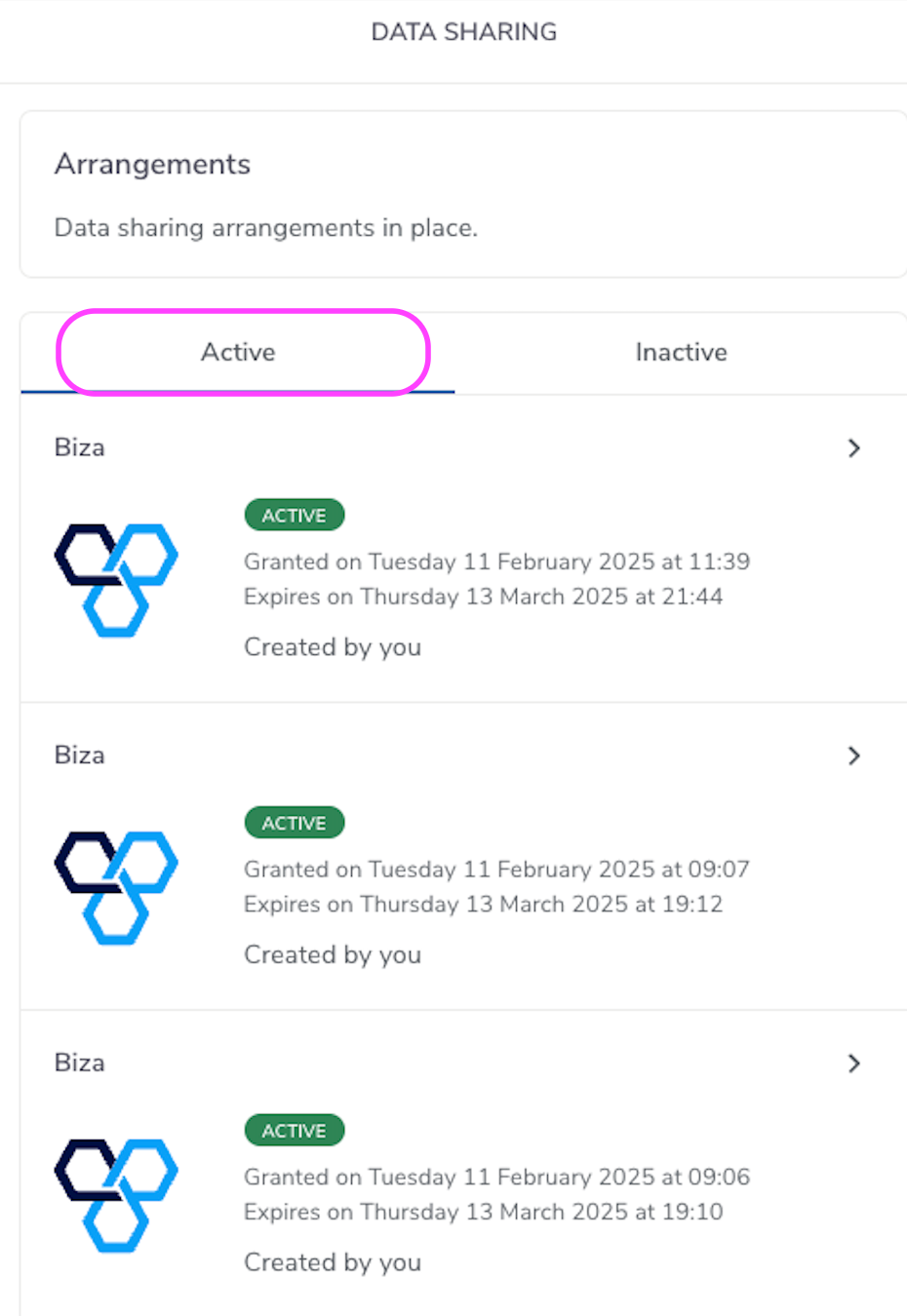
Active Accounts
4. If you click on one of the Active arrangements you will see details such as the accounts from which data was shared, the data that was shared and the data sharing period. See the section below for how to stop data sharing.
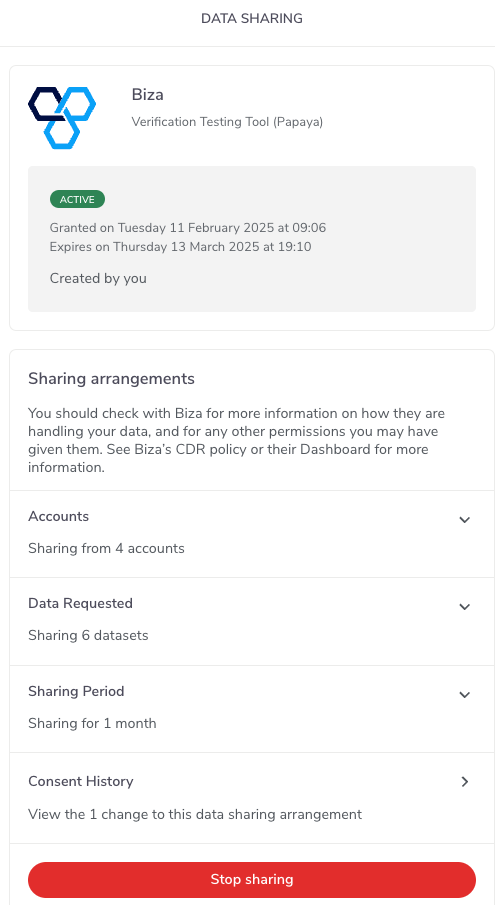
Active Arrangement
Stop active data sharing arrangements
You can follow the steps below to stop active data sharing arrangements.
1. Click Stop sharing on the Data Sharing page for the specific arrangement (see previous screenshot).
2. To confirm you want to shop sharing data for the specific arrangement, click Stop sharing.
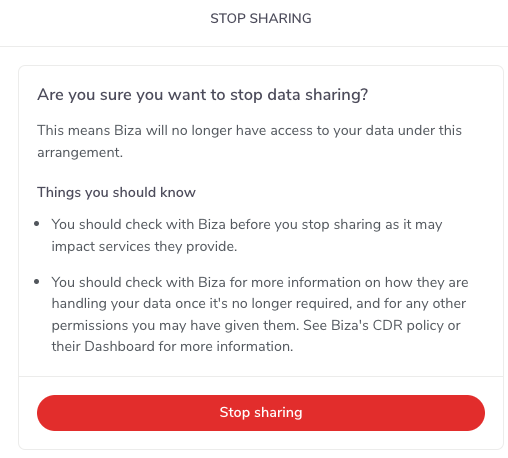
Stop Sharing
3. You will see the following popup box. Click Stop data sharing if you wish to proceed.
Please note that ‘The other account holders will be notified' message will only be shown if attempting to stop data sharing for an account with multiple owners. Also note that this message will not appear if the user who is logged in has been identified as 'vulnerable’.
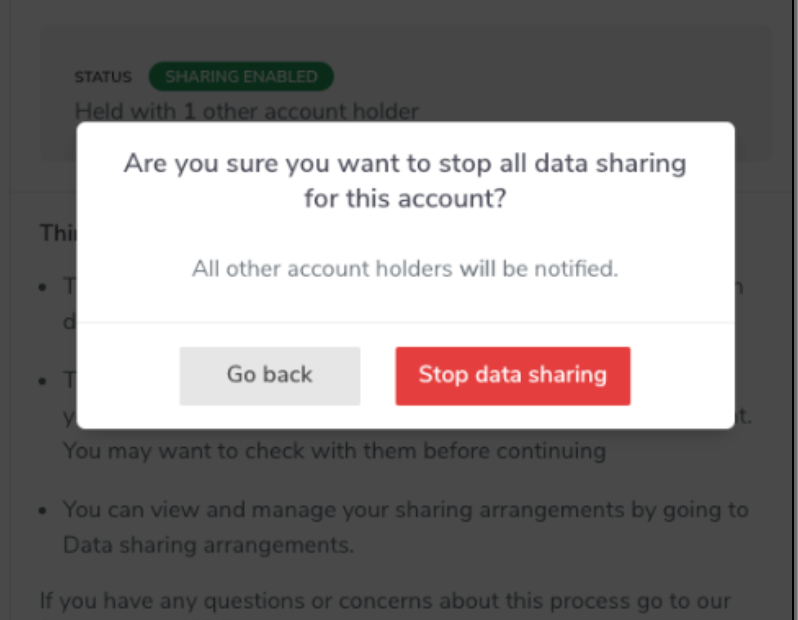
Stop Sharing Confirmation
4. You will now see a screen confirming that data sharing arrangement has been stopped.
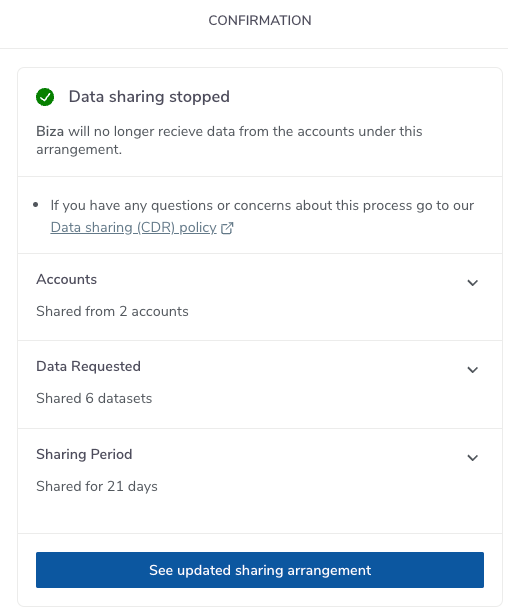
Stop Sharing Confirmation
5. If you click See updated sharing arrangement you will see a screen similar to the following which will contain details of the revoked request.
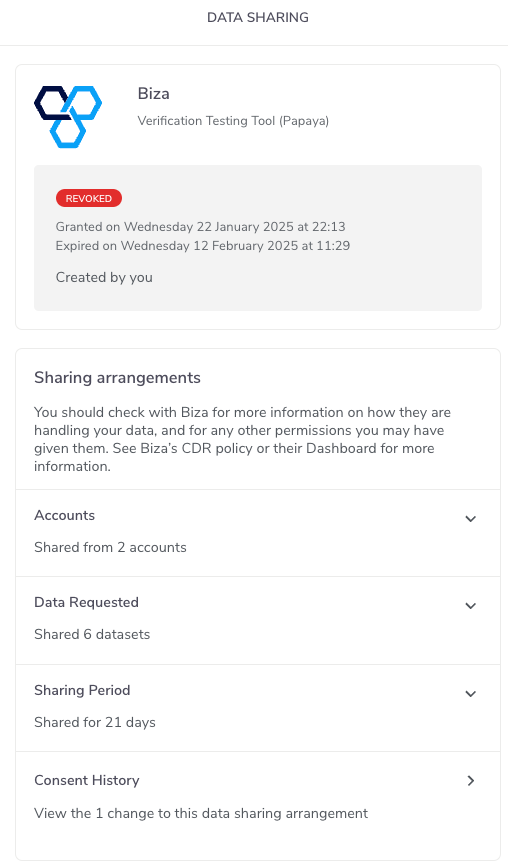
Data Sharing Stopped