Manage Notifications
This page describes how to manage notifications for Joint Accounts
1. Navigate to the consumer dashboard and login.
2. Click Manage Account Settings.
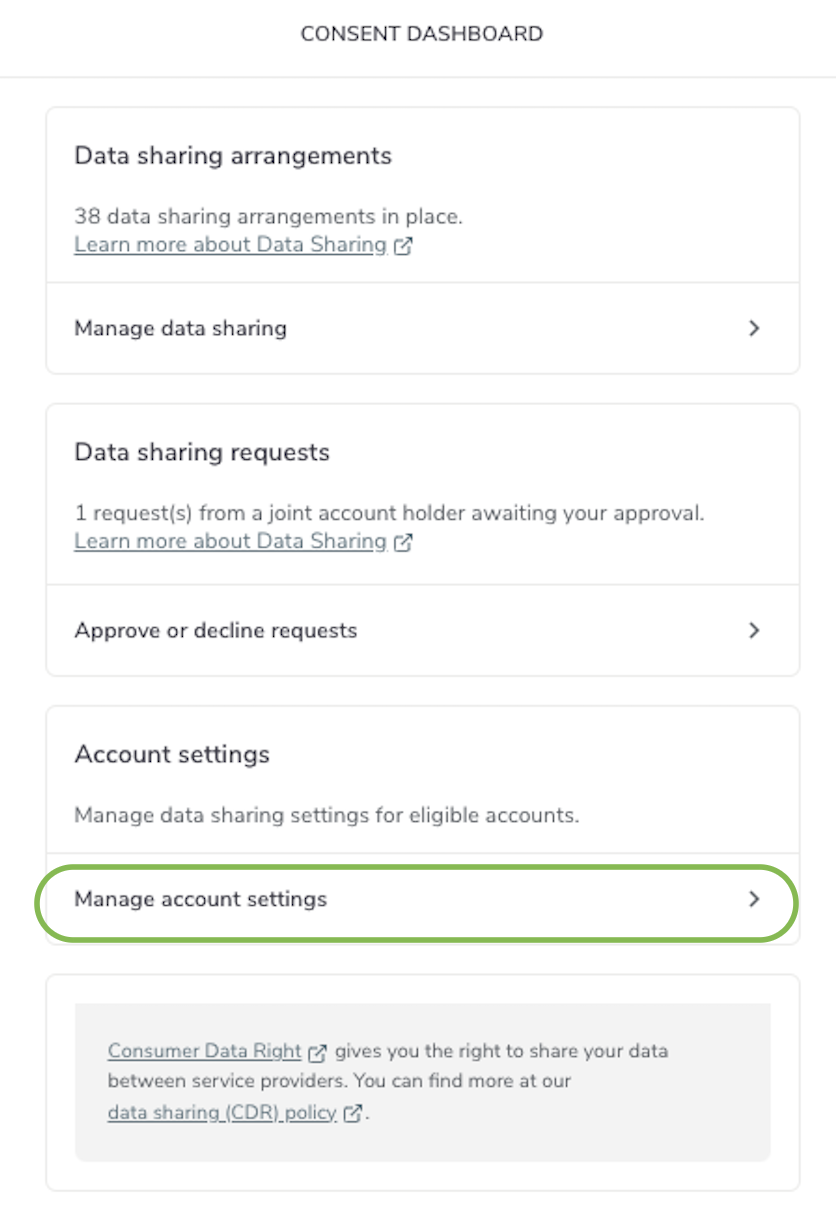
Manage Account Settings
3. Click on the relevant Joint Account.
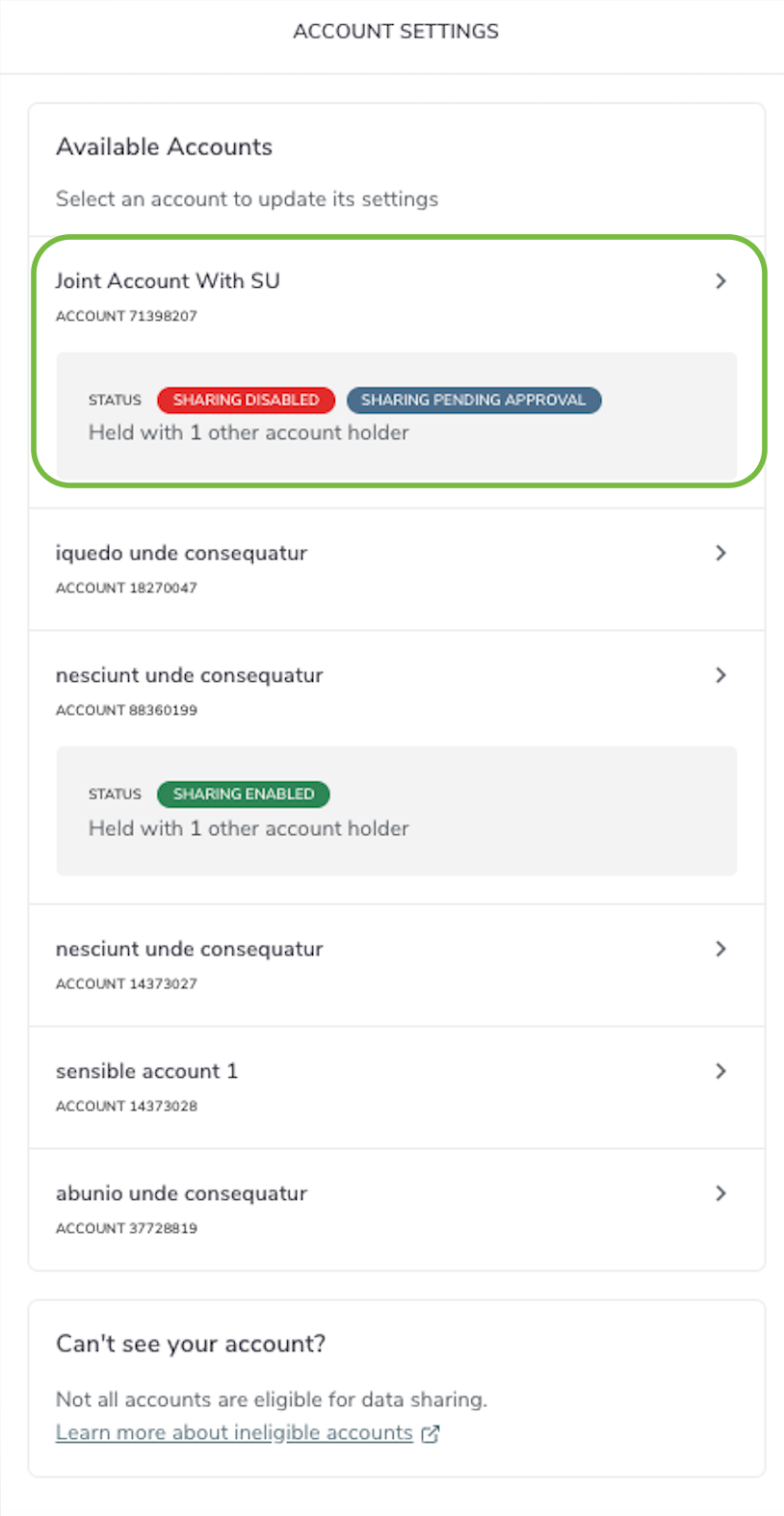
Manage Joint Account
4. Go to Manage notifications.
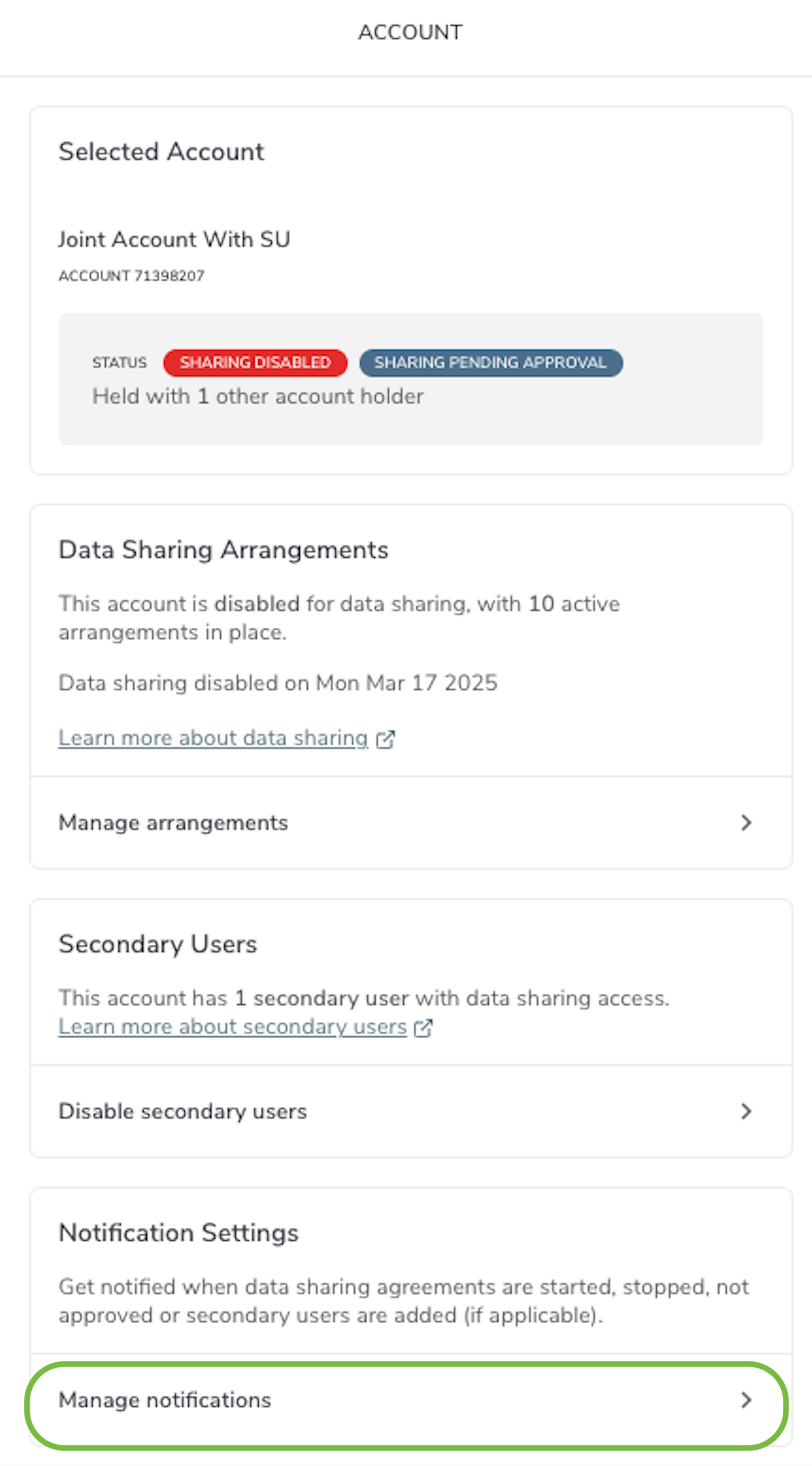
Manage Notifications
5. Select or deselect notification options and click Update preferences.
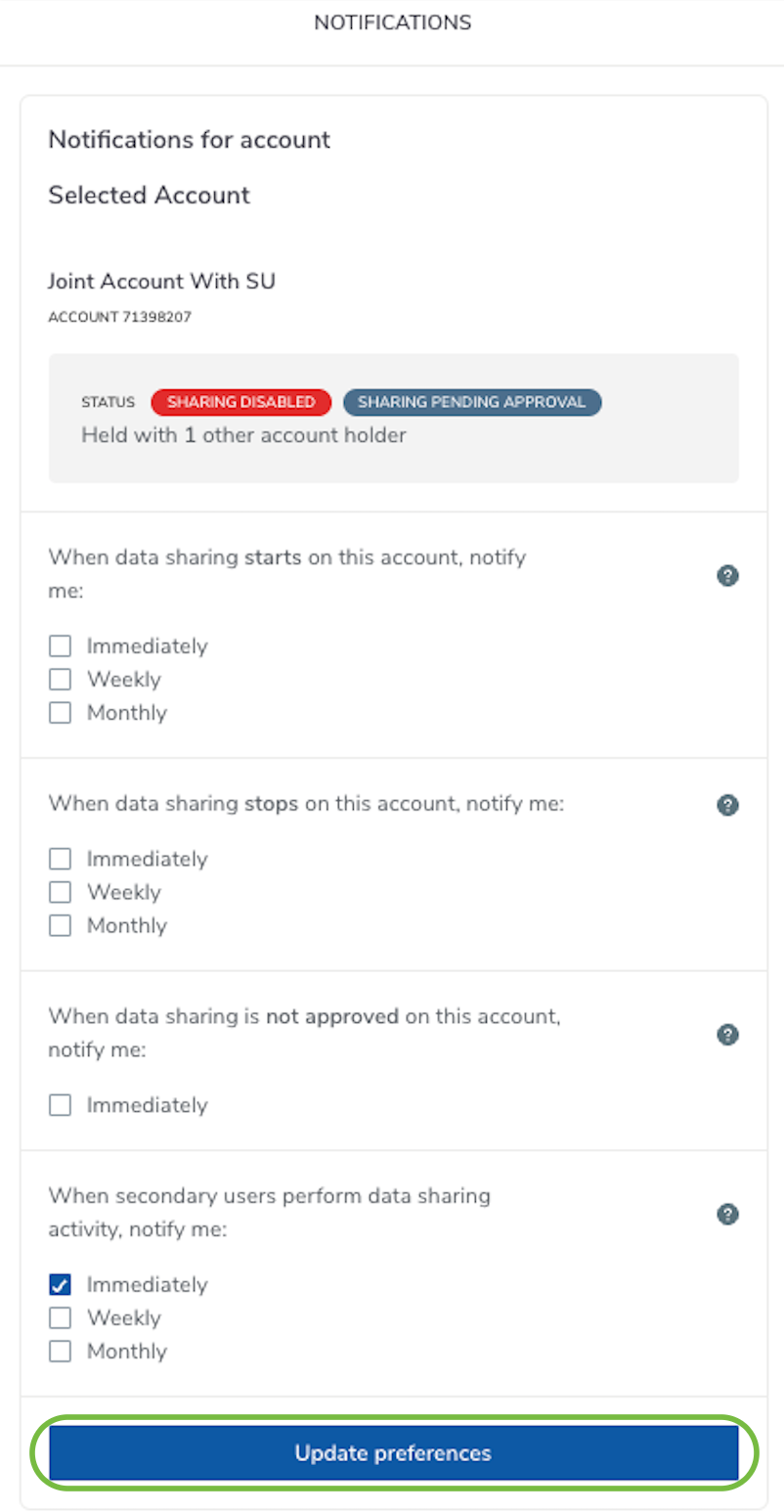
Update Preferences