Disable a secondary user
This page describes how to disable a secondary user for an account.
HaaS does not immediately remove accounts from arrangements when the secondary user relationship is removed from upstream. HaaS will only check if the secondary user relationship is removed when an ADR requests access tokens of the arrangement or when the Dashboard/HaaS Admin list secondary user instructions for the account.
1. Navigate to the consumer dashboard and login.
2. Under Account settings, click Manage account settings.
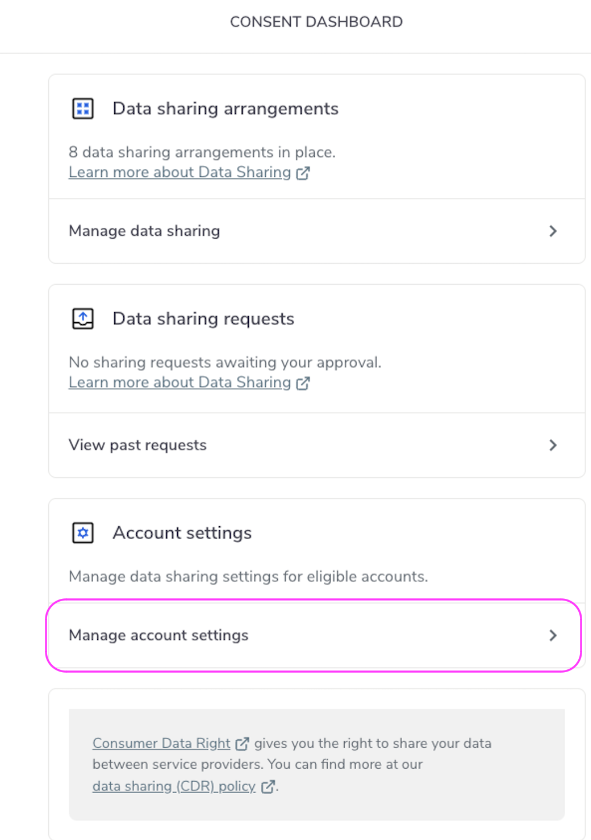
Manage Account Settings
3. Select the account for which you wish to disable a secondary user.
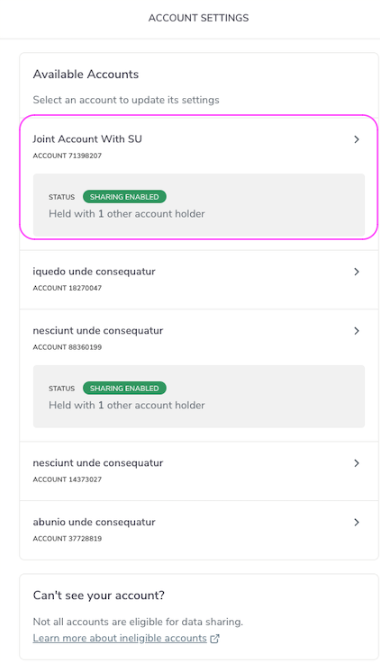
Disable Sharing
4. Go to Secondary Users and click Disable secondary users.
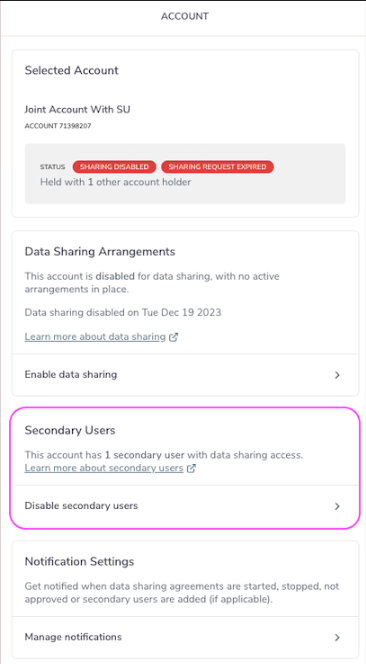
Disable Sharing
5. Select the secondary user you want to stop sharing for and click Next.
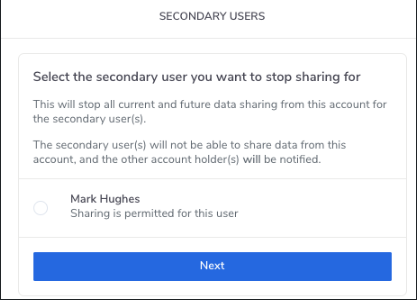
Disable Secondary User
In the event that you wish to disable multiple secondary users, you must disable them one at a time.
6. Click Disable Secondary User Sharing.
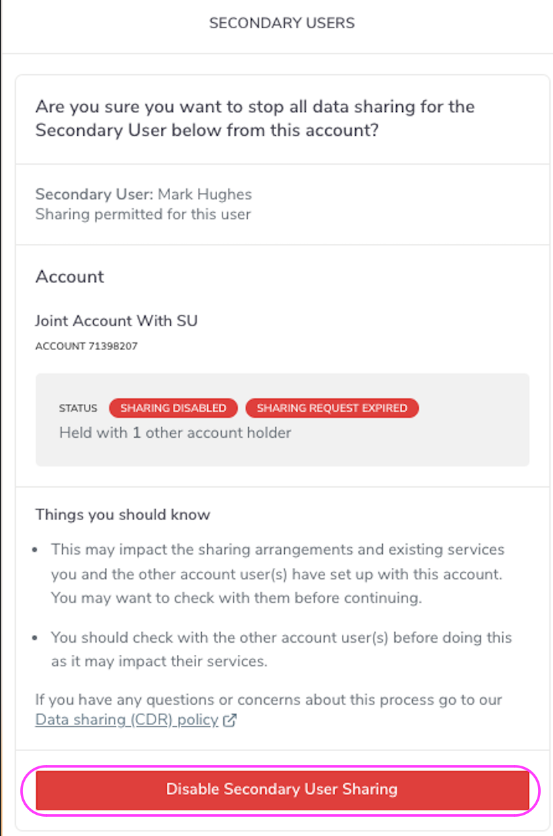
Disable Secondary User
7. Confirm you want to stop all data sharing for the selected secondary user by clicking Stop sharing, or click No to cancel the process.
Please note that if the user who is logged in has been identified as vulnerable, the message displayed will be “The other account holders will not be notified”.
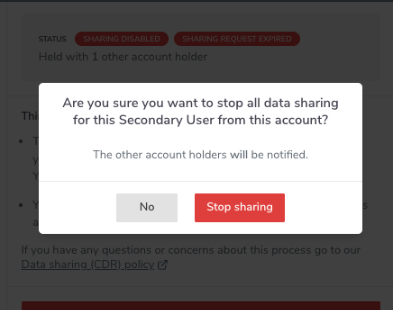
Disable Secondary User
8. Click Done on the Sharing Disabled for Secondary User screen.
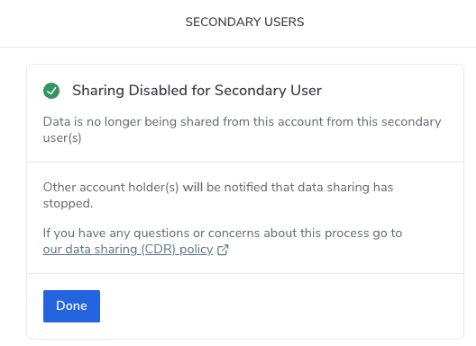
Done
9. Enable secondary users will now be displayed under Secondary User. Please note that Disable secondary users may also be displayed if there are other secondary users to disable.
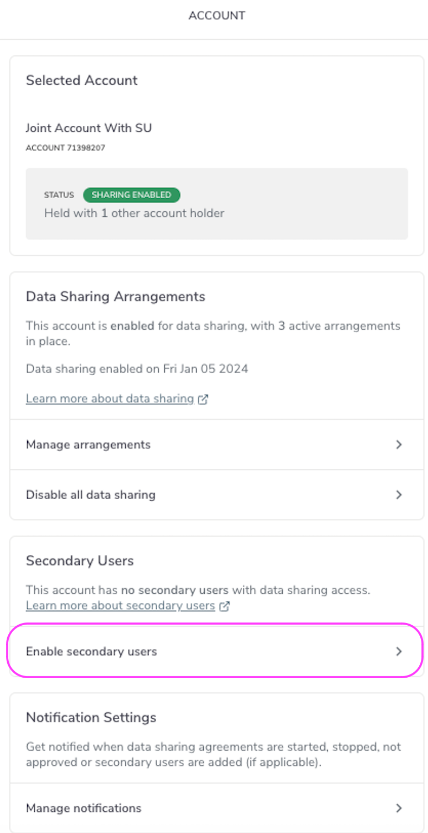
Enable Secondary User