Edit Products
Learn how to edit existing products
You can edit your product details by following these steps.
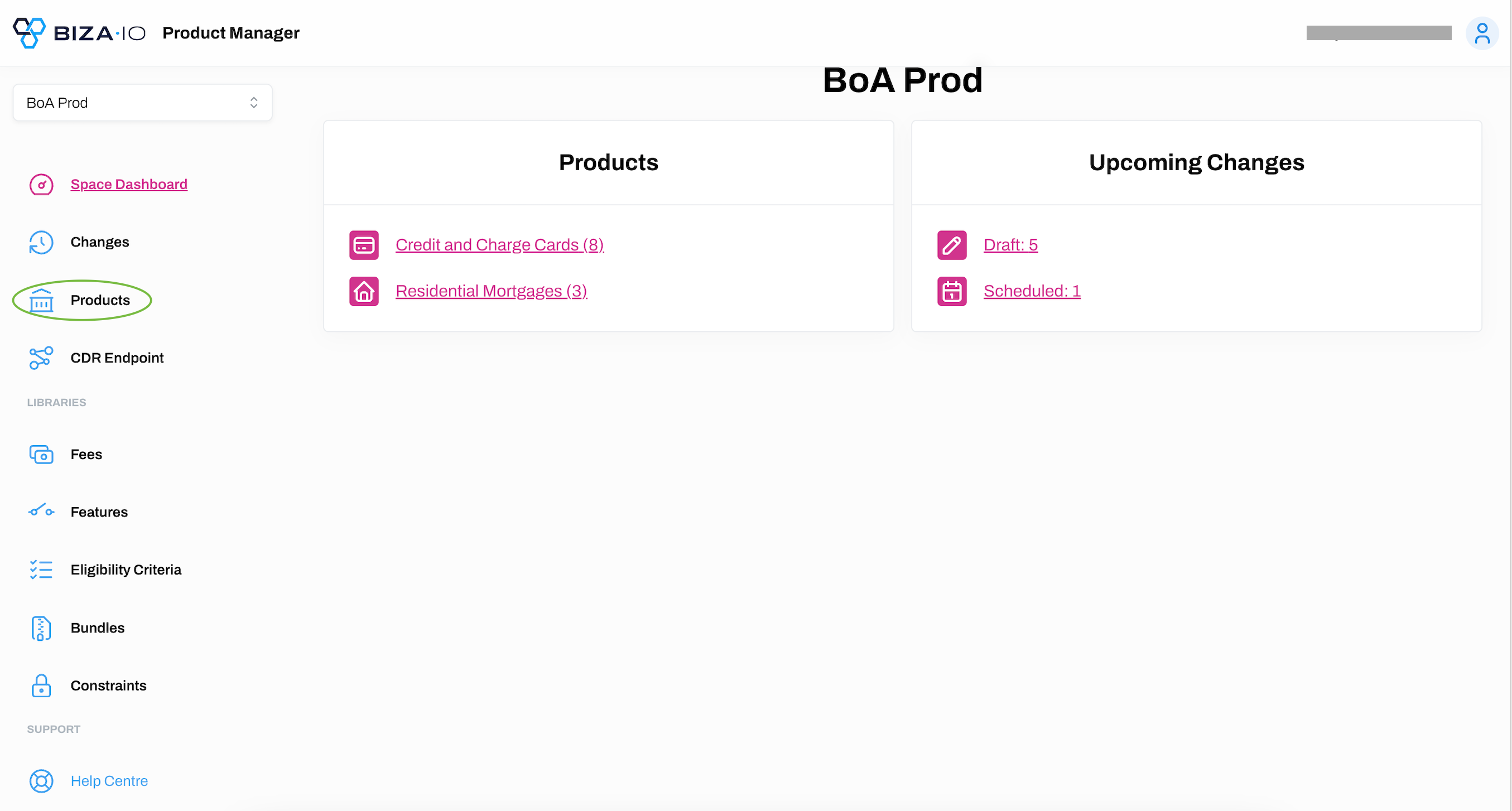
1. Select Products from the main menu.
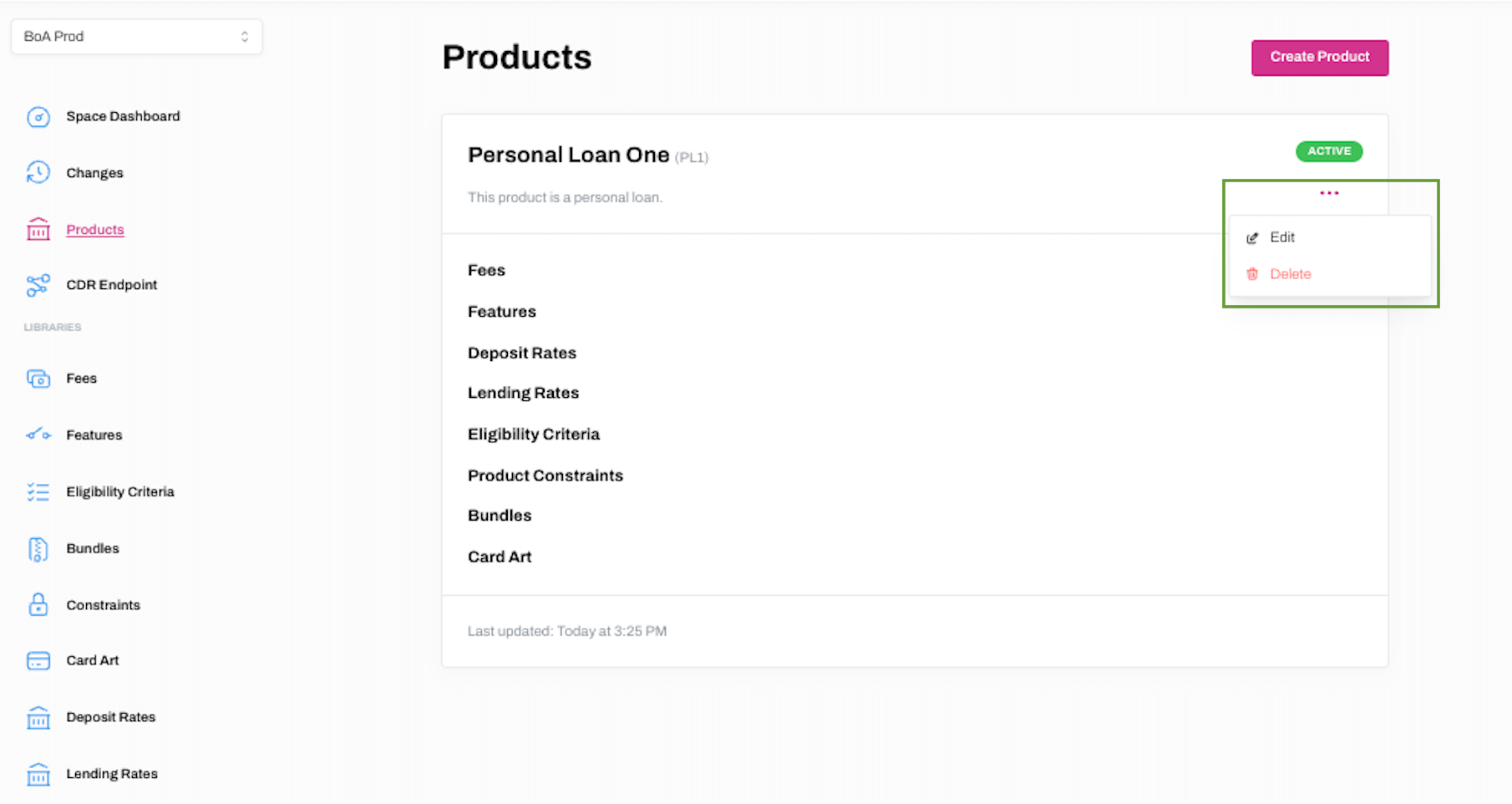
2. Find the product you wish to edit, click ... and Edit.
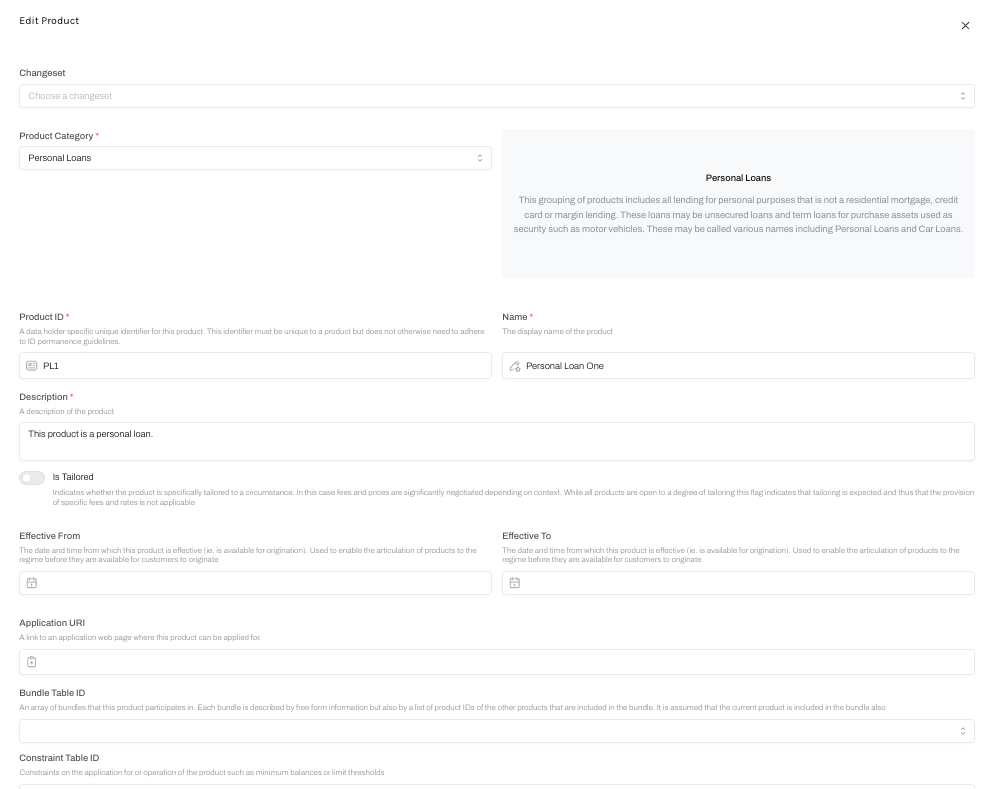
3. The Edit Product dialogue box will appear where you can edit any of the fields and add or remove libraries and URIs. After making the product changes, click Edit.
4. You will now be taken back to the main Products page. If you have attached or removed product libraries whilst editing the product, this will be reflected on this page.